Open Users and Permissions
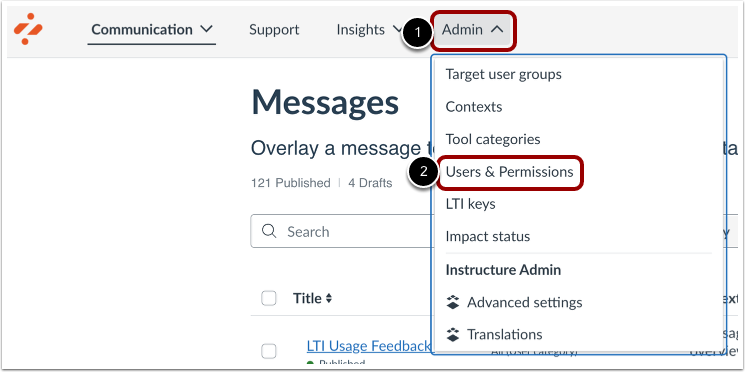
In your Impact dashboard, click the Admin link [1]. Then click the Users & Permissions link [2].
View Users and Permissions
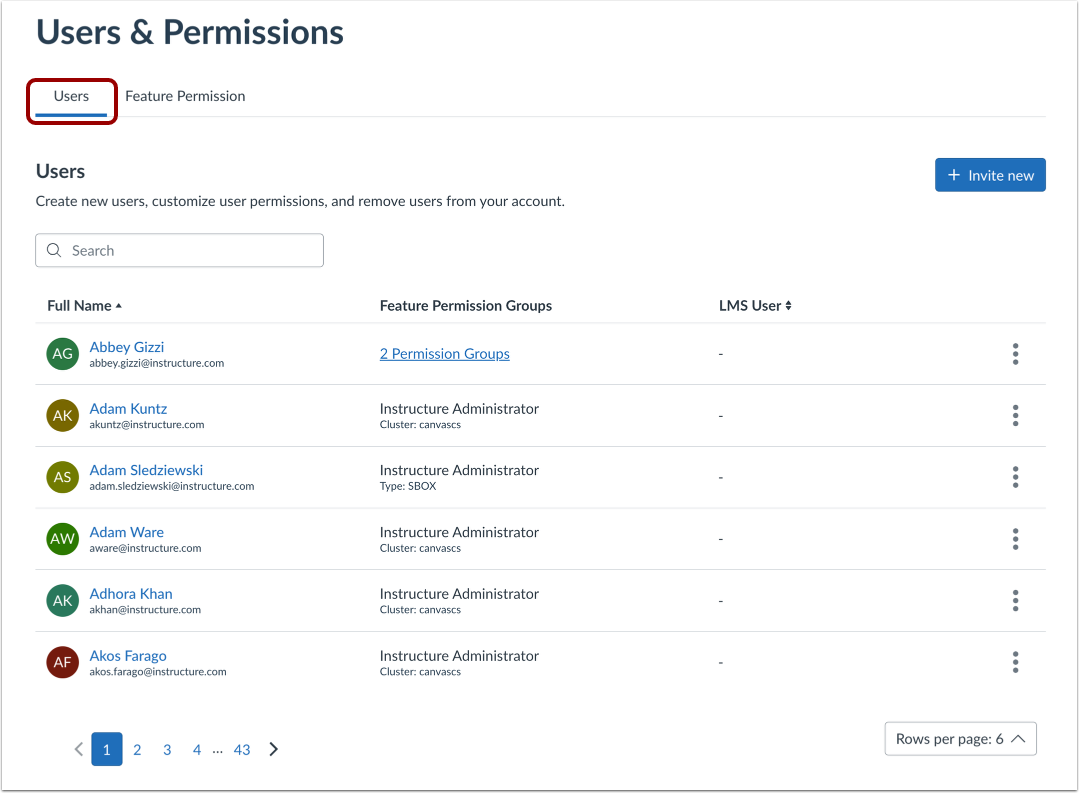
In the Users tab, you can view all your users, user permissions, feature permissions, and teams.
Revoke Access
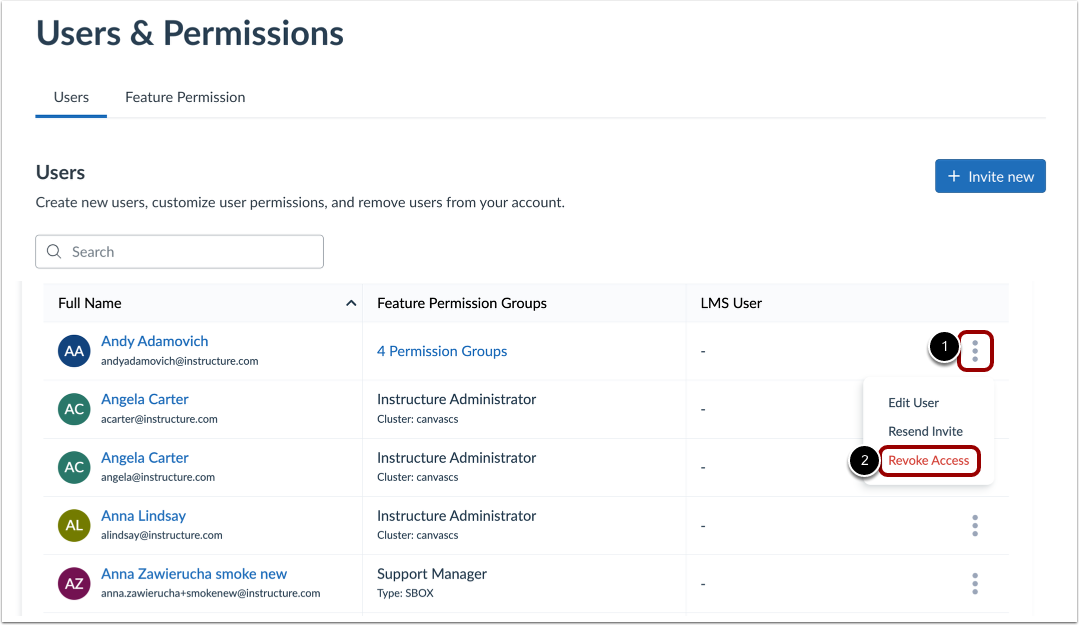
To revoke a user's access, click the Options menu [1] and click the Revoke Access link [2].
View Revoke Access Confirmation
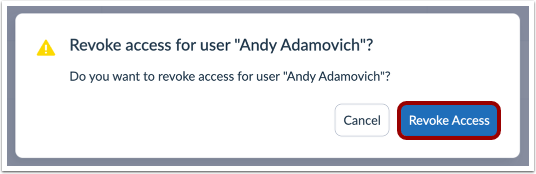
Click the Revoke Access button.