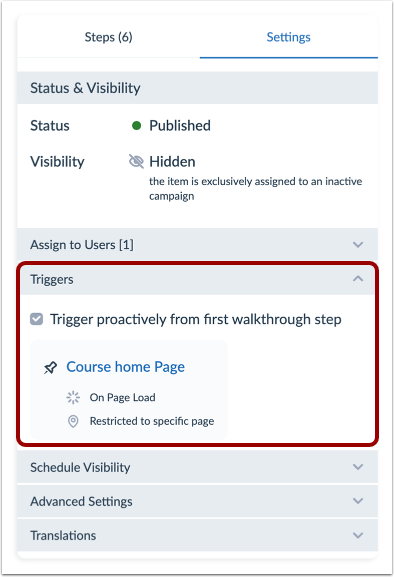
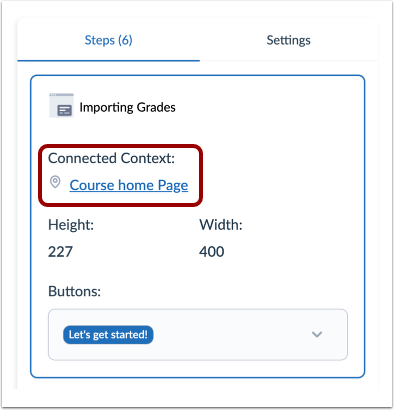
When using Walkthroughs, you might need to troubleshoot to find issues that arise as you implement your Walkthroughs to users.View the video transcript00:00:This guide will walk you through the process of Best Practices: Troubleshooting Walkthroughs.00:06:If you walk through steps are not showing up try the following.00:09:Ensure that the checkbox to trigger proactively from the first walkthrough step is checked.00:16:Reset User Visibility00:19:Log in and out of your instance or clear your cache.00:24:Ensure all steps have a connected context.00:27:Add a test message to the template context where the step is not displaying.00:32:If the message shows up this will eliminate the slight possibility that the context00:36:template is broken00:39:This guide covered the steps to troubleshooting walkthroughs.Troubleshoot Your WalkthroughIf your Walkthrough steps are not showing up, try the following:Ensure that the checkbox to Trigger proactively from the first walkthrough step is checked.Reset user visibility.Log in and out of your instance.Clear your cache.Ensure all steps have a Connected Context.Add a test message to the template/context where the step is not displaying. If the message shows up, this will eliminate the slight possibility that the context/template is broken.