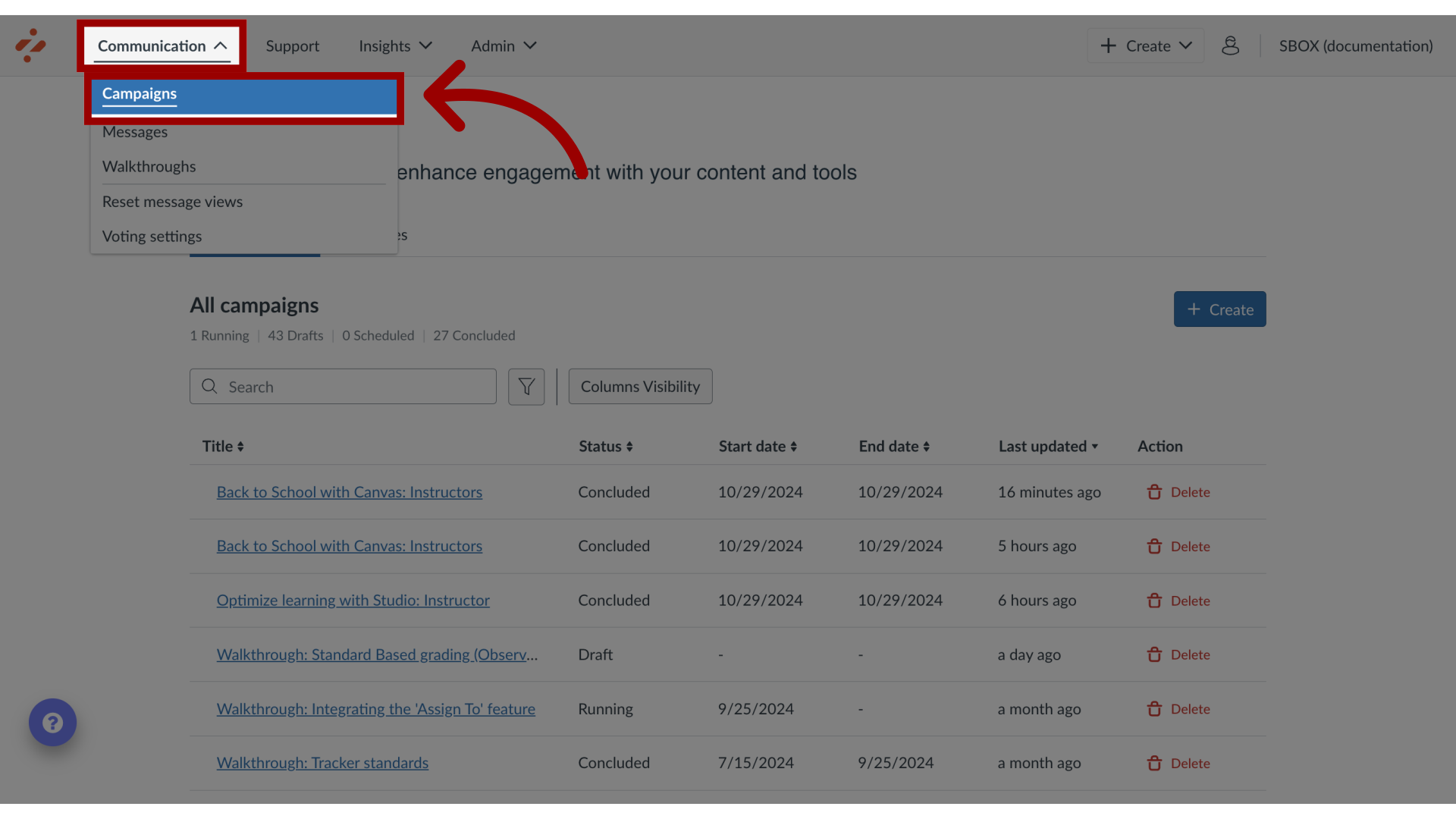
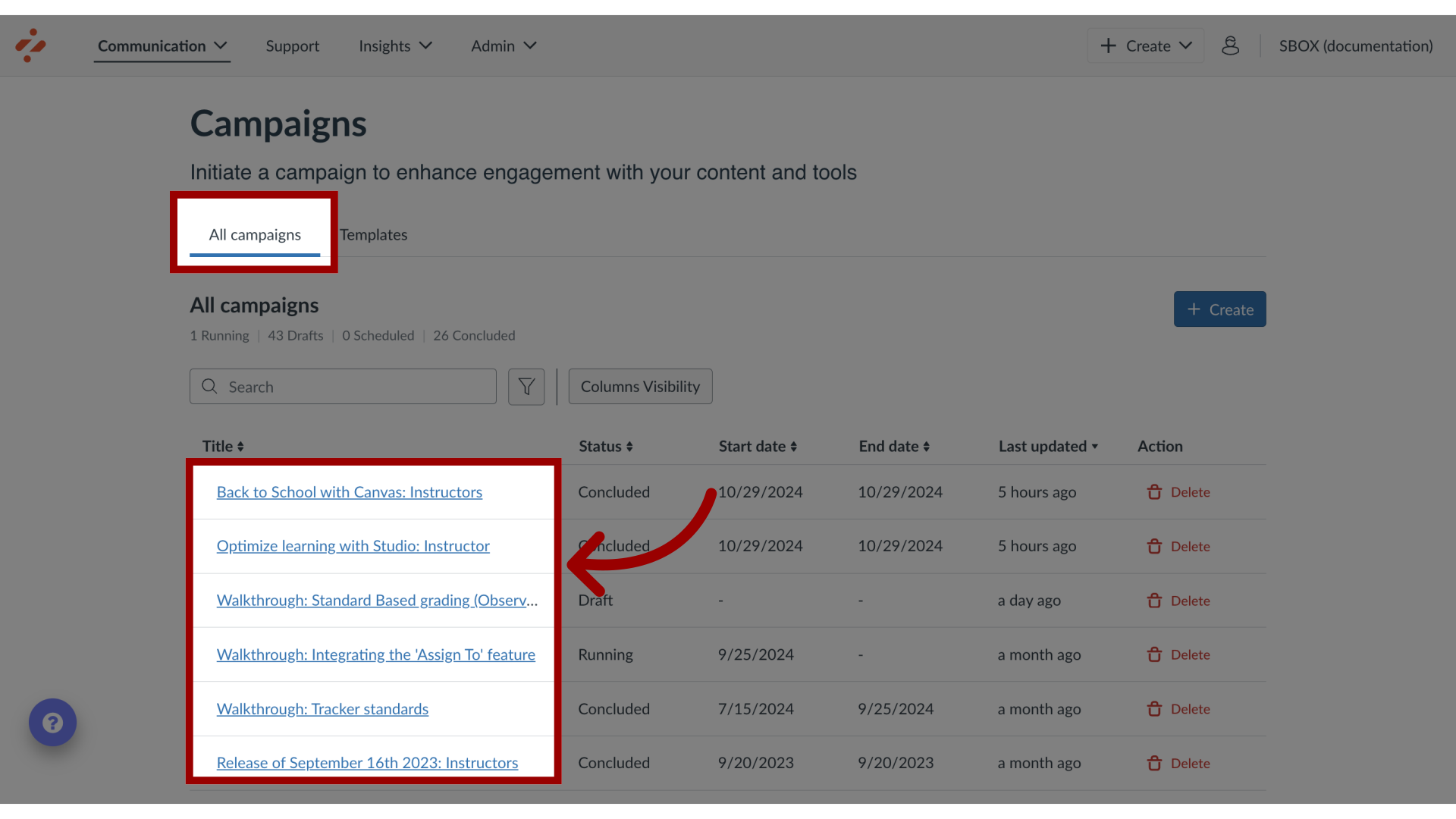
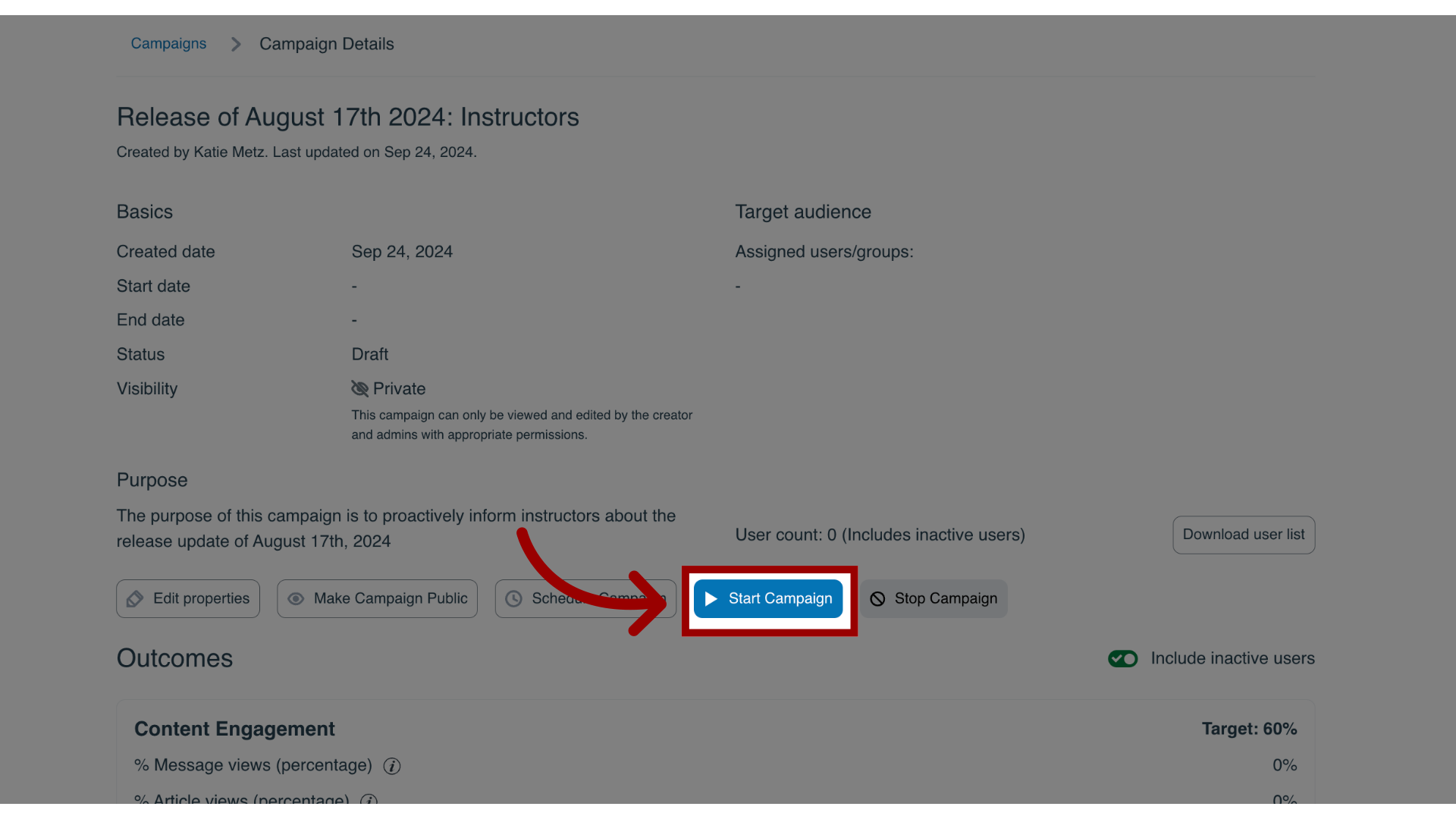
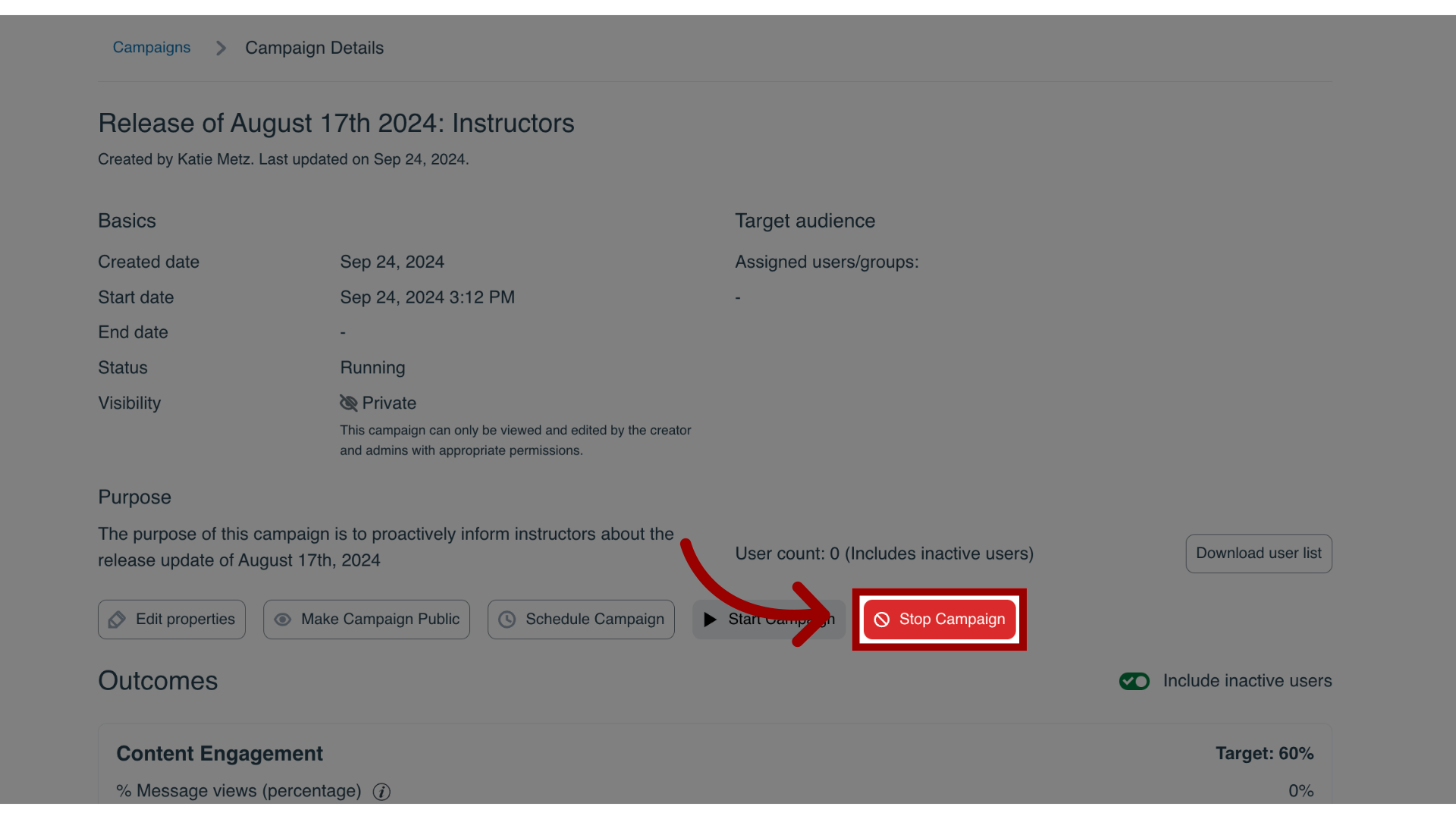
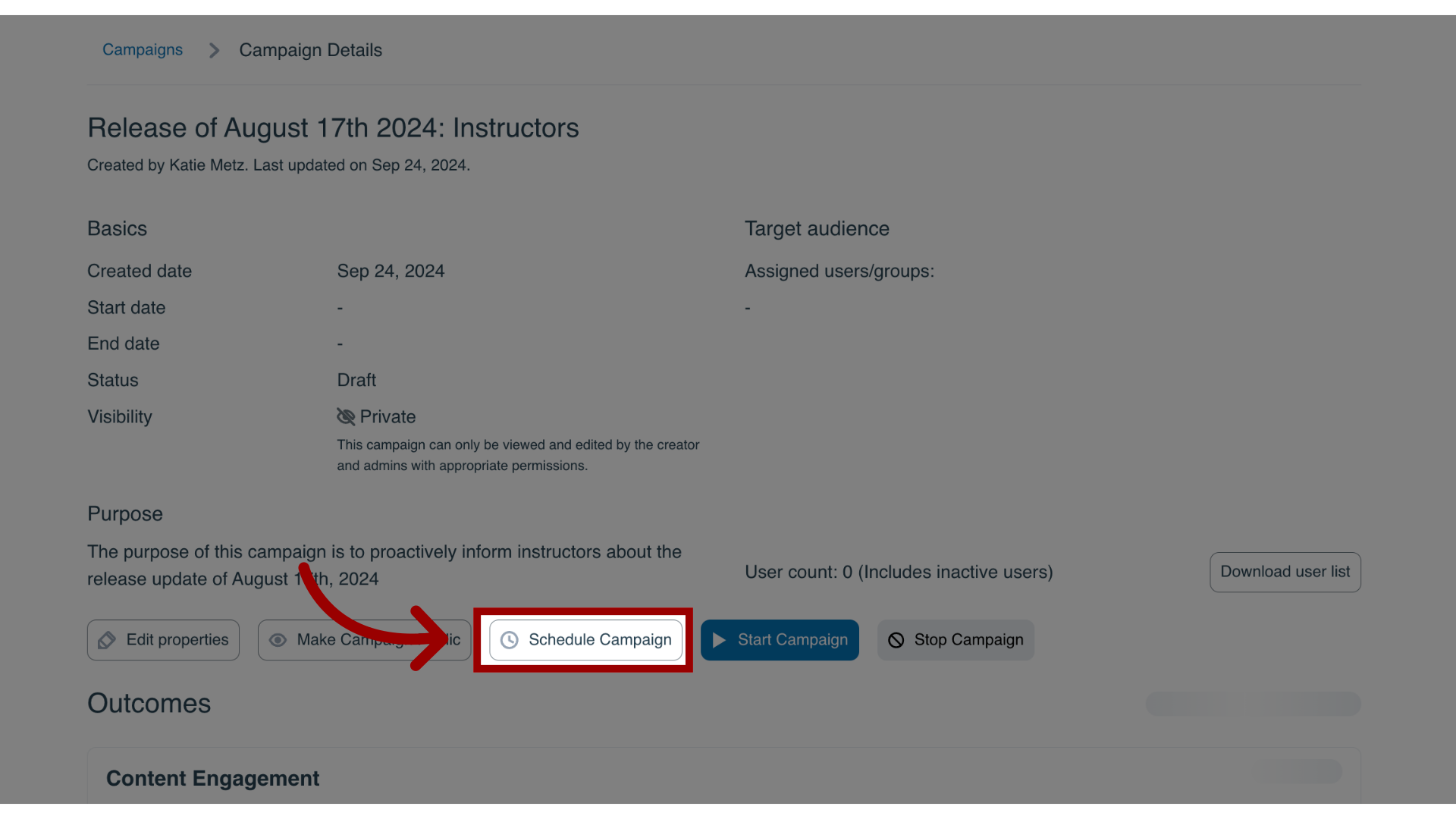
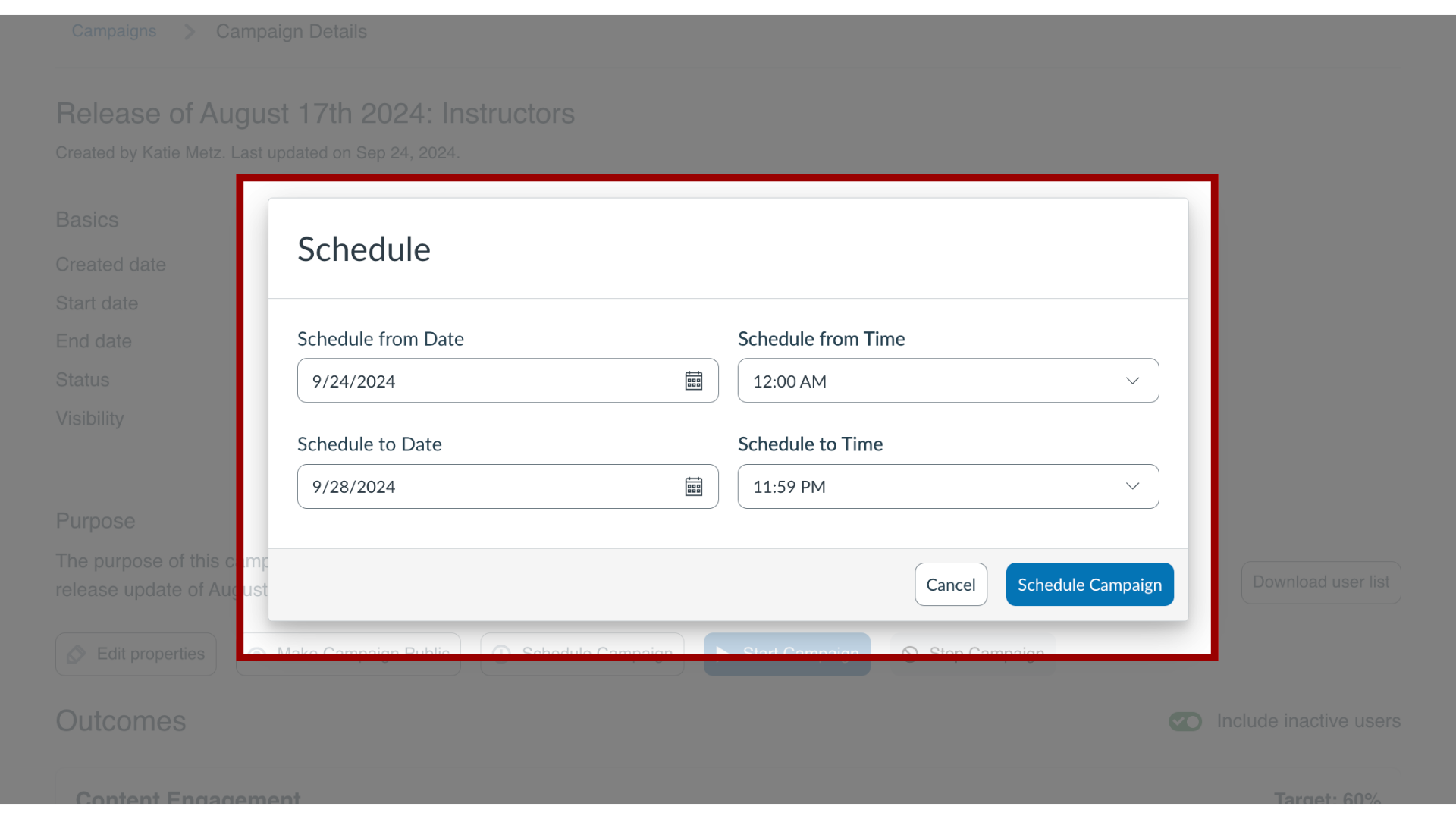
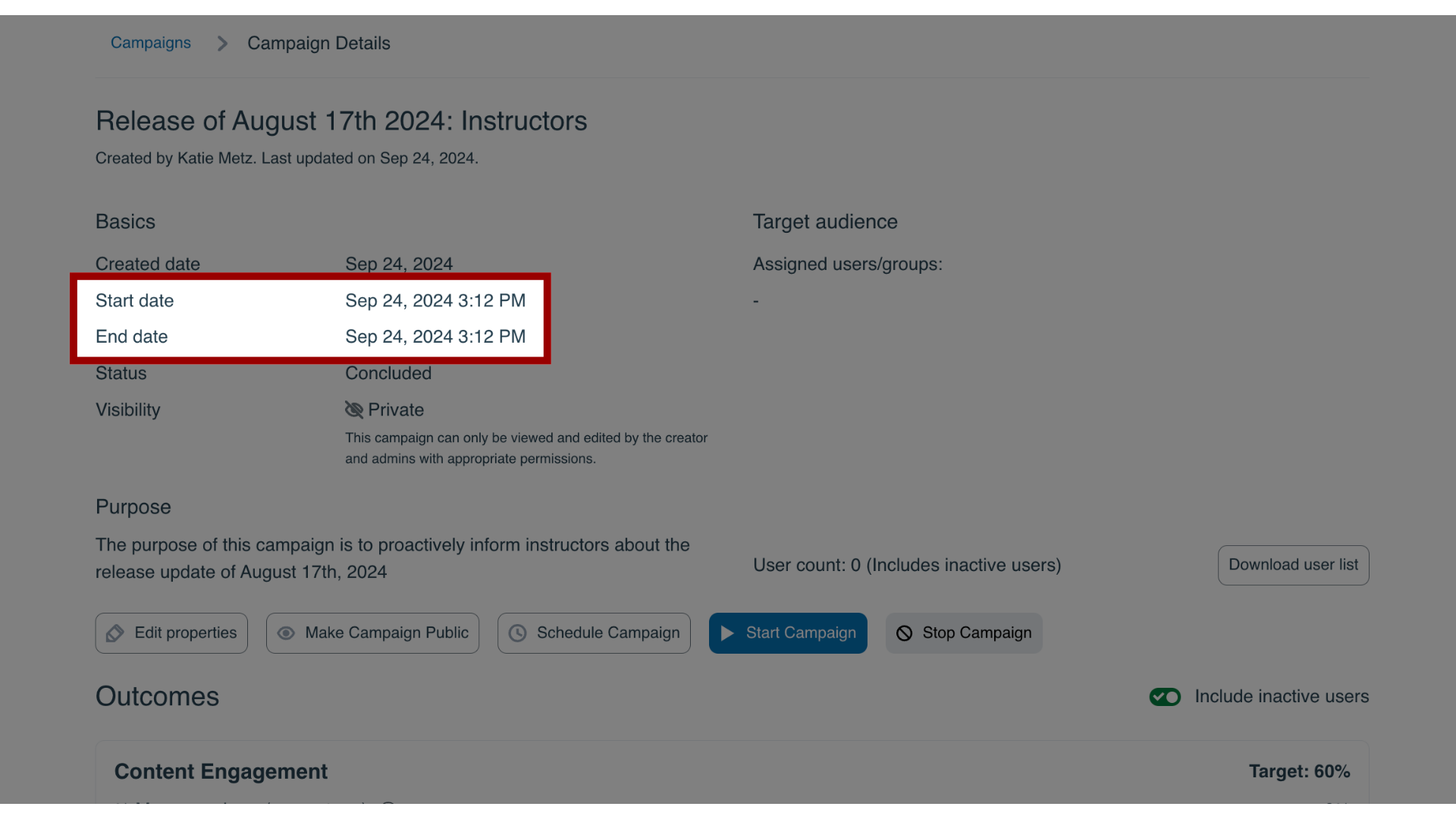
On the Campaign Details page, you can determine a campaign’s start and end date.How do I start, schedule, or end a campaign in the Impact Dashboard?1. Open CampaignsIn the Global Navigation, click the Communication dropdown menu. Then click the Campaigns link.2. Open CampaignIn the All Campaigns tab, click the campaign you wish to launch.3. Start CampaignIn the Campaign Details page, click the Start Campaign button to launch the campaign immediately. This sets the campaign start date to the current date and time and leaves the end date blank.4. Stop CampaignIf you wish to end the campaign, click the Stop Campaign button, which populates the end date with the current date and time.5. Schedule CampaignTo set a specific start and end date for the campaign, click the Schedule Campaign button.6. Add Schedule DatesEnter the desired start date/time and end date/time. Then click the Schedule Campaign button.7. View Dates The start date and end date are updated accordingly. The messages, walkthroughs, and articles assigned to the campaign are only shown to end-users once the campaign has started.