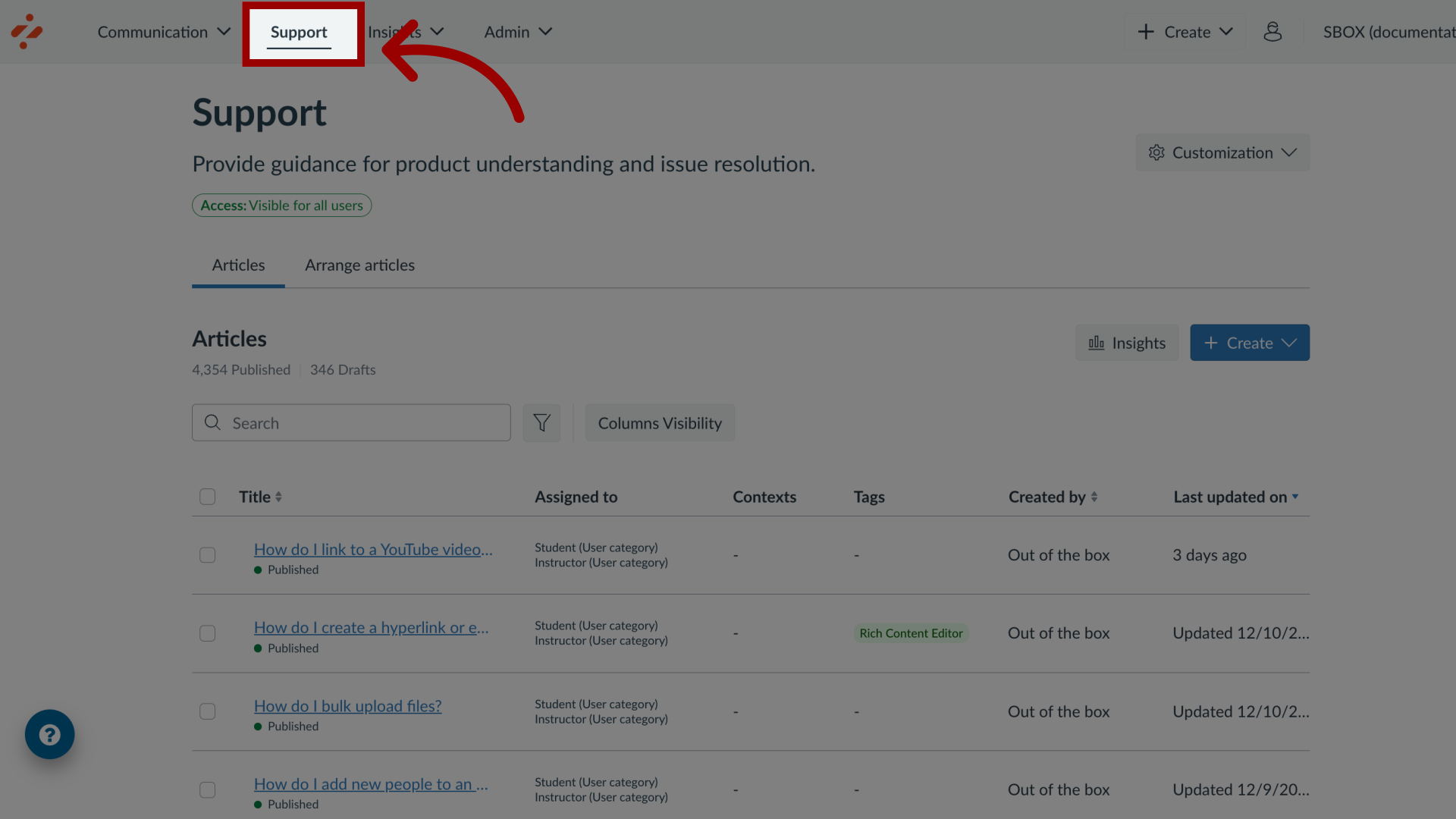
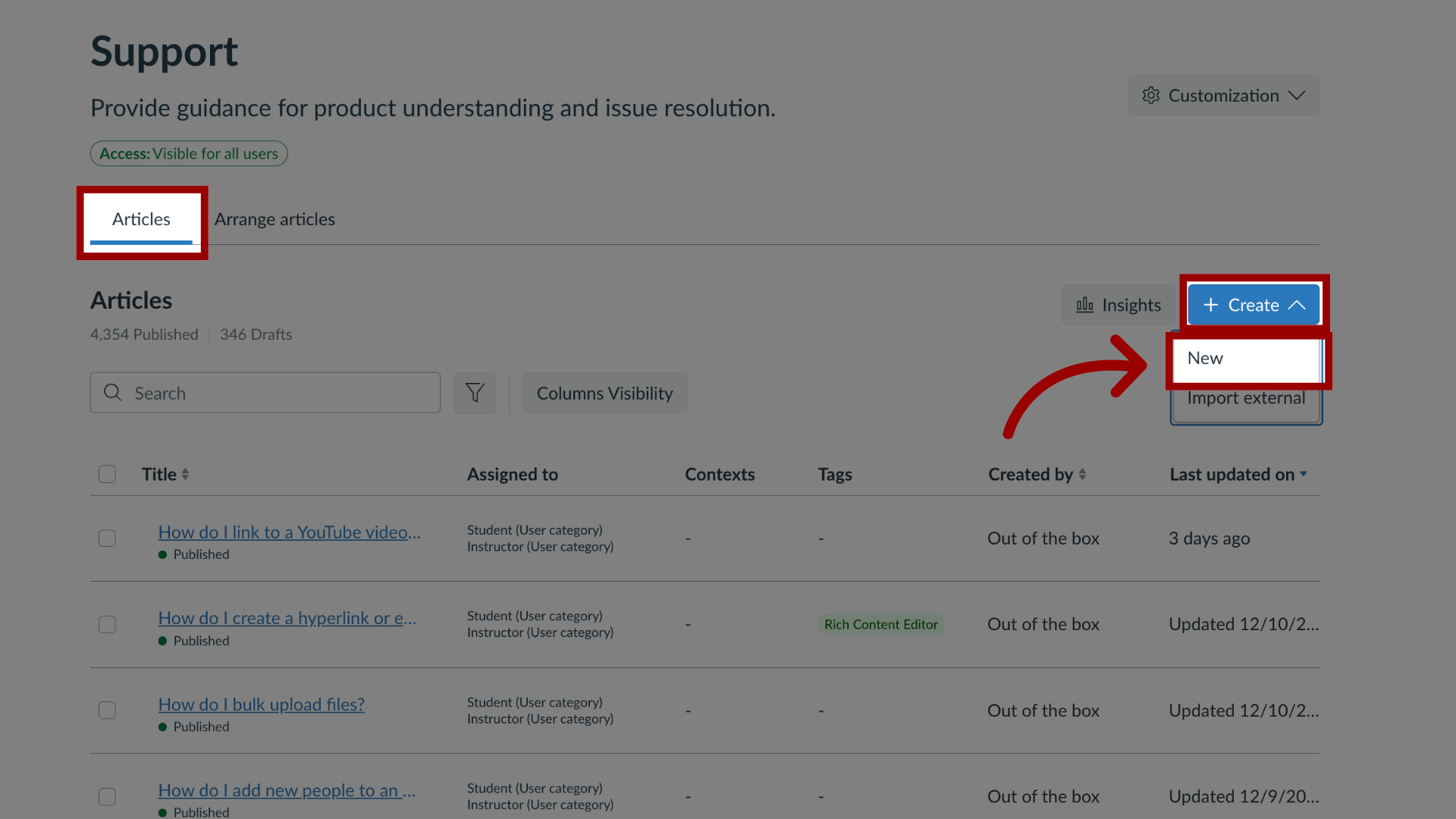
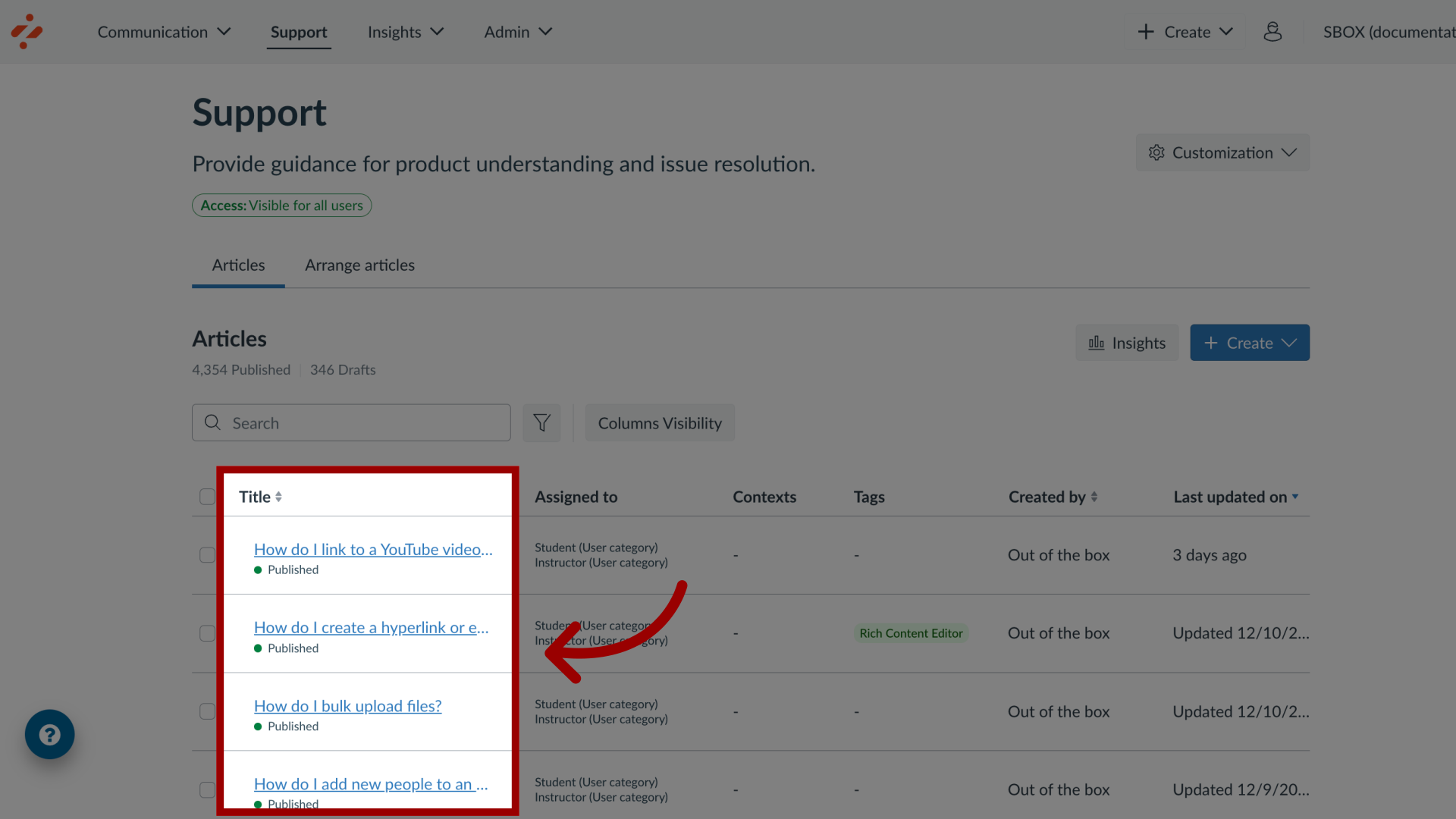
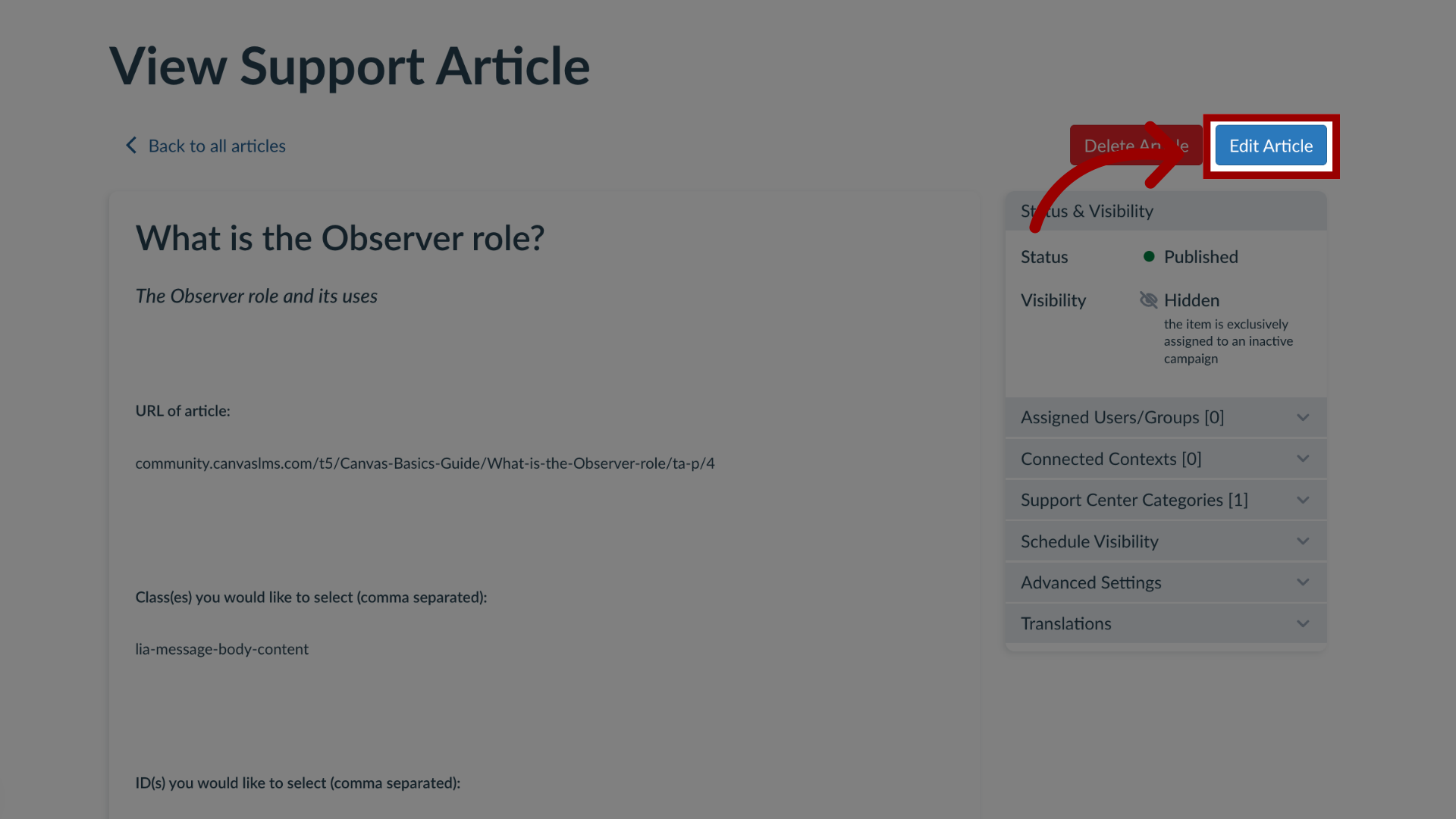
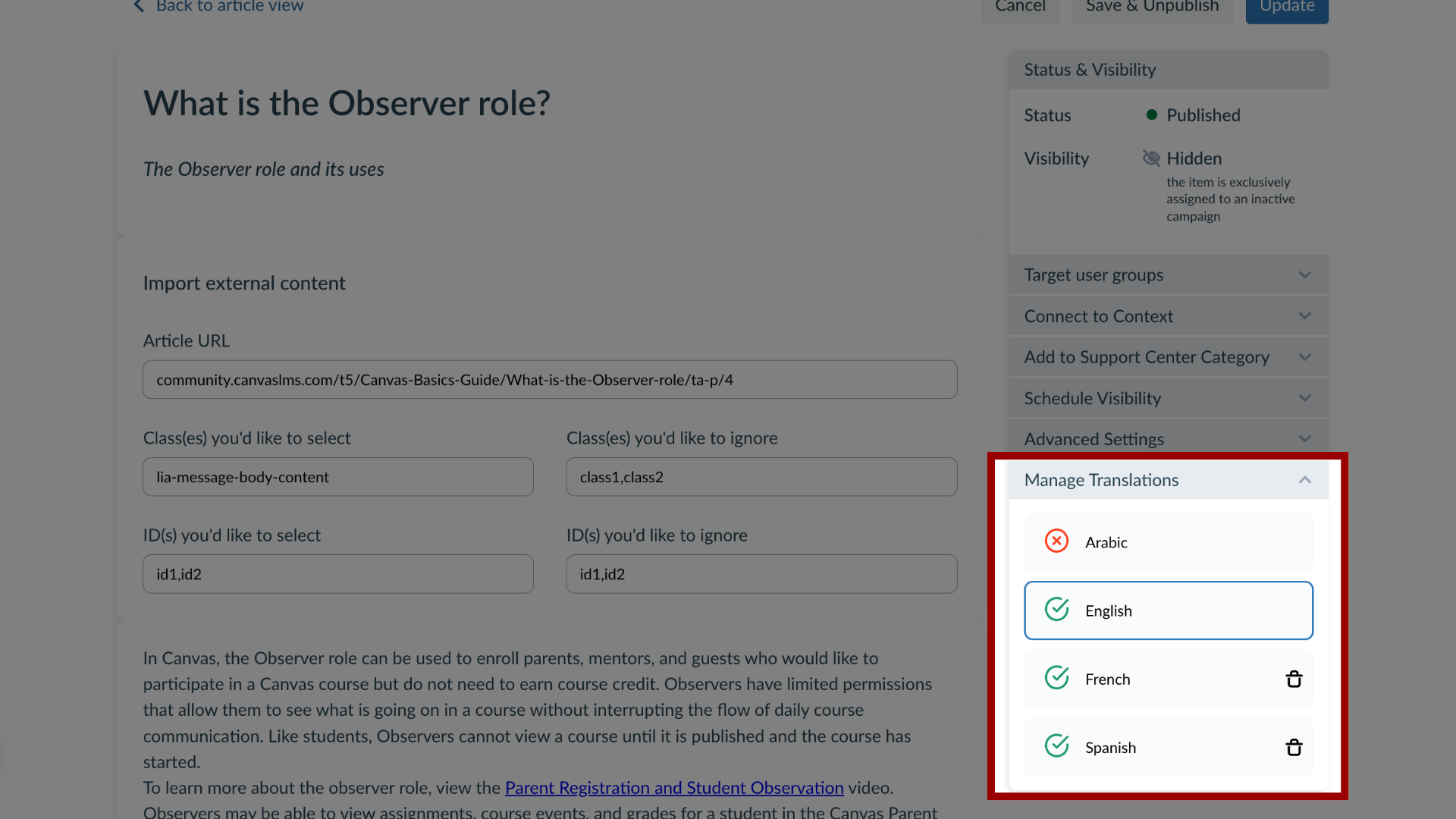
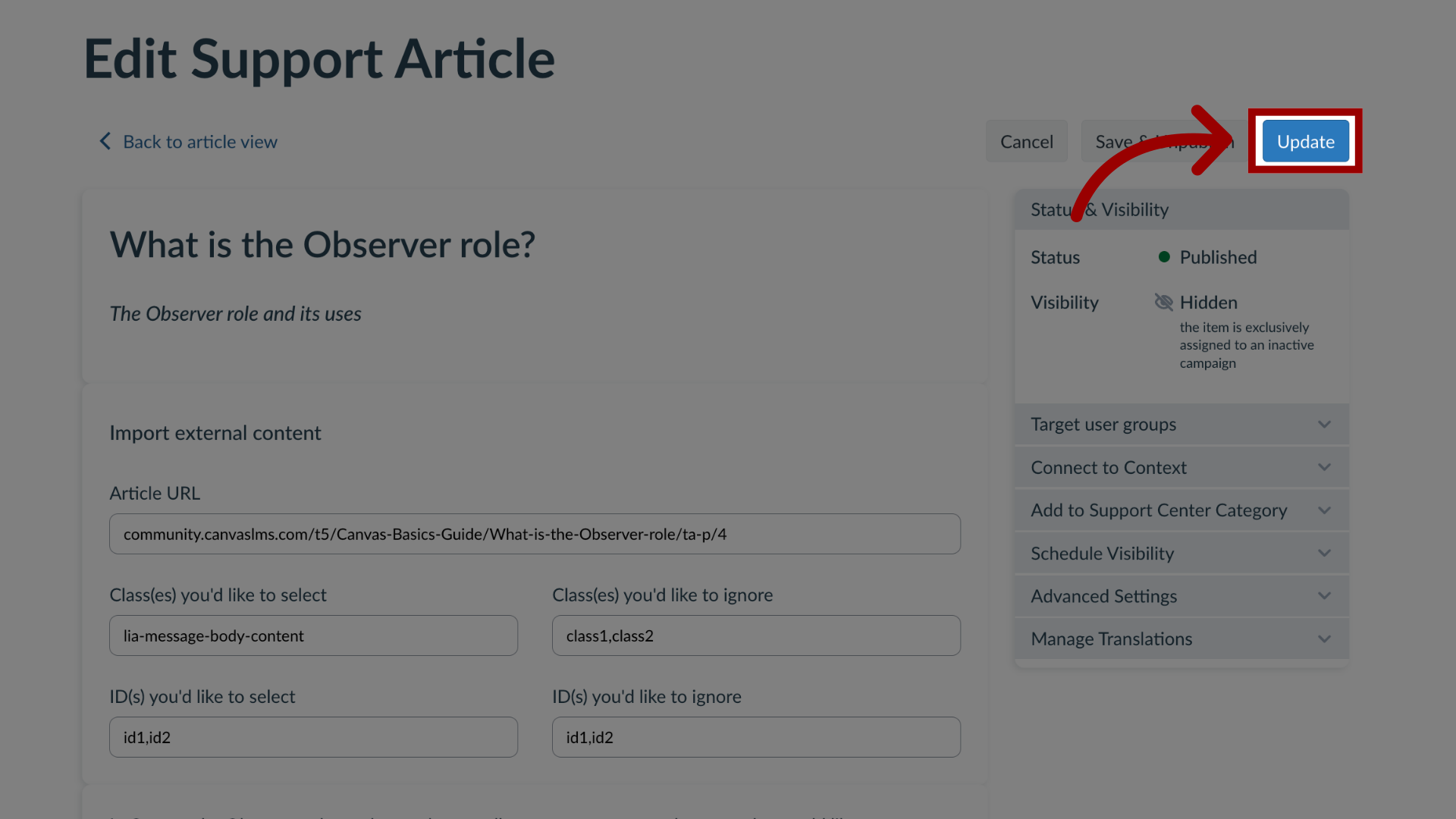
With Impact, you have the capability to manage support article translations in the Impact Dashboard. You can add or edit translations ensuring comprehensible and useful information for users across different languages.How do I add or edit support article translations in the Impact Dashboard?1. Open SupportIn Global Navigation, click the Support link.2. Create New Support ArticleIn the Articles tab, to create a new article, click the Create drop-down button and click the New link.3. Manage Existing ArticleTo add a support article to an existing campaign, locate and click the support article name.4. Edit Support ArticleIn the View Support Article page, click the Edit Article button.5. Manage TranslationsIn the sidebar, click the Manage Translations section. You can see and select all of your different languages.6. Update ArticleThen click the Publish or Update button.