00:07: How do I use Analytics Hub to access all my Instructure data from one place?
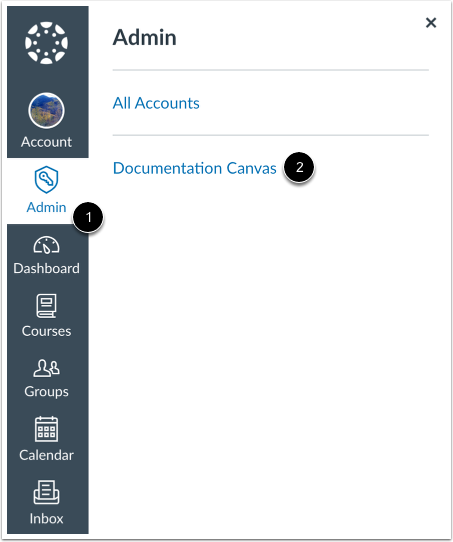
00:12: In Global Navigation, click the Admin link, then click the name of the account.
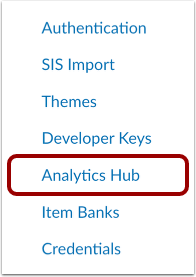
00:17: In Account Navigation, click the Analytics Hub link.
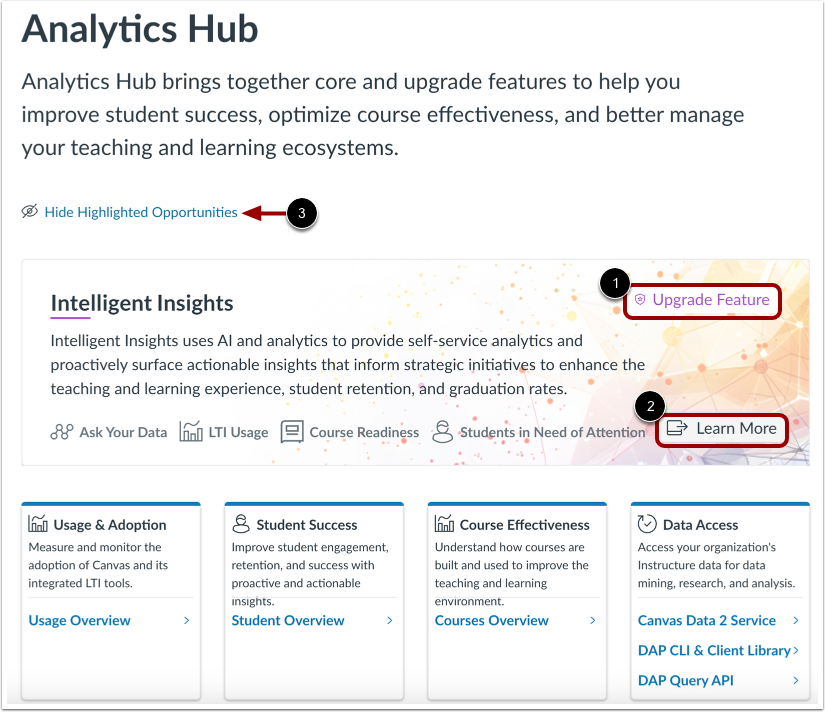
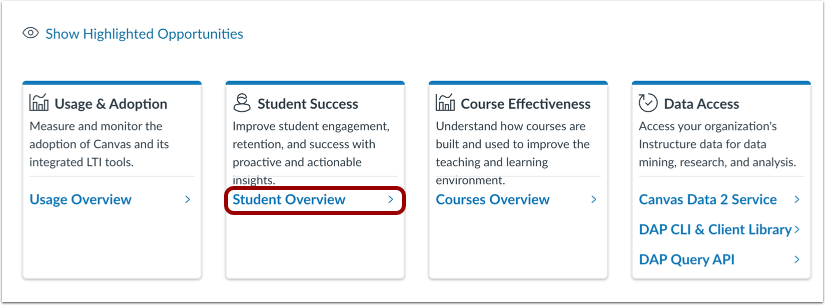
00:22: The Analytics Hub displays area cards for accessing available data, analytics, and insights. Depending on your preferences, purchases, and role permissions, you may have access to various areas of analytics.
00:35: AI-Assisted Insights use everyday language to query your data and gain deep insights with custom visualizations.
00:43: Usage & Adoption measures and monitors the adoption of Canvas and its intetrated LTI tools. For more information, visit our guides about Usage Overview, Impact Insights, and LTI Usage.
00:56: Student Success helps improve student engagement, retention, and success with proactive and actionable insights. For more information, you can view the Student Overview dashboard and the Students in Need of Attention data.
01:10: Course Effectiveness helps understand how courses are built and used to improve the teaching and learning environment. For more information, you can view the Courses Overview dashboard and the Course Readiness report.
01:24: Standards Proficiency shows aggregated performance data on standards-aligned assessments.
01:30: The Assessment Results card shows student performance on individual assessments. You can view Formative Assessments, Benchmark Assessments, or State & National Assessments.
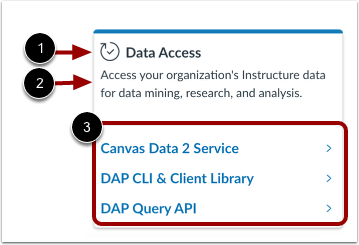
01:41: From the Data Access card, you can access your organization's interactive data for data mining, research, and analysis. Data access includes Canvas Data 2 services, DAP CLI & Client Library, and DAP Query API.
01:57: Optional analytics may display the Upgrade Feature label.
02:02: If your institution has not yet purchased an upgrade feature, you can find out more about the feature by clicking the Learn More link.
02:10: To view only analytics you currently have access to, click the Hide Highlighted Opportunities link.
02:16: Each area card includes a title, a description, and sub-area links.
02:22: To view an area of analytics, click the sub-area link.
02:26: This guide covered how to use Analytics Hub to access all Instructure data from one place.