As an admin, you can archive grading schemes for all accounts associated with your account.
Notes:
- A grading scheme in use can be archived and then unarchived and restored to an active state.
- Archived grading schemes can still be used wherever they are currently in use, but they cannot be selected for new courses or assignments.
- You cannot archive the Default Canvas Grading Scheme.
- When copying or exporting a course, archived default grading schemes are not copied or exported.
Open Account
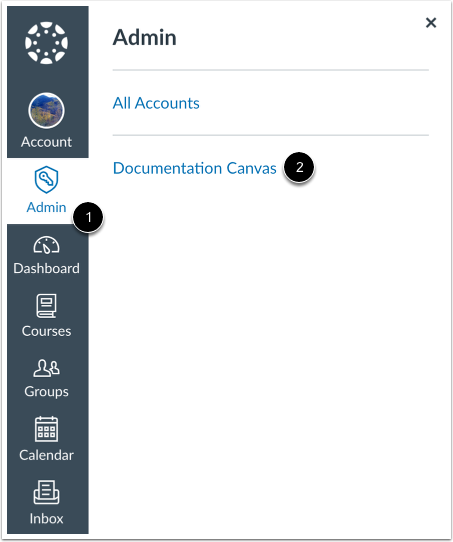
Click the Admin link [1], then click the name of the account [2].
Open Grading
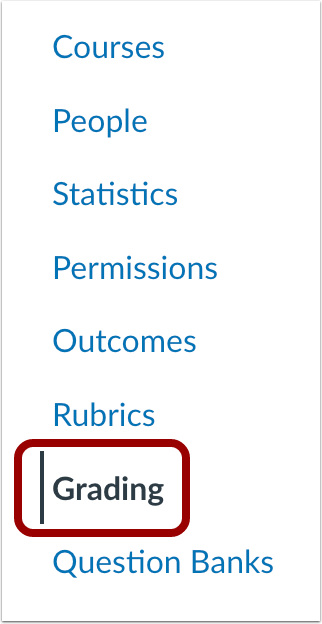
In Account Navigation, click the Grading link.
Open Grading Schemes
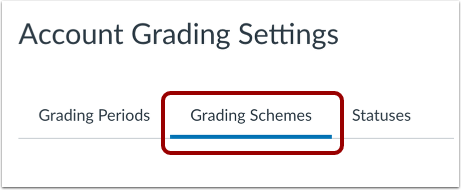
Click the Grading Schemes tab.
Archive Grading Scheme
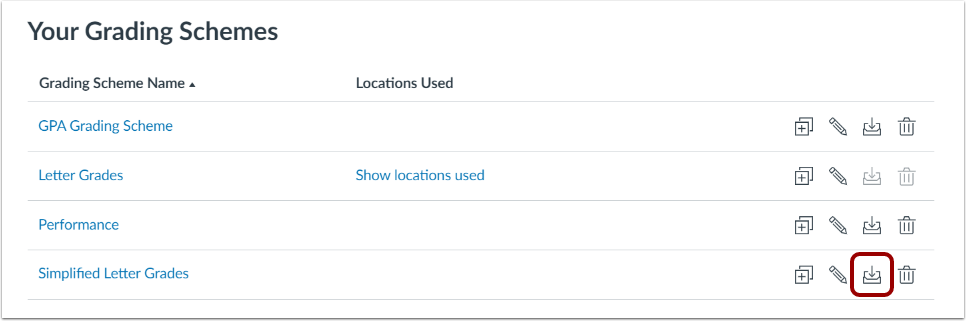
To archive a grading scheme, click the Archive button.
View Archived Grading Scheme
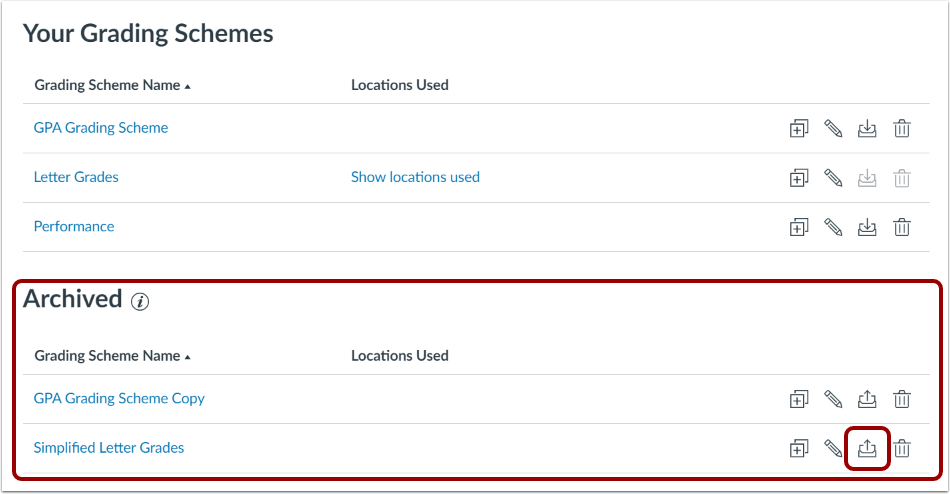
View the archived grading scheme. To unarchive and restore the grading scheme, click the Unarchive icon.
Notes:
- A grading scheme in use can be archived and then unarchived and restored to an active state.
- Archived grading schemes can still be used wherever they are currently in use, but they cannot be selected for new courses or assignments.
- You cannot archive the Default Canvas Grading Scheme.
- When copying or exporting a course, archived default grading schemes are not copied or exported.