You can delete a user from your account.
Notes:
- If your account manages user information through a student information system (SIS), changes will also have to be made in the SIS. Any changes made in Canvas will not be passed back to the SIS.
- You have the capability to restore a deleted user.
Open Account
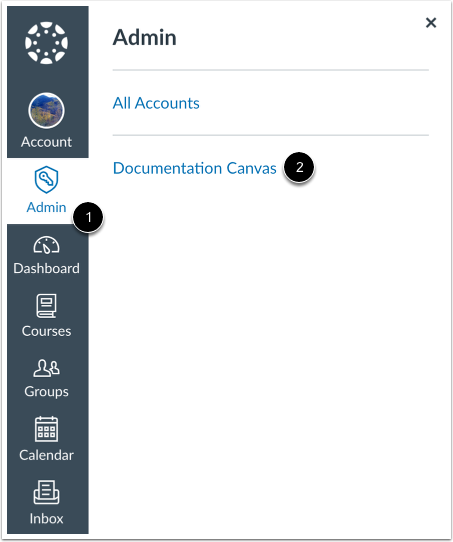
In Global Navigation, click the Admin link [1], then click the name of the account [2].
Open People
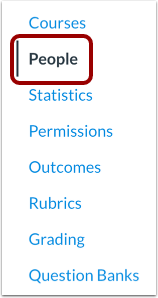
In Account Navigation, click the People link.
Find User
Use the filter and search options to find the user in the account.
Open User Profile
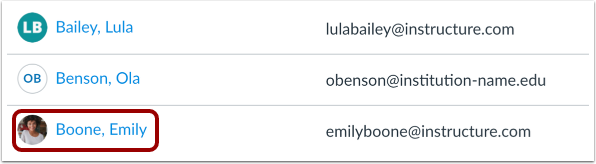
In the search results, click the user's name.
Delete User
Locate the Delete from [account title] link to delete the user.
Confirm Deletion
After clicking on the delete link, you will be asked if you are sure you want to delete the user. If you are sure, click the Delete [User Name] button.
Note: This will remove the user's data (including grades and ePortfolios) from all courses and groups.