Open Case
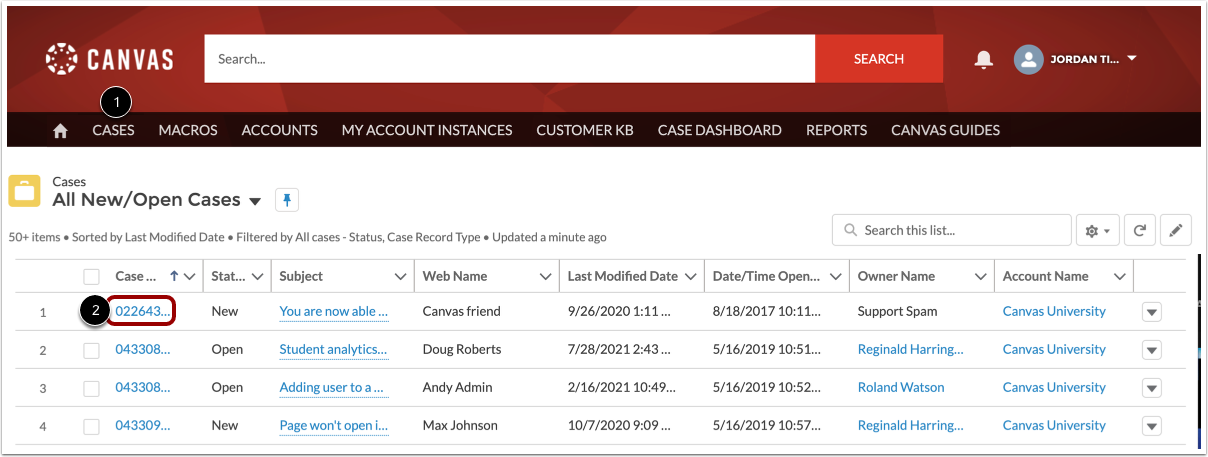
In the Field Admin Console, click the Cases tab [1]. Then click the case number link of the case you need to escalate [2].
Escalate to SIS Support Team
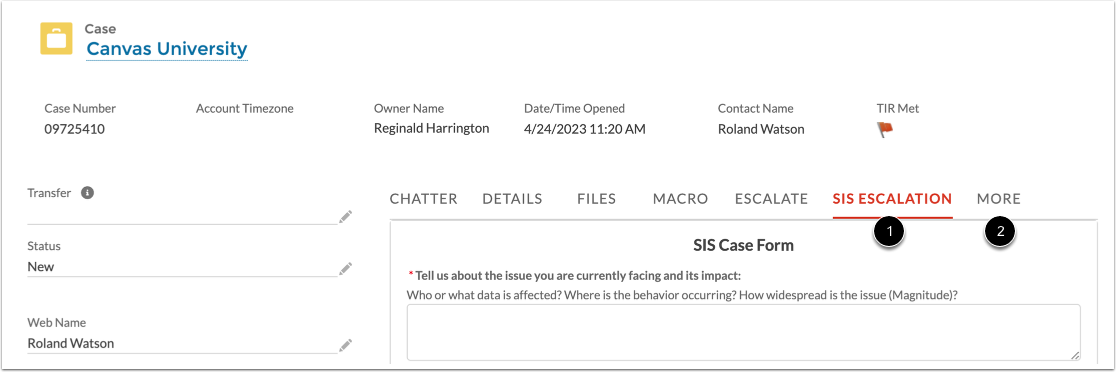
To escalate a case to the SIS support team, click the SIS Escalation tab [1].
Notes:
- Cases unrelated to SIS issues must be escalated to the Canvas support team.
- If the SIS Escalation tab does not display, you may need to click the More tab [2]. If the option still does not display, please contact your Customer Success Manager (CSM).
Submit Case Escalation
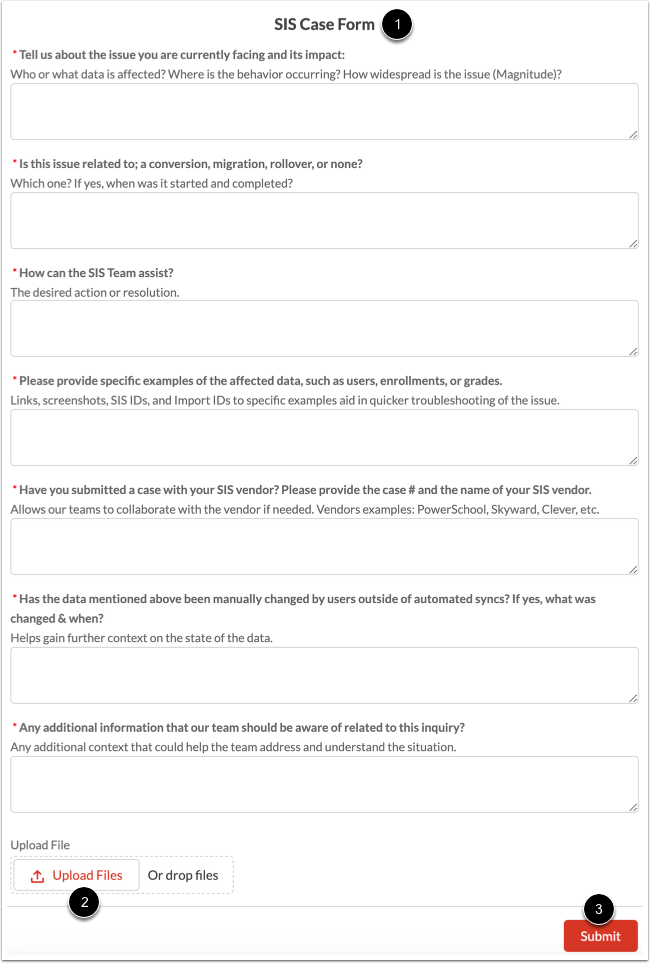
Answer each of the questions in the SIS case form [1].
To add an attachment to the case, drag and drop files or click the Upload Files button [2].
To escalate the case to the SIS support team, click the Submit button [3].