As an admin, you can terminate all active sessions for a user, including browser sessions and all access tokens such as manually generated tokens and mobile apps.
The user can immediately sign in again with valid credentials. Any connected integrations must be reauthorized.
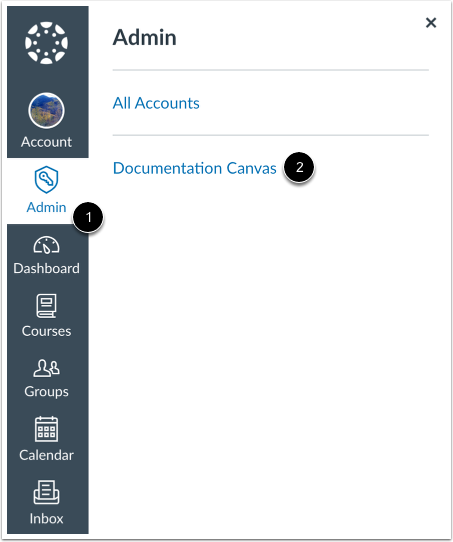
Open Account
In Global Navigation, click the Admin link [1], then click the name of the account [2].
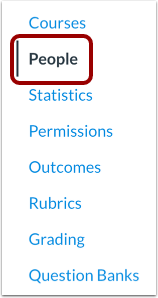
Open People
In Account Navigation, click the People link.
Find User
Use the filter and search options to find the user in the account.
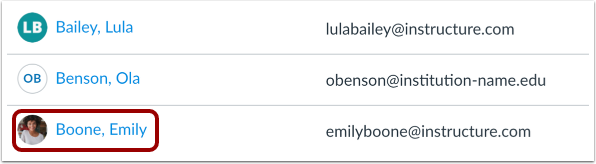
Open User Profile
In the search results, click the user's name.
Terminate All Sessions
Click the Terminate all sessions for this user button.
Confirm Termination
Click the Confirm button.
Confirm Session Termination
Once confirmed, the system displays a confirmation that all user sessions have been terminated successfully.