00:05: How do I configure third-party authentication providers for a Canvas account?
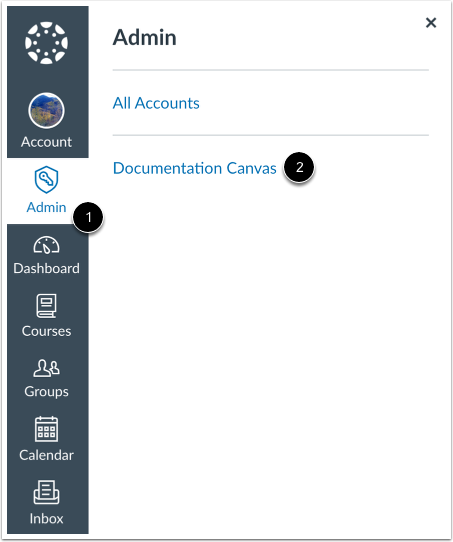
00:09: In Global Navigation, click the Admin link, then click the name of the account.
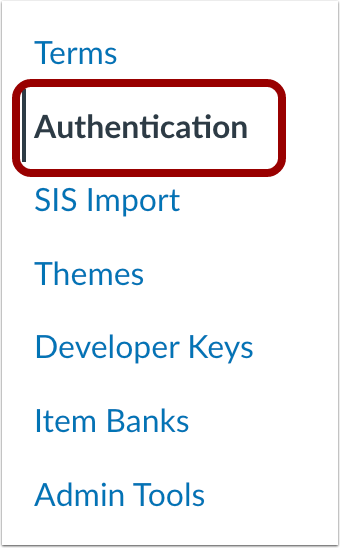
00:15: In Account Navigation,
00:16: click the Authentication link.
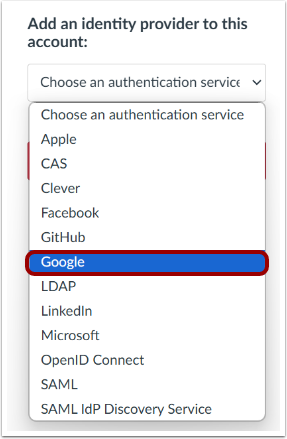
00:19: In the Authentication drop-down menu, select an authentication service.
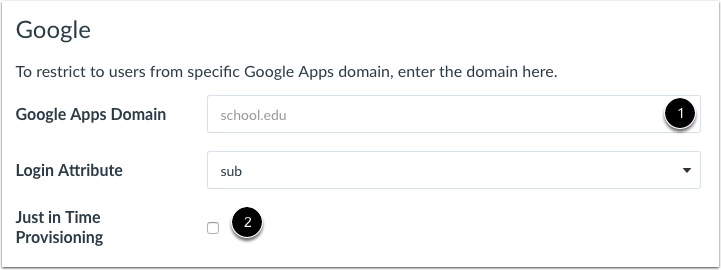
00:23: Enter the data required by the service
00:25: . Some providers require custom components for configuration.
00:30: To enable Just in Time Provisioning, click the Just in Time Provisioning checkbox.
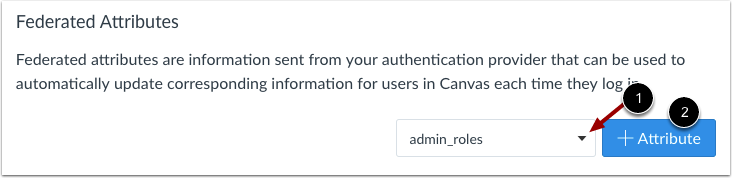
00:36: To use a federated
00:37: attribute, select a Canvas provider attribute in the drop-down menu.
00:41: This is the attribute that you want to use in Canvas. Available attributes include
00:46: admin roles, display name, email, given name, integration ID, locale, name, sis
00:54: user ID, sortable name, surname, and time zone.
01:00: Click the Add Attribute button.
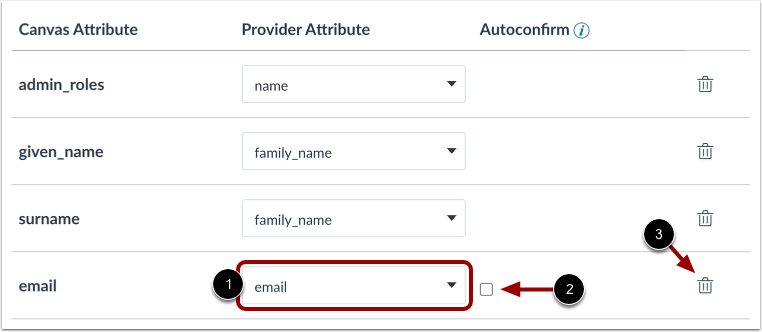
01:03: In the Provider Attribute drop-down menu, choose the attribute value that will match
01:07: the selected
01:08: Canvas attribute. Available values include email, family name, given name, locale,
01:14: name, and sub (subject identifier—a
01:16: user ID commonly used with Google, and Microsoft specifications). Note that not all values
01:23: will
01:23: exactly match the
01:24: Canvas attribute. For
01:26: instance, if you set email as an attribute in Canvas, the provider attribute value
01:31: options also
01:32: include email, meaning that the email address from the provider will also be updated for
01:37: the email address in Canvas. However, some
01:39: Canvas attributes may not align with the available provider attribute values.
01:45: values.
01:47: To enable automatic confirmation of email address, click the Autoconfirm checkbox.
01:52: To remove the attribute, click the Delete icon.
01:56: Canvas
01:56: enforces MFA is functionally equivalent to the legacy
01:59: UIs checkbox for MFA Required being enabled;
02:02: any accounts that previously had the legacy MFA Required checkbox enabled
02:07: have this option selected.
02:09: To configure the Multi-Factor Authentication (MFA) settings, ensure that this feature
02:14: is first set to Required or Required for Admins within Account Settings.
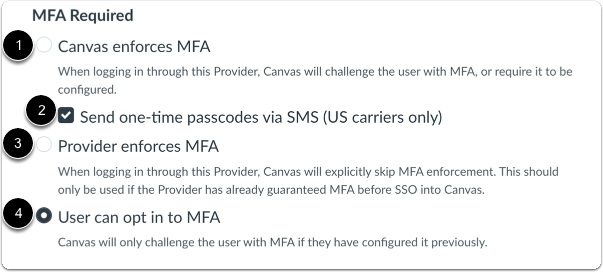
02:20: To have Canvas enforce the MFA, select the Canvas
02:23: enforces MFA option. To have SMS carriers send one-time passcodes, click the Send
02:30: one-time passcodes via SMS (US carriers only) checkbox.
02:35: To have the provider enforce the MFA, select Provider
02:39: enforces MFA option.
02:42: To have the user opt in, select User can opt in to MFA option .
02:48: Canvas
02:48: enforces MFA is functionally equivalent to the legacy UIs checkbox for MFA Required
02:53: being enabled;
02:54: any accounts that previously had the legacy MFA Required checkbox enabled
02:59: have this option selected.
03:02: To configure the Multi-Factor Authentication (MFA) settings, ensure that this feature
03:07: is first set to Required or Required for Admins within Account Settings.
03:12: To have Canvas enforce the MFA, select the Canvas
03:16: enforces MFA option. To have SMS carriers send one-time passcodes, click the Send one-time
03:23: passcodes via SMS (US carriers only) checkbox.
03:28: To have the provider enforce the MFA, select Provider
03:32: enforces MFA option.
03:35: To have the user opt in, select User can opt in to MFA option .
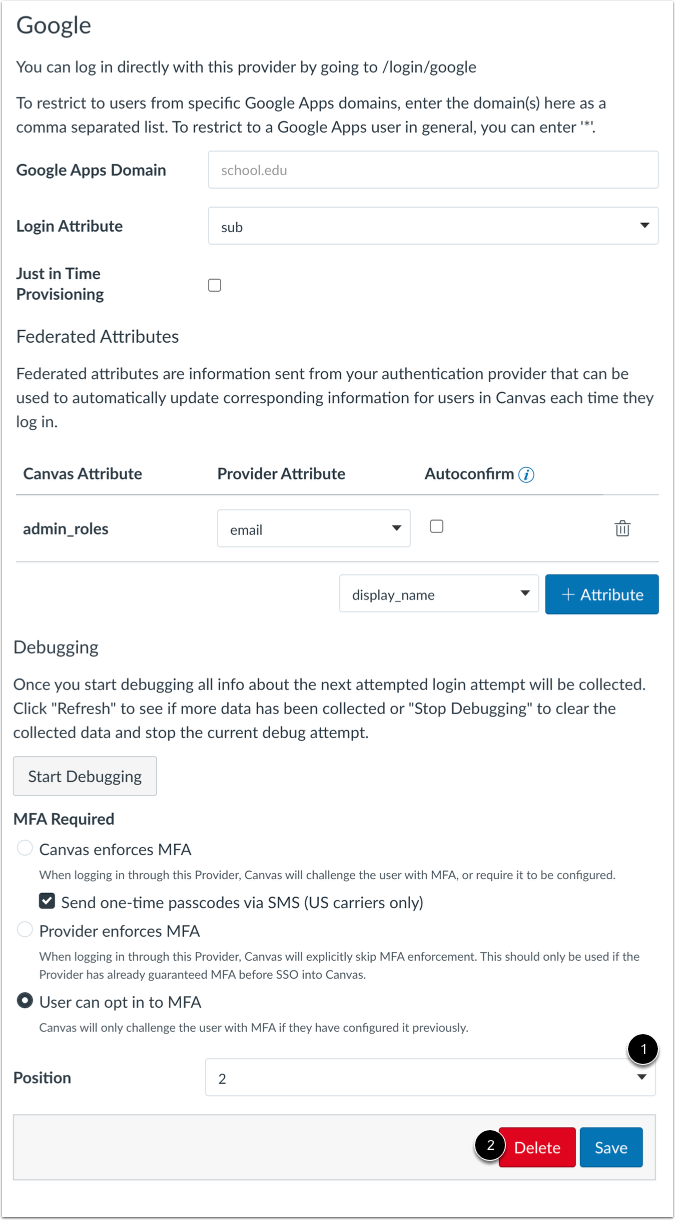
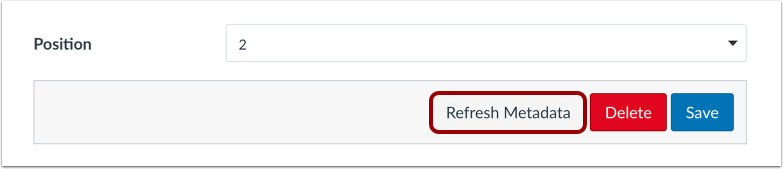
03:41: To change the position of your authentication providers, click the Position menu
03:45: and choose the placement number for the new position. Positions affect the
03:50: Discovery URL when an account has configured SSO Settings.
03:55: To delete the provider, click the Delete button.
03:58: If you are using SAML authentication, you can manually refresh SAML metadata by
04:03: clicking the Refresh Metadata button.
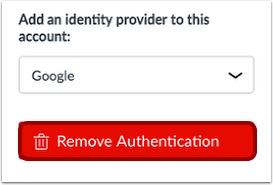
04:06: To remove all previously configured authentication providers, click the Remove
04:10: Authentication button.
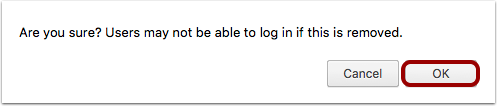
04:12: Removing all authentication methods may affect your students' ability to log in to
04:17: Canvas.
04:18: To confirm, click the OK button.
04:22: This guide covered How do to configure third-party authentication providers for
04:27: a Canvas account.