You can download the contents of your ePortfolio as a zip file.
Note: ePortfolio downloads do not include comments.
View the video transcript
00:07: How do I download the contents of my e-portfolio?
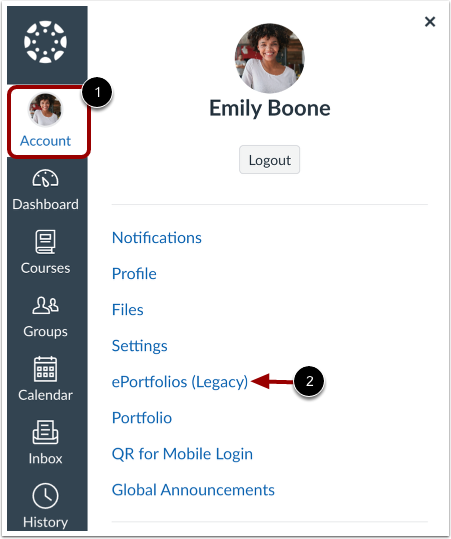
00:11: In global navigation, click the account link, then click the e-portfolios
00:15: link.
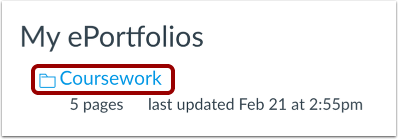
00:17: Click the title of the e-portfolio.
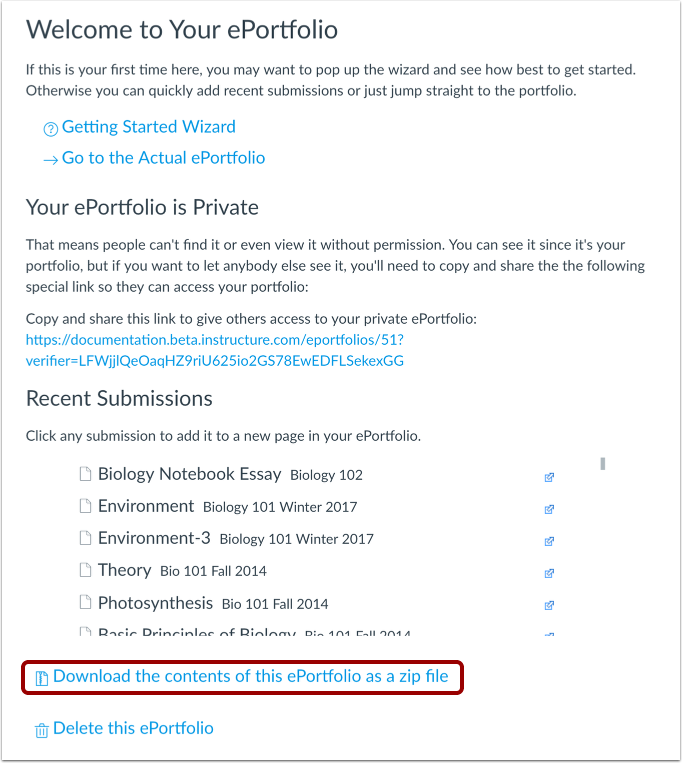
00:20: To download your e-portfolio, click the download the contents of this e-portfolio
00:24: at the zip file link.
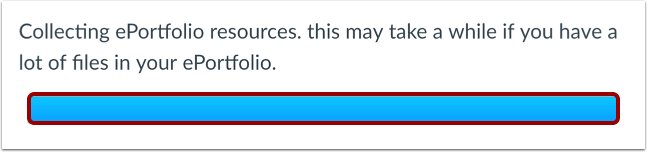
00:27: You can monitor the download through the progress bar.
00:29: It will download as a. Zip file to your browser.
00:32: Set. Download location.
00:35: This guide covered how to download the contents of my e-portfolio.
Open ePortfolios
In Global Navigation, click the Account link [1], then click the ePortfolios (Legacy) link [2].
Open ePortfolio
Click the title of the ePortfolio.
Download ePortfolio
To download your ePortfolio, click the Download the contents of this ePortfolio as a zip file link.
View Download Process
You can monitor the download through the progress bar. It will download as a .zip file to your browser's set download location.