00:07: How do I submit a text entry assignment in a course using Assignment Enhancements?
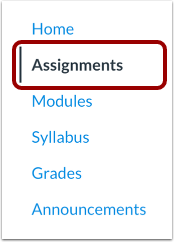
00:12: In Course Navigation, click the Assignments link.
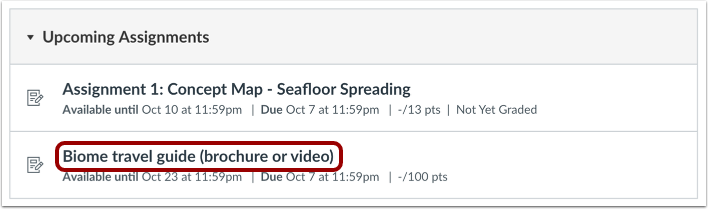
00:16: Click the name of an assignment.
00:19: Your instructor may specify which submission types are appropriate for each assignment.
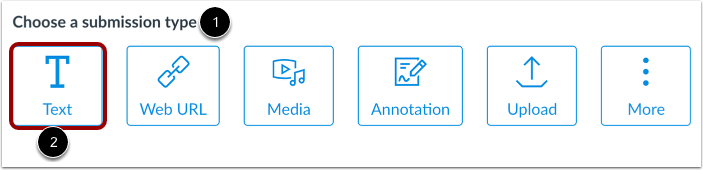
00:25: In the Choose a submission type section, select the Text option.
00:30: If your instructor only allows Text Entry submissions, the Rich Content
00:34: Editor may display in place of the Choose a submission type section.
00:39: Enter your assignment submission text in the rich content editor.
00:44: To format your text or insert content, use the rich content, editor,
00:48: menu, bar, or toolbar. View the word
00:52: count in the editor status bar.
00:55: As part of your text entry assignment submission, you can record media, upload
00:59: a media file from your computer, or upload a media file from your
01:03: user files by clicking the Media icon.
01:07: You can also embed images from Canvas and from the web in your text
01:11: entry assignment submission by clicking the Image icon.
01:14: Canvas also allows you to embed images from your user
01:18: files.
01:20: To insert Media or images. You can also use the insert menu in the menu
01:24: bar.
01:26: Your work automatically saves as an assignment draft.
01:30: To submit your text entry draft, click the Submit Assignment button.
01:36: If you are working on an additional assignment attempt, you can cancel your submission
01:40: by clicking the Cancel Attempt button.
01:43: When your submission is successfully submitted the progress, tracker displays, a
01:47: submitted status and your most recent submission displays in a read only
01:51: format
01:53: If you choose, you may resubmit another version of your assignment
01:57: using the New Attempt button.
02:00: If you've submitted multiple assignment submissions, you can view previous submissions
02:04: by clicking the Attempt drop-down.
02:07: To add an assignment comment for your instructor,
02:09: click the Add Comment button.
02:12: This guide covered how to submit a text entry assignment in a course using Assignment
02:17: Enhancements.