You can view Projects, Extracurricular Activities, and Professional Experience directly in the portfolio modal. Canvas assignment grades and comments, however, are available in the assignment submission details within the course.
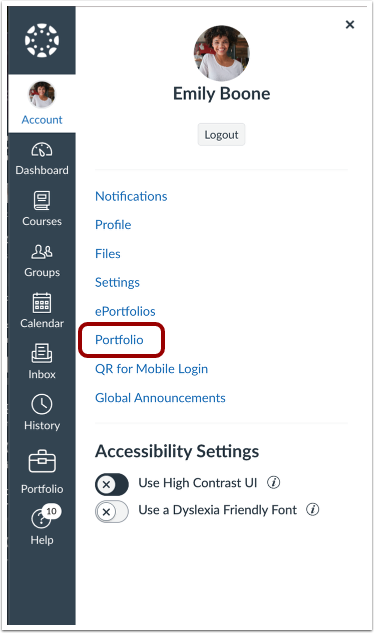
00:08: In the User Navigation, click the Portfolio link.
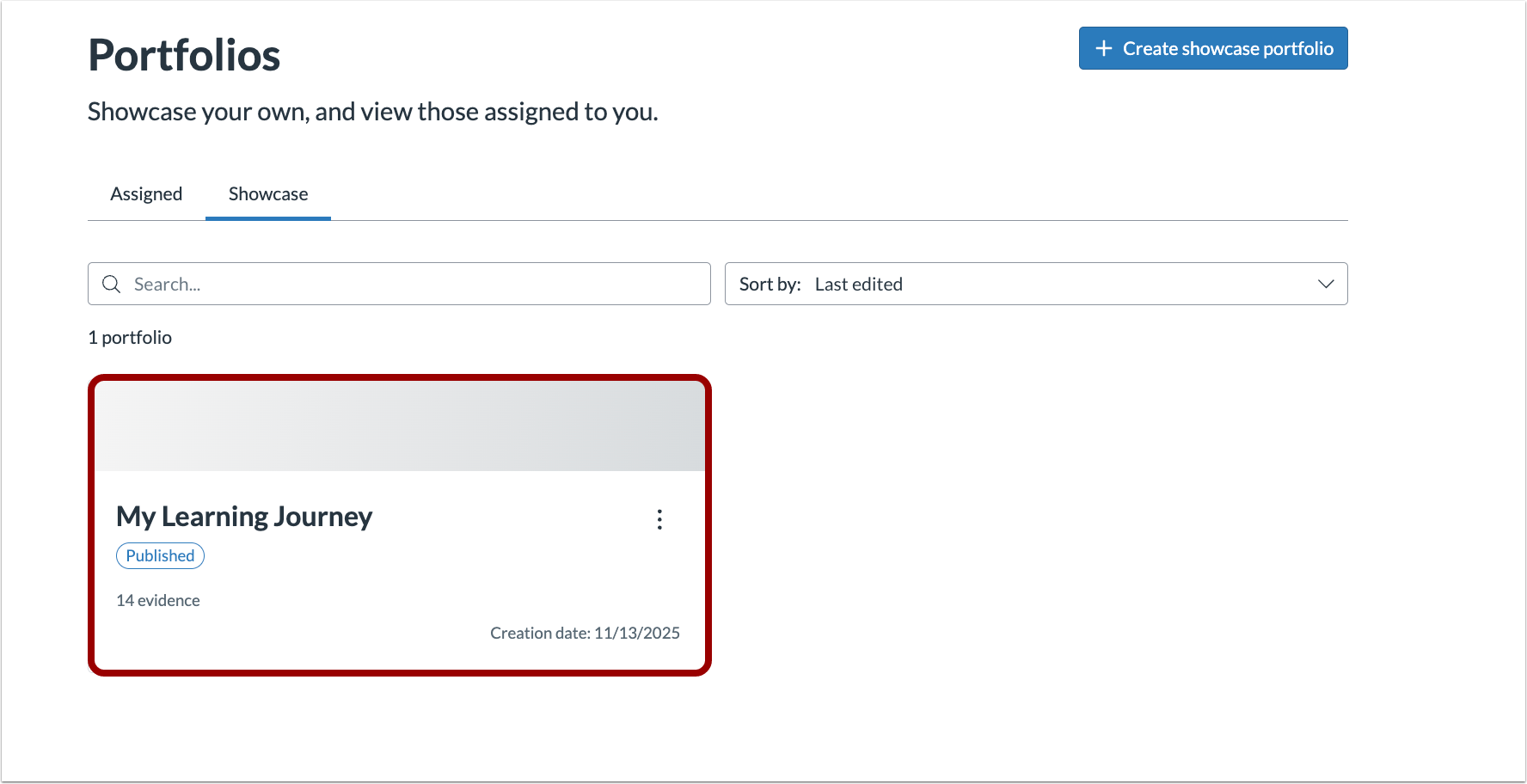
00:12: Select the portfolio you want to view.
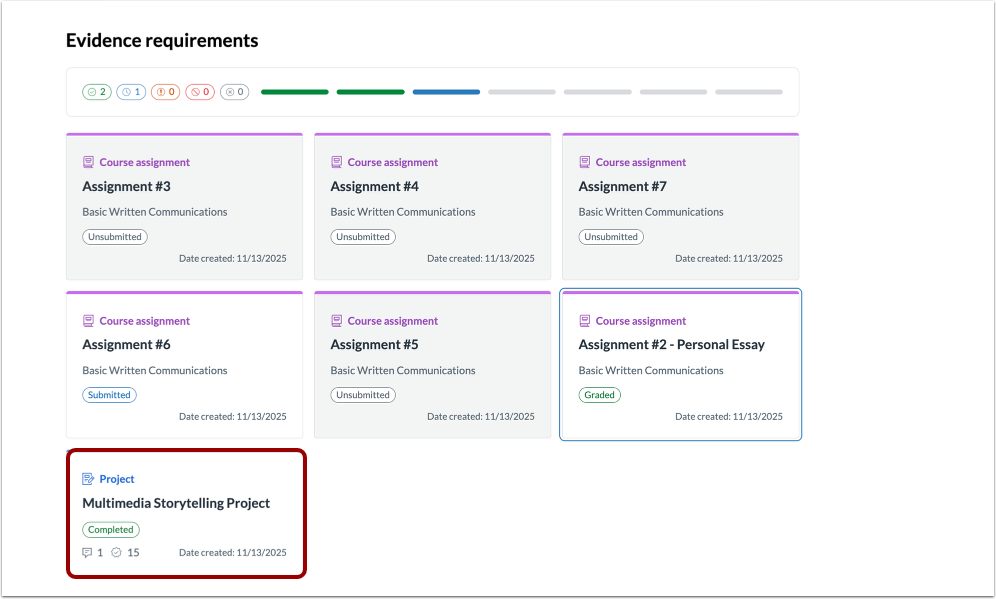
00:15: Select the evidence you want to review feedback for.
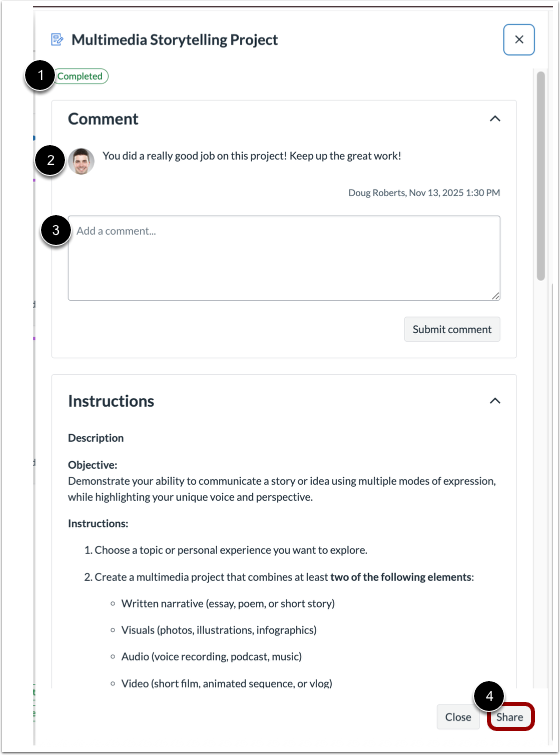
00:19: For Projects, Extracurricular Activities, and Professional Experience evidence, you can view the instructors review status and any comments they have provided. You can also respond to comments. Additionally, you can share your Projects, Extracurricular Activities, and Professional Experience using the Share button.
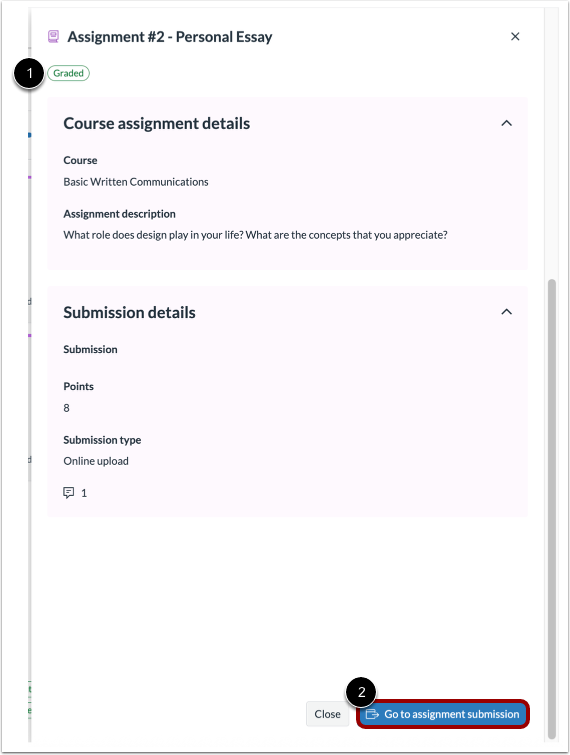
00:38: For Canvas assignments, you can view the status in the modal. To see any comments or your grade, click the Go to assignment submission button.
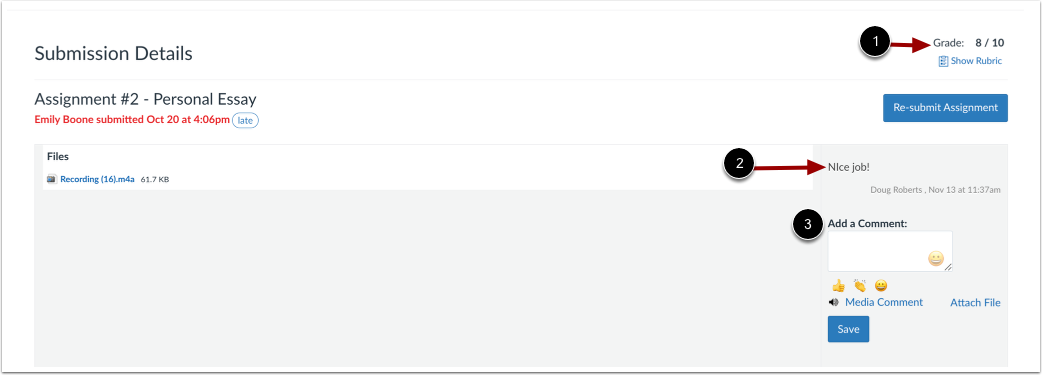
00:47: In an assignments submission details, you can view your grade and any comments from your instructor. You can also leave comments for your instructor.
00:56: This guide covered how to view evidence feedback in Portfolios
Open Portfolio
In the User Navigation menu, click the Portfolio link.
Select a Portfolio
Select the portfolio you want to view.
Select the Evidence
Select the evidence you want to review feedback for.
View Feedback and Share Your Work
For Projects, Extracurricular Activities, and Professional Experience evidence, you can view the instructors review status [1] and any comments they have provided [2]. You can also respond to comments [3]. Additionally, you can share your Projects, Extracurricular Activities, and Professional Experience using the Share button [4].
View Canvas Assignment Status and Feedback
For Canvas assignments, you can view the status in the modal [1]. To see any comments or your grade, click the Go to assignment submission button [2].
In an assignments submission details, you can view your grade [1] and any comments from your instructor [2]. You can also leave comments for your instructor [3].