Your instructor may include a rubric as part of your assignment. The rubric is a set of criteria that your instructor will use to grade your assignment. Before submitting your assignment, you can use the rubric to evaluate your own work and make sure your assignment fulfills your instructor's requirements.
Notes:
- Not all assignments may include a rubric.
- If the assignment you are accessing displays differently, Assignment Enhancements may not be enabled in your course or your instructor may not have used a supported assignment type. Please view this guide for more information.
View the video transcript
00:07: This guide will walk you through viewing the rubric for an assignment in a course using assignment
00:11: enhancements.
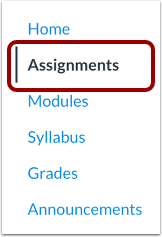
00:14: In course navigation click the assignments link
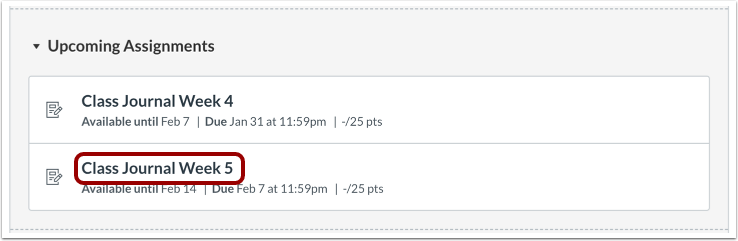
00:18: Click the name of an assignment.
00:21: If a rubric has been added to the assignment The View rubric section automatically
00:25: expands to display the assignment rubric.
00:29: The guide covered how to view the rubric for an assignment in a course using assignment
00:33: enhancements.
Open Assignments
In Course Navigation, click the Assignments link.
Open Assignment
Click the name of an assignment.
View Rubric
If a rubric has been added to the assignment, the View Rubric section automatically expands to display the assignment rubric.