You can submit course assignments for Evaluation Portfolios directly through Canvas. Assignments in Evaluation Portfolios are connected to your Canvas courses, allowing instructors to review your work and provide feedback in both systems.
Depending on how your instructor has set up the assignment, submission types and requirements may vary. Before submitting, review the assignment details, rubric, and any specific instructions to ensure your submission meets the requirements.
00:05: How do I submit a Course Assignment in Evaluation Portfolios as a student?
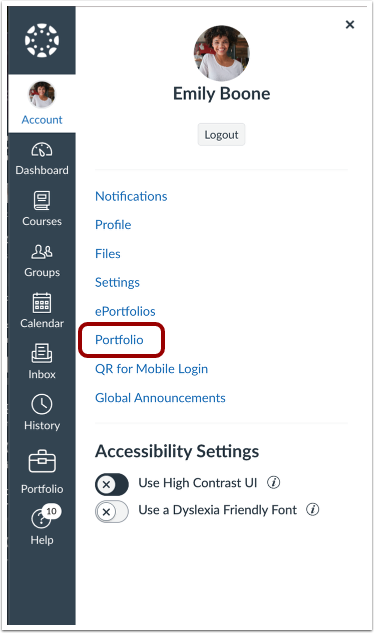
00:09: In the User Navigation, click the Portfolio link.
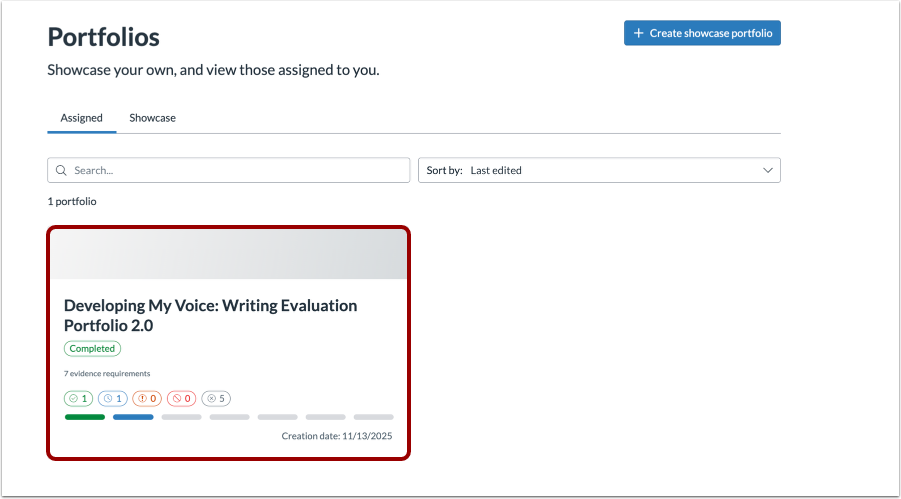
00:14: Select the desired assigned portfolio.
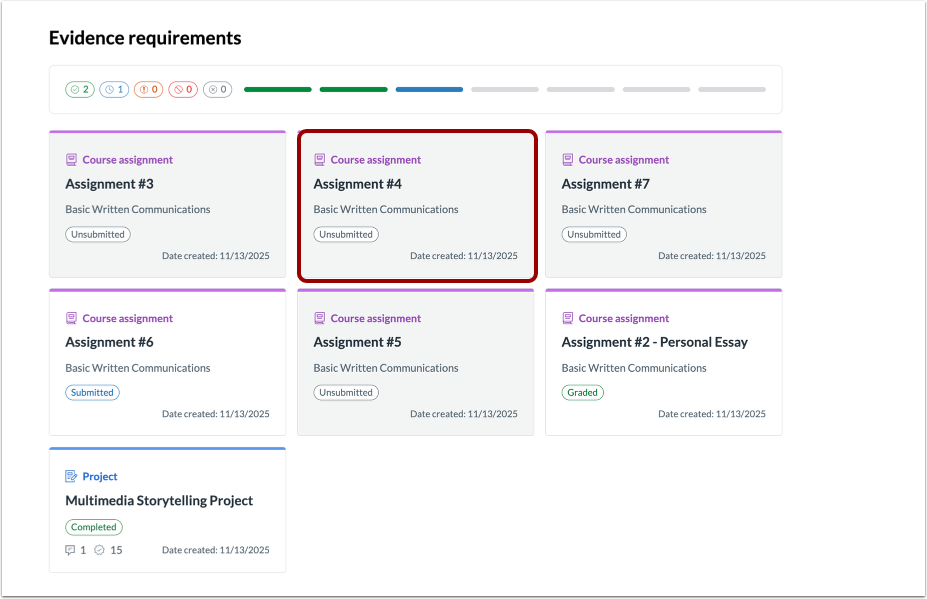
00:17: Click the assignment you want to submit.
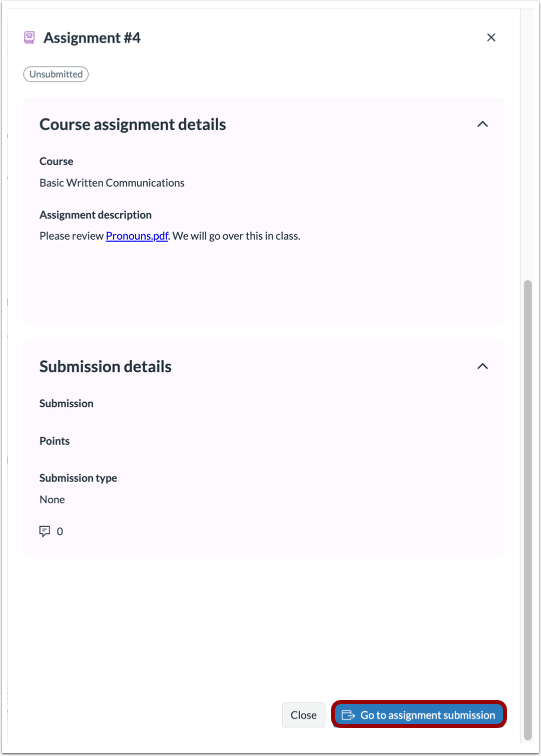
00:20: Click the Go to assignment submission button.
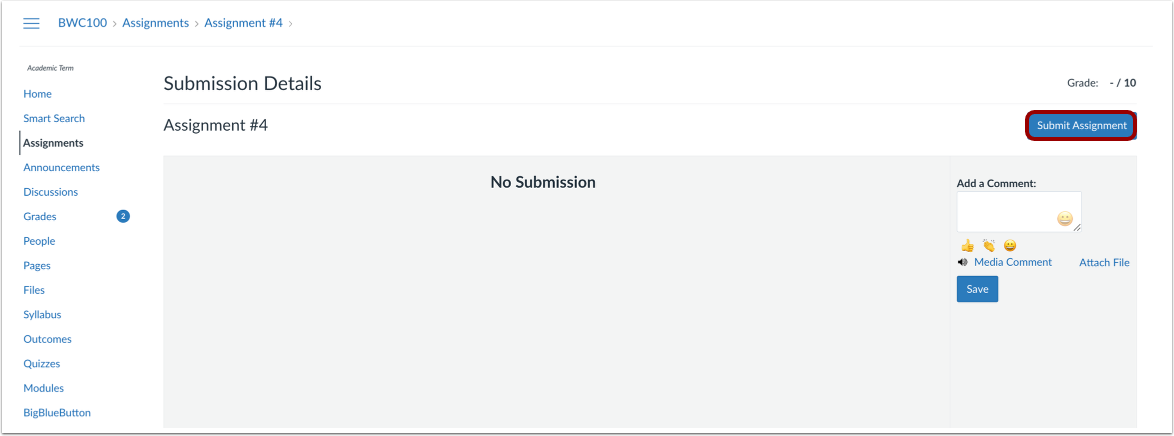
00:23: Click the Submit Assignment button.
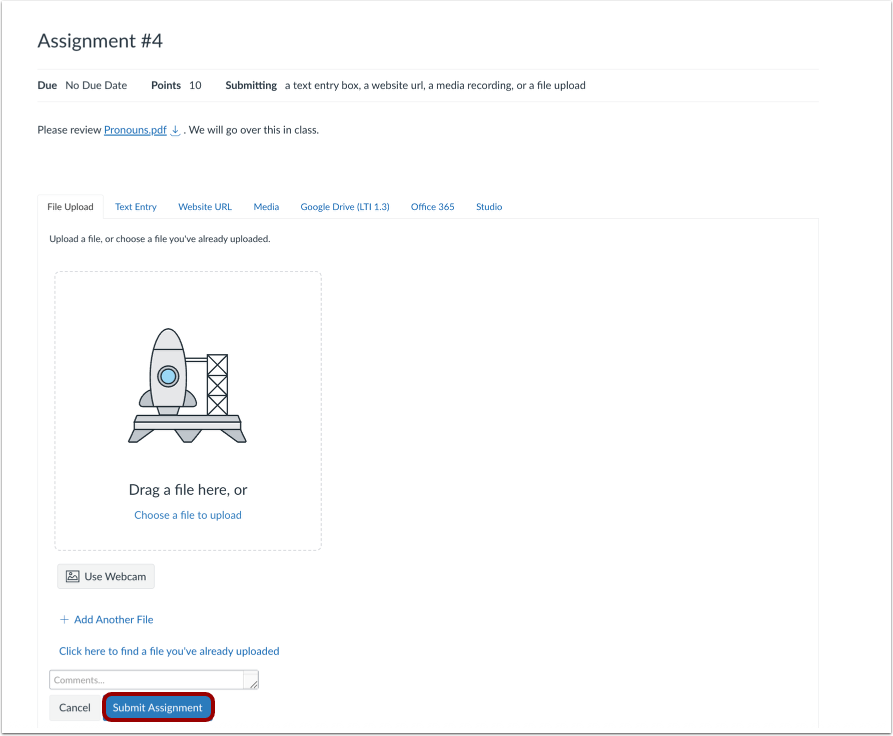
00:25: Submit your assignment according to the instructors specified submission requirements, then click the Submit Assignment button.
00:33: This guide covered how to submit a Course Assignment in Evaluation Portfolios as a student.
Open Portfolio
In the User Navigation menu, click the Portfolio link.
Select a Portfolio
Select the desired assigned portfolio.
Select Assignment
Click the assignment you want to submit.
Go to Assignment Submission
Click the Go to assignment submission button.
Submission Details
Click the Submit Assignment button.
Submit Assignment
Submit your assignment according to the instructors specified submission requirements, then click the Submit Assignment button.