You can rename pages in your group.
00:07: How do I change a page name in a group?
00:10: In global navigation click the group's link
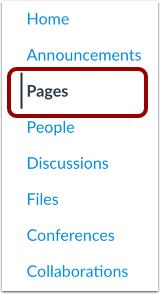
00:14: In group navigation click the pages link
00:18: Pages is designed to open to the front page for a group if there is a front page
00:22: selected. Click the view all pages button to select a page
00:26: from the pages index.
00:29: Click the name of the page you wish to edit.
00:32: Click the edit button.
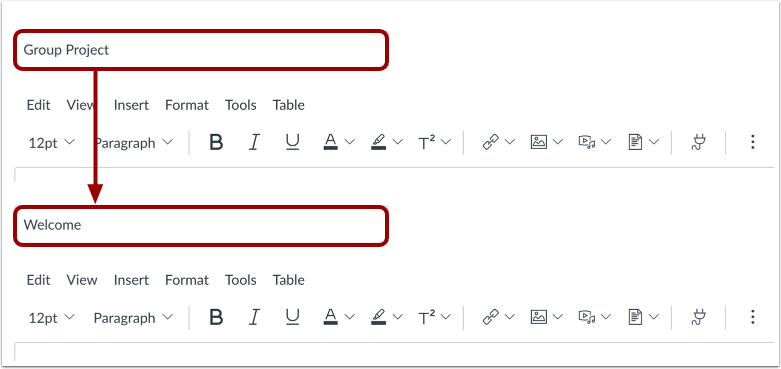
00:35: Delete the previous title and rename the page title.
00:39: To save changes click the save button.
00:42: View the new page name at the top of the page.
00:45: This guide covered how to change a page name in a group.
Open Pages
In Group Navigation, click the Pages link.
View Pages
Pages is designed to open to the front page for a group, if there is a front page selected. Click the View All Pages button to select a page from the Pages Index.
Select Page
Click the name of the page you wish to edit.
Edit Page
Click the Edit button.
Rename Page
Delete the previous title, and rename the page title.
Save Changes
To save changes, click the Save button.
View the Updated Page
View the new page name at the top of the page.