As a student, you can export and share your portfolio to showcase your work and accomplishments. Portfolios can be exported in different formats, such as PDF or HTML, or downloaded as a file. You can also generate shareable links to share your portfolio with others or post it on LinkedIn.
Notes:
- If you do not see the Portfolio link in User Navigation, your institution may not have enabled this feature.
- When sharing a portfolio link, anyone with the link can view your portfolio, so only share it with people you want to see your work.
00:05: How do I export and share Portfolio content as a student?
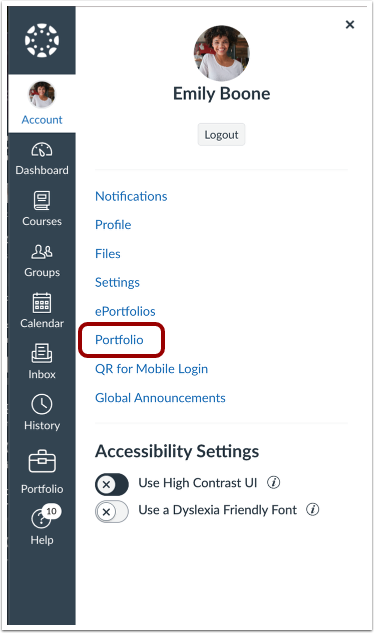
00:09: In the User Navigation, click the Portfolio link.
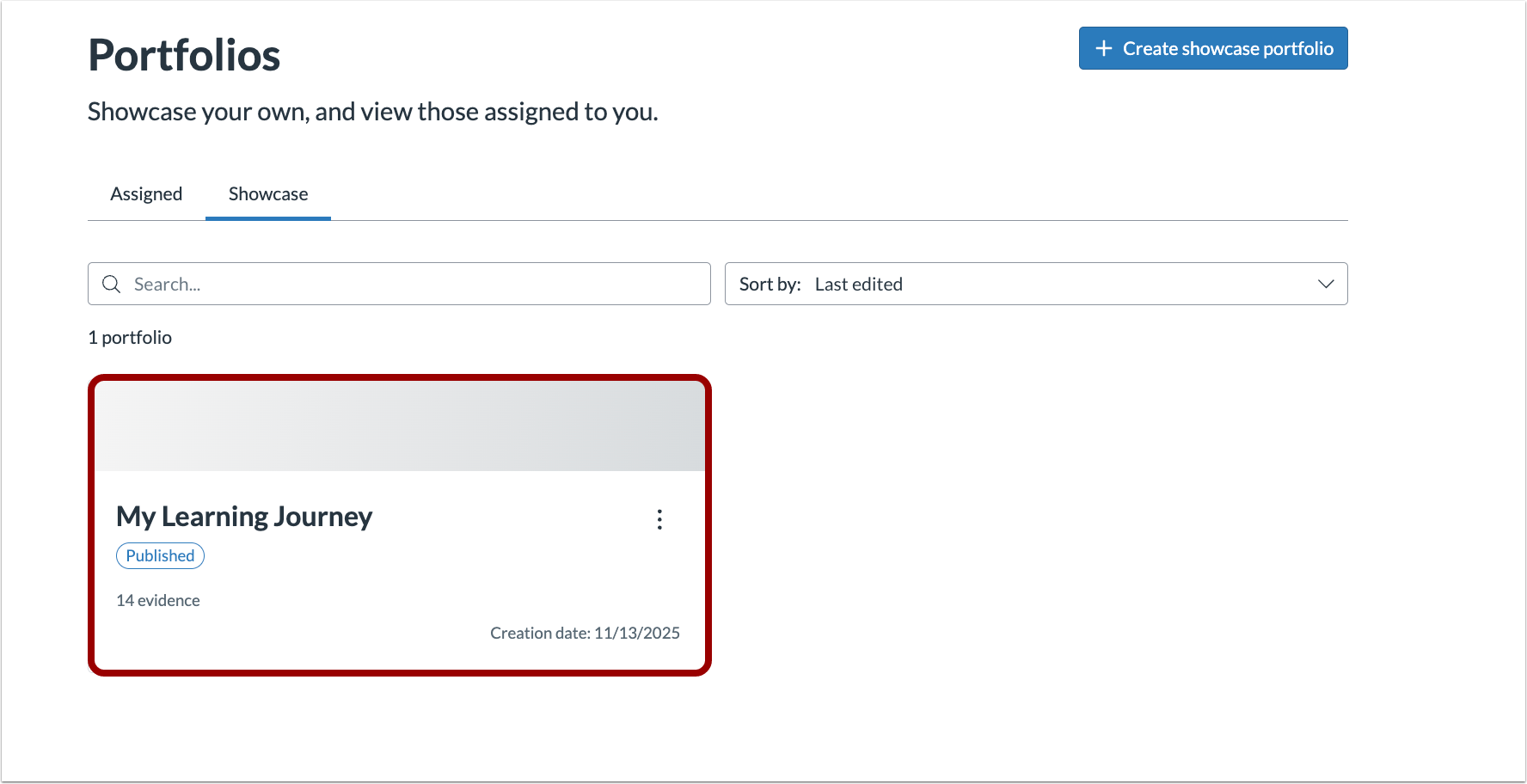
00:13: Click the portfolio you want to share or export.
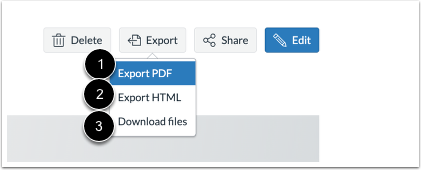
00:17: Click the Export button.
00:20: Choose to export your portfolio as a PDF, HTML or download a file.
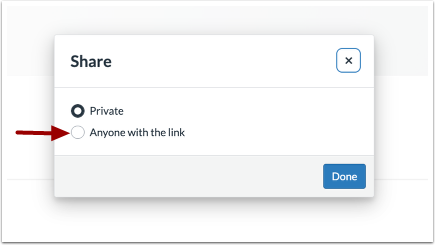
00:25: Click the Share button.
00:27: Click the Anyone with the link radio button.
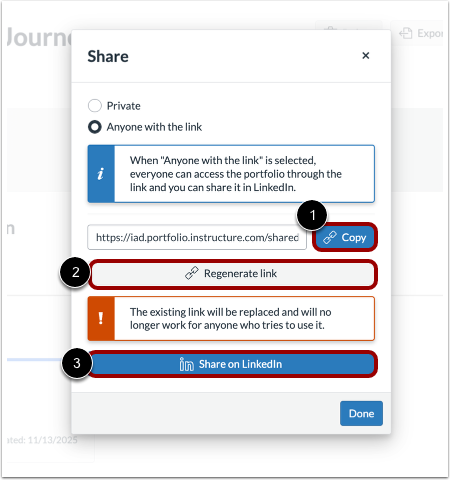
00:31: Click the Copy or Regenerate link button to copy your portfolio link. To share it on LinkedIn, click the Share on LinkedIn button.
00:39: To share it on LinkedIn, click the Share on LinkedIn button.
00:44: This guide covered how to export and share Portfolio content as a student
Open Portfolio
In the User Navigation, click the Portfolio link.
Select a Portfolio
Click the portfolio you want to share or export.
Export Portfolio
Click the Export button.
Choose Export Type
Choose to export your portfolio as a PDF [1], HTML [2] or download a file [3].
Share Portfolio
Click the Share button.
Share with Anyone with the Link
Click the Anyone with the link radio button.
Share Links
Click the Copy [1] or Regenerate link [2] button to copy your portfolio link. To share it on LinkedIn, click the Share on LinkedIn button [3].