In the Parchment Digital Badges LTI, you can view notifications.
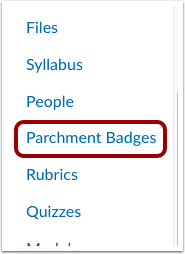
Open Parchment Badges
In Course Navigation, click the Parchment Badges link.
Open Notifications
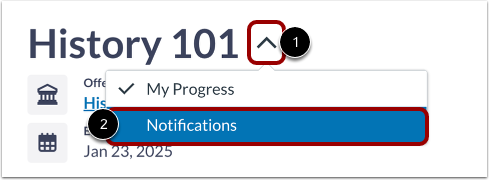
In the drop-down menu [1], click the Notifications option [2].
Note: Depending on your user role, you may have different options in the drop-down menu.
View Notifications
View your in-app notifications.
A new notification is indicated by a blue dot [1].
To view the badge, click the badge name link [2].