Badges can be deleted by issuers and administrators.
Notes:
- If a badge is associated with a pathway, the badge must be removed from the pathway before deleting the badge.
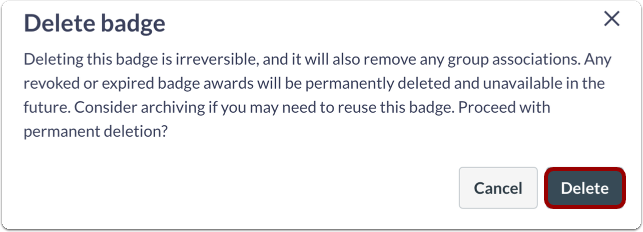
- Once deleted, badges are permanently deleted. Consider archiving the badge for future use.
Open Badges
To view badges, click the Badges tab.
Select Badge
Click the name of the badge you would like to delete.
Delete Badge
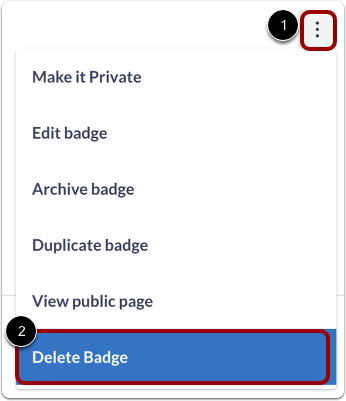
To delete a badge, click the Options icon [1], then click the Delete Badge link [2].
Delete Badge
Click the Delete button.
Note: You can also archive the badge.