As an organization administrator, you can manage and adjust your Parchment Digital Badges organization.
Open Organization
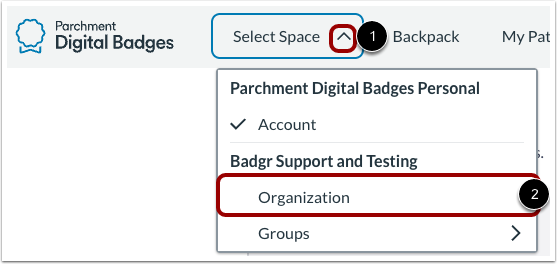
In Parchment Digital Badges Navigation, click the Select Space drop-down menu [1], then click the Organization link [2].
View Dashboard
In the Dashboard tab [1], you can view analytics [2], check your subscription [3], view members [4], add admins [5], and manage badge awards [6].
To edit the organization, click the Options icon [7].
View My Records
To view badges and pathways you have completed and can share, click the My Records tab.
Note: Learner Record setting must be enable in the organization settings.
View My Badges
To view all your earned badges, click the My Badges tab.
View My Pathways
To view the pathways you are subscribed to, click the My Pathways tab.
View Issuers
To view, add, and manage the issuers in your organization, click the Issuers tab.