In the Parchment Digital Badges LTI, you can review submitted evidence to a badge in a course.
Open Badge
Click the badge name that requires evidence.
Open Student
Click the student's name who submitted evidence.
View Evidence
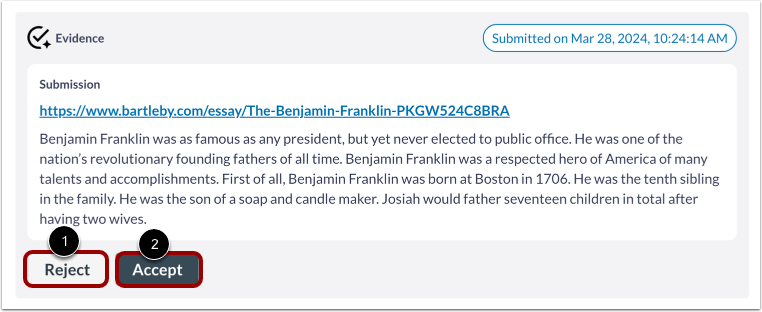
To reject the submitted evidence, click the Reject button [1].
To accept the submitted evidence, click the Accept button [2].
Reject Evidence
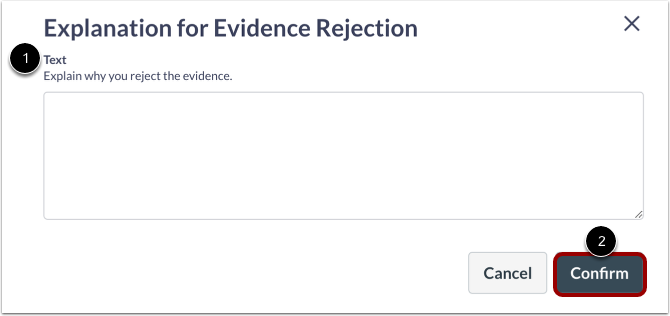
Use the text field [1] to explain why you are rejecting the evidence and click the Confirm button [2].
Accept Evidence
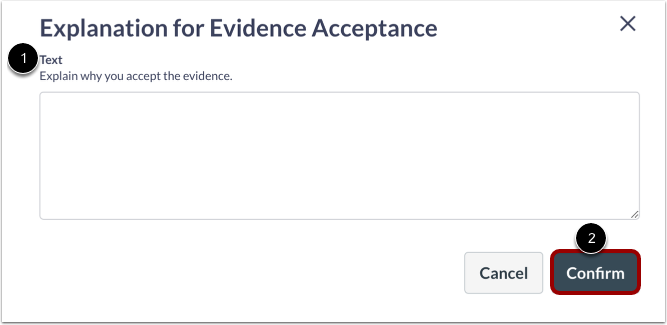
In the Text field, provide an explanation for rejecting the evidence [1]. Then, click the Confirm button [2].
View Reviewed Evidence
Once evidence has been reviewed, it displays in the badge page.