In the Parchment Digital Badges LTI, you can submit evidence to a badge in a course for your instructor to review.
Note: Learners automatically receive notifications for changes to mandatory or non-mandatory evidence requirements and when evidence is accepted or rejected by instructors, including reasons and additional notes.
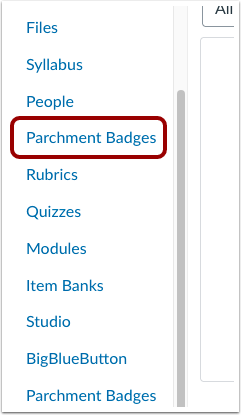
Open Parchment Badges
In Course Navigation, click the Parchment Badges link.
Open Badge
Click the badge name that needs evidence.
Submit Evidence
To submit evidence, click the Submit evidence button.
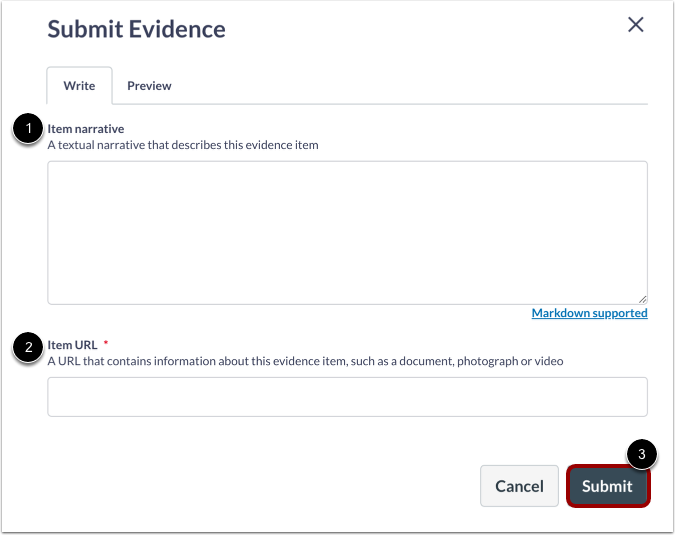
Submit Evidence Item
In theItem narrative field, enter or copy and paste text that describes the evidence item [1].
In the ItemURL field, enter a URL that contains information about the evidence item such as a document, photograph, or video [2].
Click the Submit button [3].
View Evidence
Submitted evidence displays within the badge page.