As an educator whose organization is using LearnPlatform, you can sign up for a LearnPlatform account by following the steps outlined below.
Navigate to Your LearnPlatform
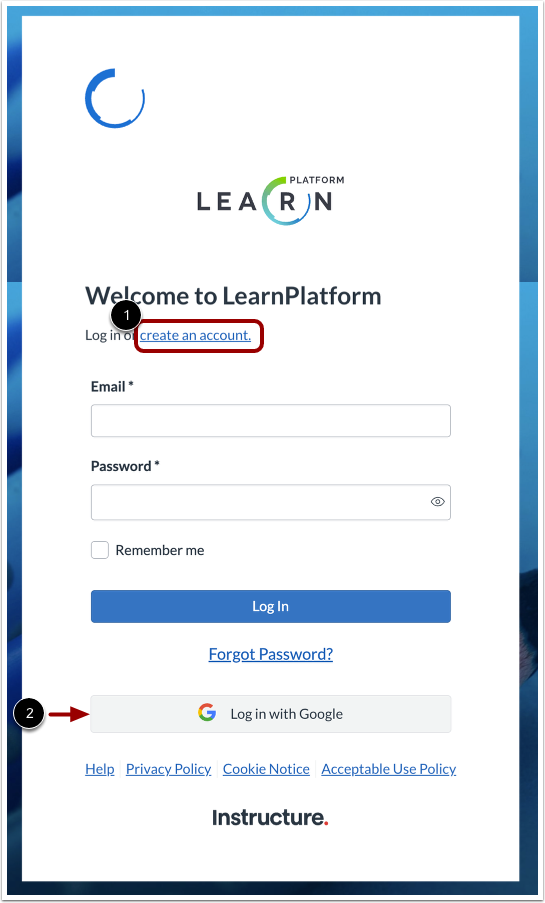
Navigate to the sign-in page at https://YOUR SUBDOMAIN.app.learnplatform.com/
If you do not know your organization's subdomain, contact an administrator at your organization.
If your organization has set up Single Sign-On (SSO), use the link provided by your district (https://YOUR SUBDOMAIN.app.learnplatform.com/users/sign_in/), and log in using your Google credentials. Select Educator as your user type and proceed to Set Up Profile step.
Create Account
If your organization has not enabled Single Sign-On, click the Create Account button [1].
Note: If your organization has enabled Google Single Sign-On, click the Sign in with Google button [2].
Set User Type
Click the Educator button.
Enter Your Details
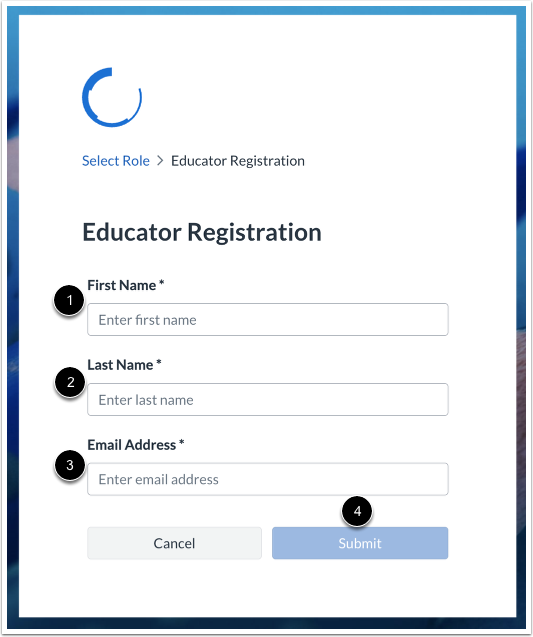
Enter your first name [1], your last name [2], and your email address [3].
Then click the Submit button [4].
Confirm Account
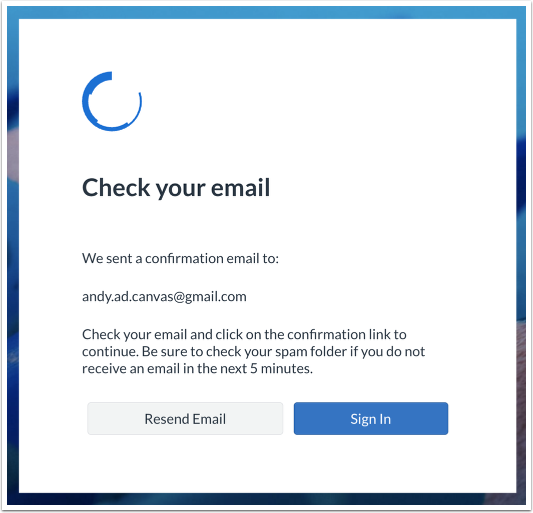
A confirmation screen displays.
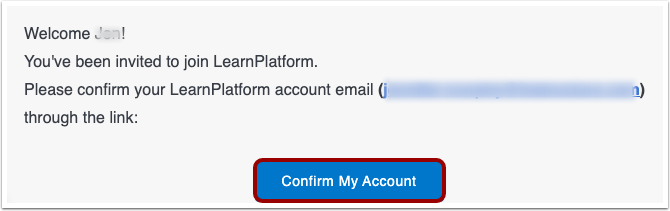
You also receive a confirmation email message. To confirm your account via the email message, click the Confirm My Account button.
If you do not receive an email in ten minutes, check your spam folder.
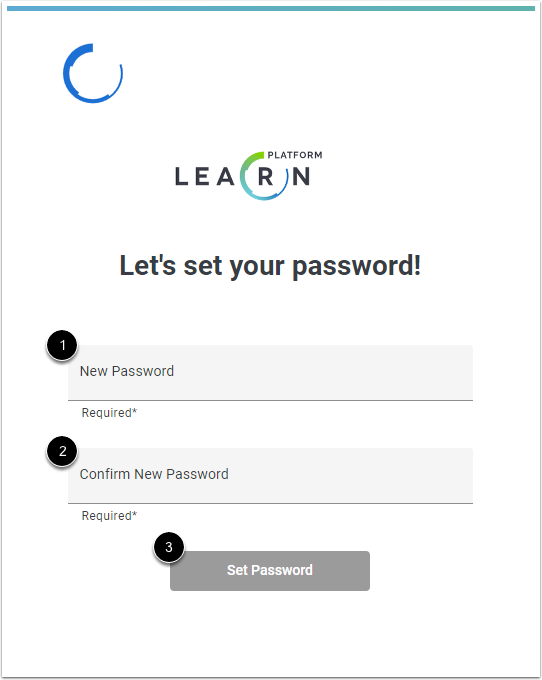
Set Password
Enter a password in the New Password field [1].
Enter it again in the Confirm New Password field [2].
Then, click the Set Password button [3].
Set Up Profile
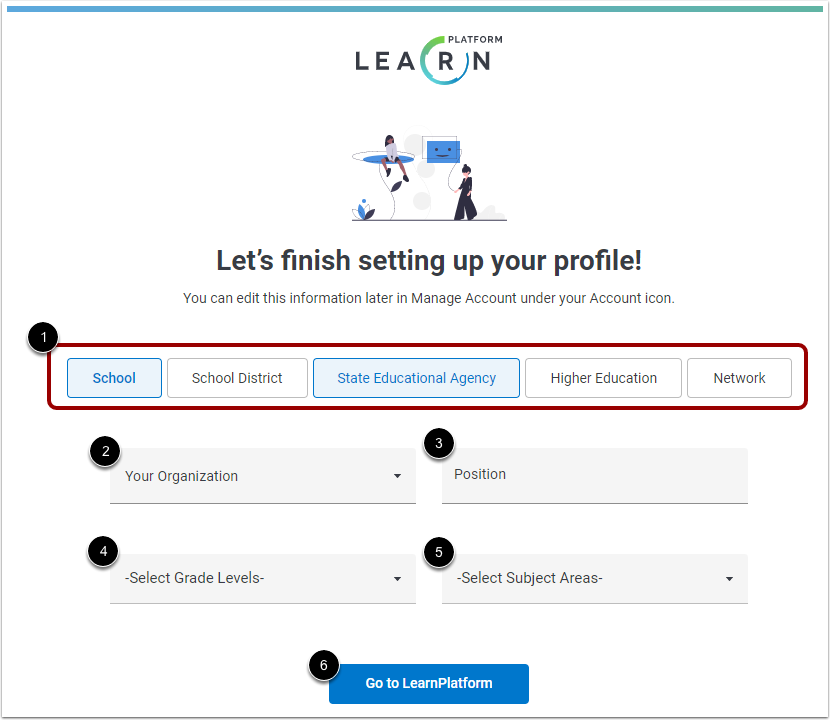
You can set up profile details now or later. To set them now, click one or more buttons that best describes your area of expertise. Select any of the following:
- School
- School District
- State Educational Agency
- Higher Education
- Network
Click the Your Organization drop-down menu and select an organization [1].
Enter your position [2].
To indicate grade levels you specialize in, click the Select Grade Levels drop-down menu and select grade levels [3].
To indicate subjects you specialize in, click the Select Subject Areas drop-down menu and select grade levels [4].
To open LearnPlatform, click the Go to LearnPlatform button [5].
Notes:
- You can always set up your profile details later in Manage Account under your Account user profile.
- If you have already been added as an educator or administrator into LearnPlatform, you may not see this demographics screen.
- If you don’t see your organization's name listed, select “Add organization” and add it.
View Your Organization's Product Library
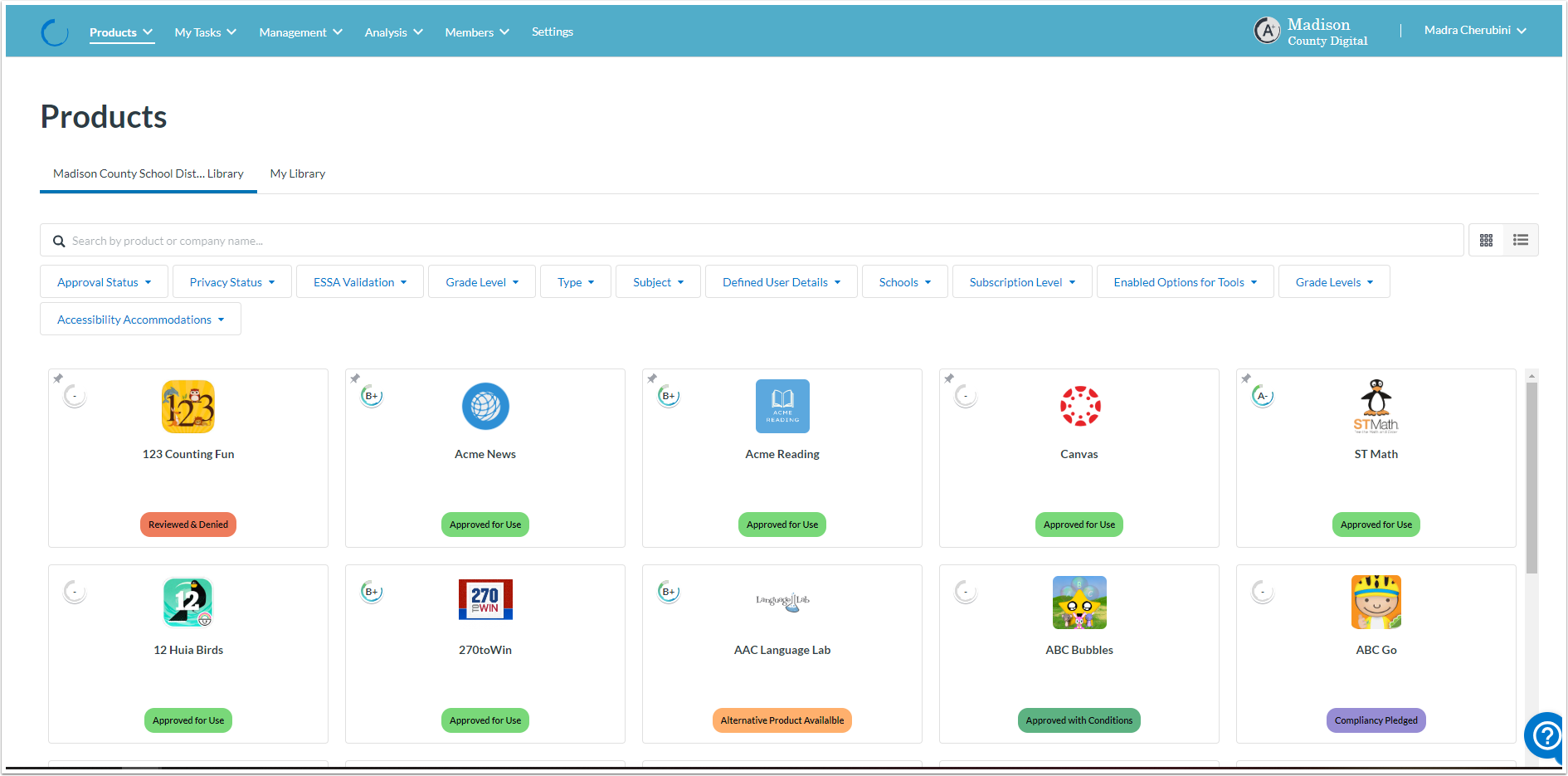
That’s it! You should now see your organization's product library!
Learn about viewing the product library.