To create a Catalog program, you must add course requirements that students must finish to complete the program. Requirements can also include other programs added as subprograms. For more information, refer to our guide on how to add course module requirements in Canvas..
Notes:
- Catalog does not prevent you from adding a requirement to more than one program, but doing so is discouraged and performance cannot be guaranteed. For more information, refer to our guide on how to course module requirements in Canvas.
- In a Catalog program, each course includes a series of module requirements that students must fulfill before they can move on to the next course in the program. These module requirements are set in the Canvas course.
Open Admin
To open the User Menu, click your username [1]. Then, click the Admin link [2].
View Listings Page
In the navigation menu, click the Listings tab.
Filter Programs
To search for a program by name, enter text in the Search Listings field [1].
To filter the search and to view only programs in the results, click the Filters button [2].
Click the Listings Type drop-down menu [3]. Then, click the Programs link [4].
Open Program
To select a program, click the program name link.
Open Requirements
To open the requirements, click the Requirements tab.
Add Requirement
To add a requirement, click the Add Requirement button.
Search Canvas Courses or Programs
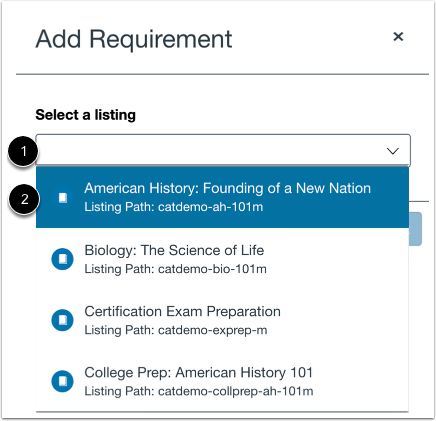
To search for a course or program, click to type in the Select a listing field [1].
To select a course or program, click the item in the list [2].
Add Course or Program
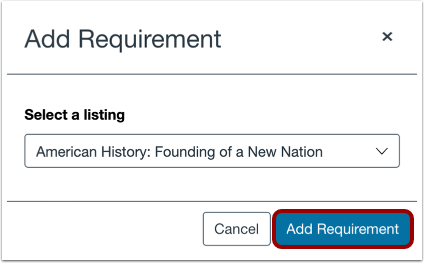
To add the course or program, click the Add Requirement button.