As a Canvas Catalog admin, you can hide the Self-paced label that displays on all self-paced listings within a catalog or subcatalog. When you hide the Self-paced label for a catalog or subcatalog, the label does not display on any self-paced listings in the storefront or in the listing details page.
Note: The appearance of the Catalog Listings page may vary depending on the platform version or any custom styling applied through website code, such as CSS, JS, or HyperText Markup Language (HTML).
Open Admin
Click the usernamedrop-down menu [1]. Then, click the Admin link [2].
Open Catalogs
Click the Catalogs tab.
Select Catalog
Click the catalog or subcatalog name link.
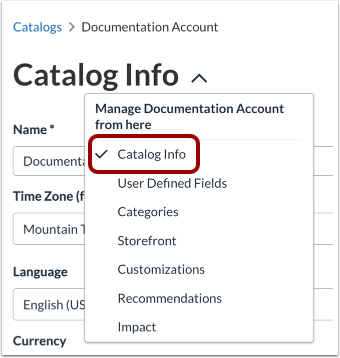
View Catalog Info
In the Catalog settings drop-down menu, the Catalog Info page displays by default.
Hide Self-paced Label on Details Page and Storefront
By default, the Self-paced label is displayed on the details page and storefont.
In the Catalog Info page, to hide the Self-paced label, click the Hide Self-paced Label on Details page and Storefront drop-down menu [1] and select the Yes option [2].
When the Yes option is selected, the Self-paced label on the details page and storefront is is not displayed for any self-paced listings.
Save Catalog Info
Click the Save button.