If you have activated your account, you can log in to Mastery Connect using your Mastery Connect account credentials.
Open Mastery Connect
Navigate to the following URL using your browser: www.masteryconnect.com.
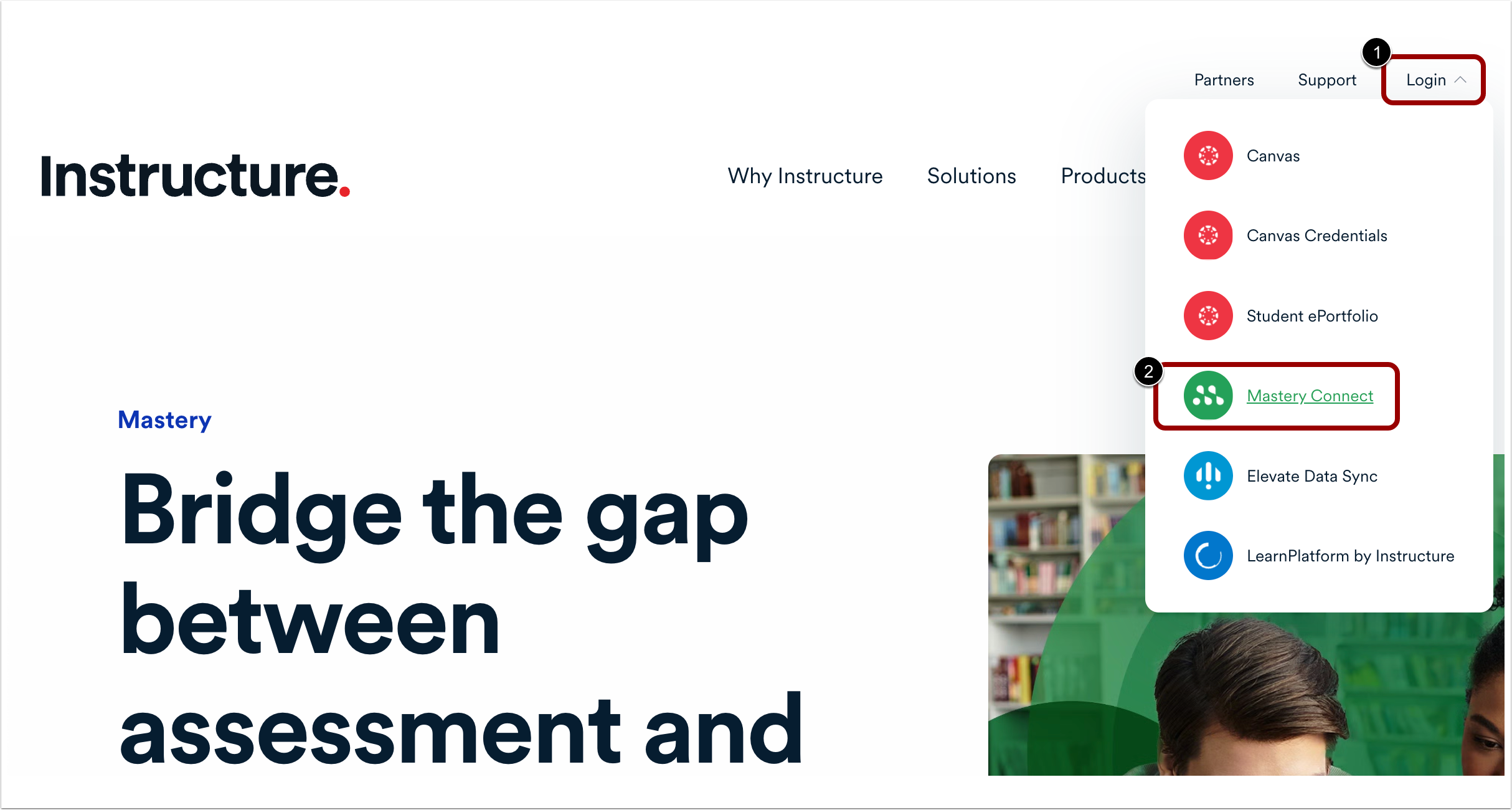
Click the Log In button [1], then select the Mastery Connect link [2].
Note: You can also access the login screen by going to: https://app.masteryconnect.com/login.
Log in
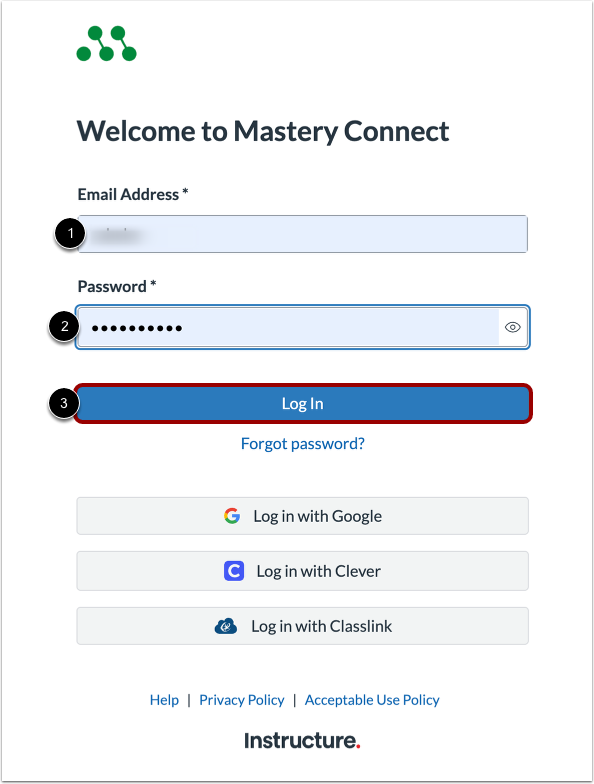
At the Mastery Connect Log In page, enter your Mastery Connect username or email address in the Username or Email Address field [1].
Enter your Mastery Connect password in the Password field [2].
Then, click the Log In button [3].
Notes: