Open Mastery Connect
Navigate to the following URL using your browser: www.masteryconnect.com.
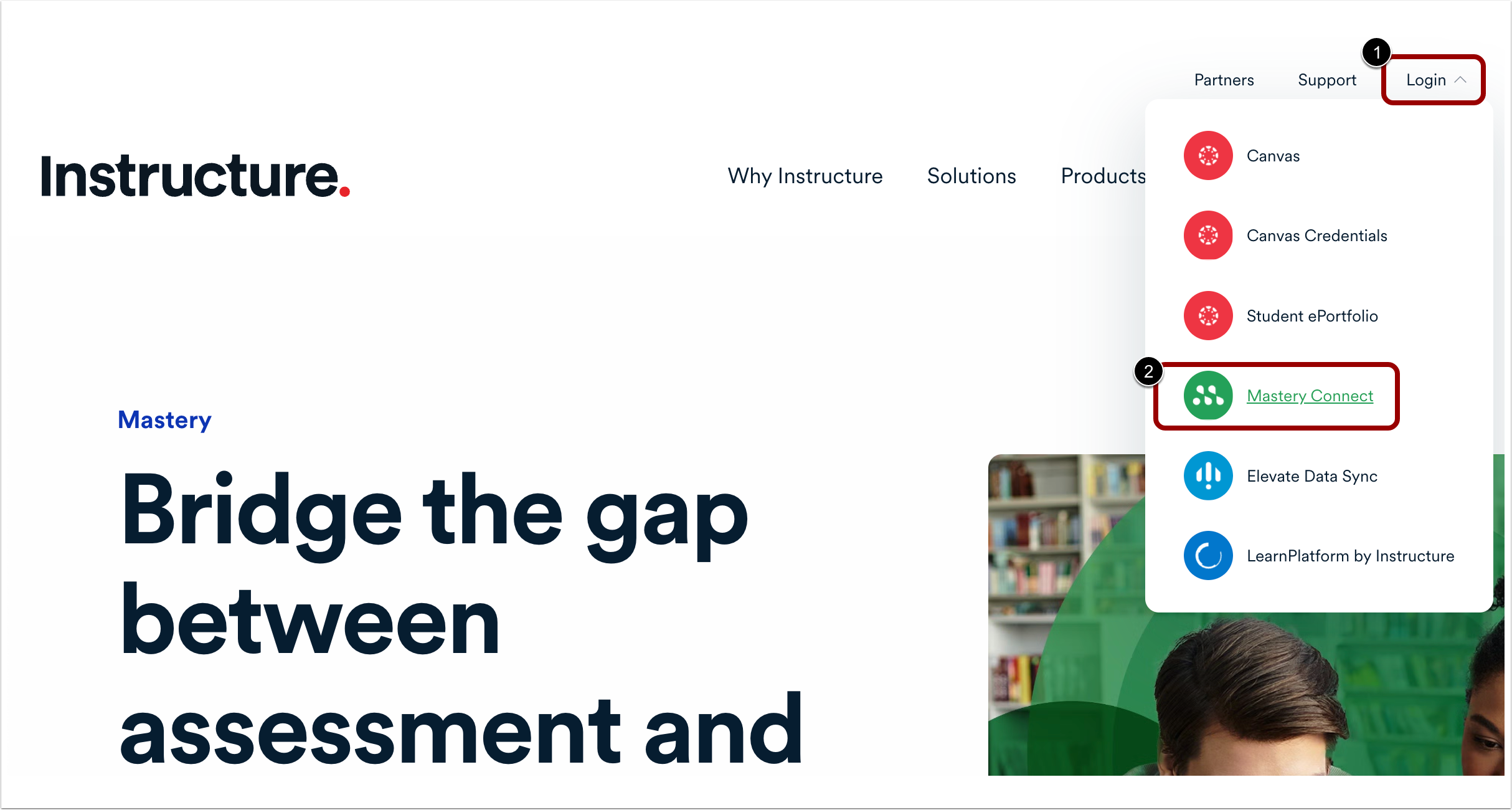
Click the Log In button [1], then select the Mastery Connect link [2].
Note: You can also access the login screen by going to: https://app.masteryconnect.com/login.
Sign in with Google
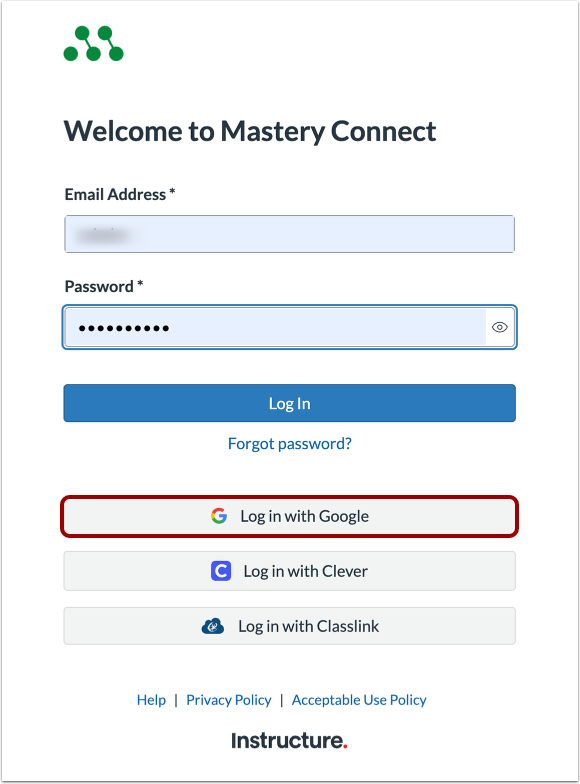
At the Mastery Connect Log In page, click the Log in with Google button.
Enter Google Email or Phone
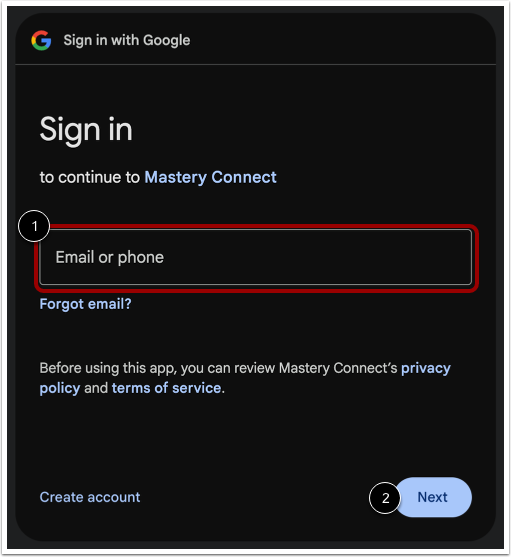
On the Sign in with Google page, enter your email address or phone number [1]. Then, click the Next button [2].
Note: You may also be able to select an account.
Enter Password
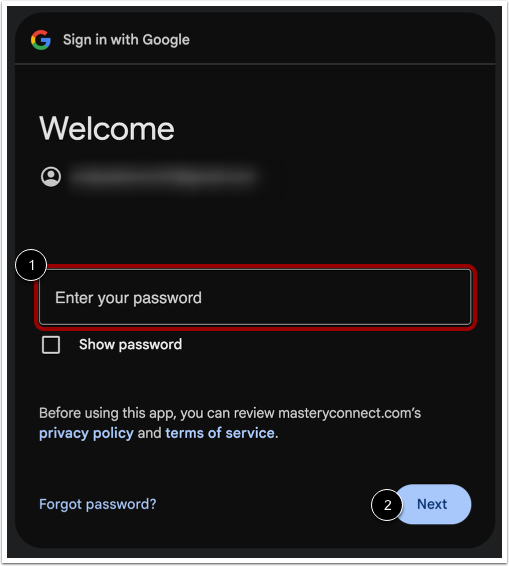
Enter your password [1]. Then, click the Next button [2].