As a staff member, you can change your Mastery Connect password.
Open Settings
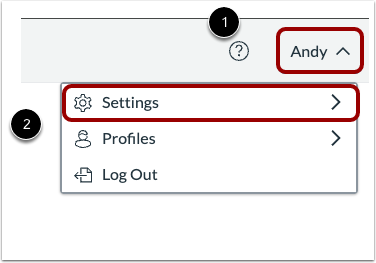
Click the User Name menu [1]. Then, select the Settings option [2].
Open Password
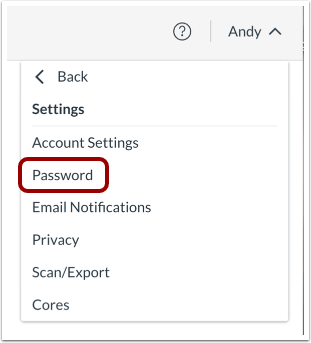
Click the Password link.
Enter and Confirm New Password
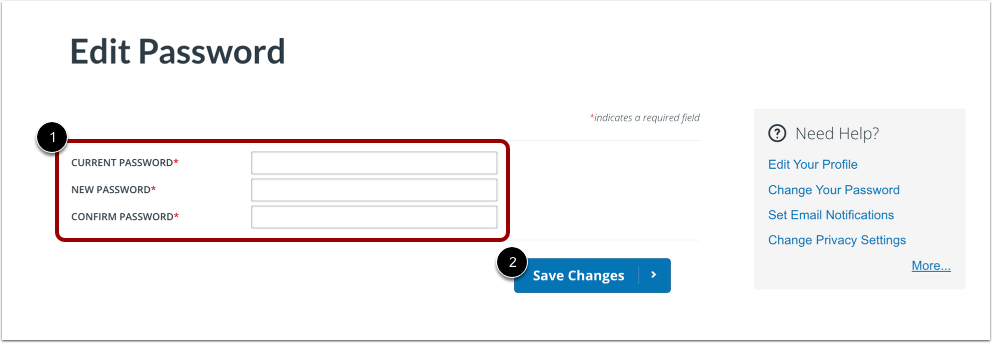
To change your password, enter your current password, enter a new password, and confirm the new password [1].
Once completed, click the Save Changes button [2].