In Mastery Connect, you can change the privacy settings for your News Feed in the Settings menu.
Open Settings
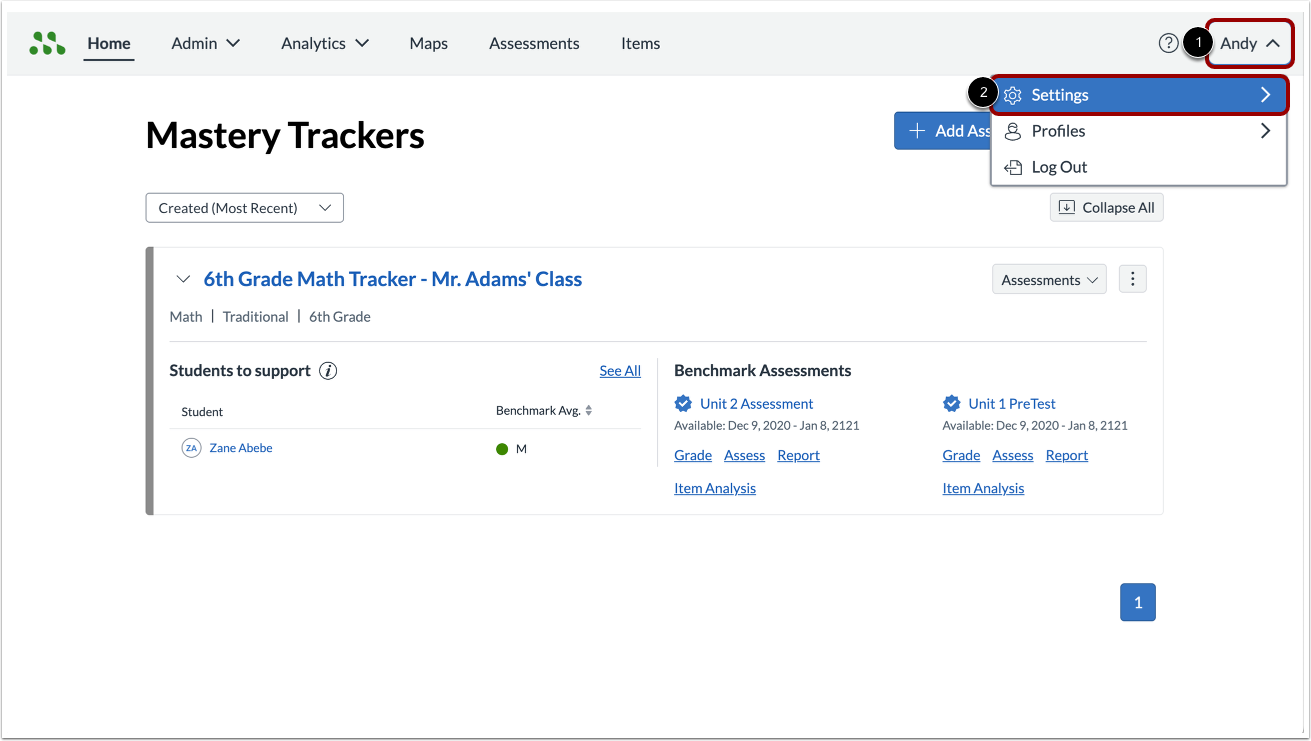
Click the User drop-down menu [1]. Then, click the Settings option [2].
Open Privacy
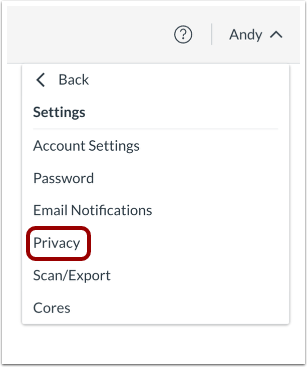
In the Settings menu, click the Privacy link.
Select Privacy Settings
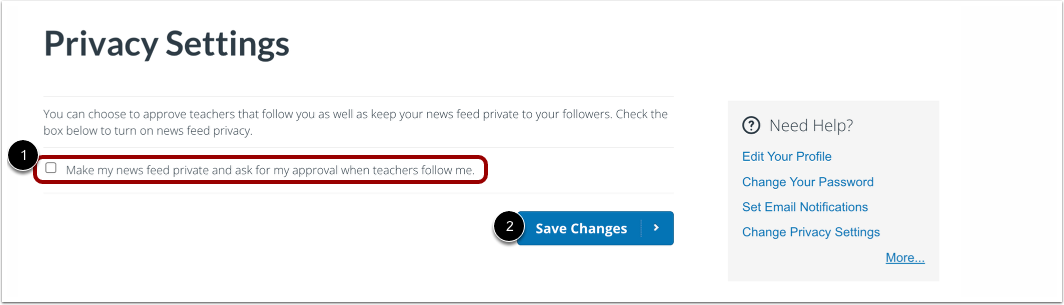
To make your news feed private, click the Make my news feed private and ask for my approval when teachers follow me checkbox [1].Then, click the Save Changes button [2].
Note: To remove the privacy setting, click the checkbox to remove the check mark and save your changes.