As a staff member, you can change your account's email notification settings.
Open Settings
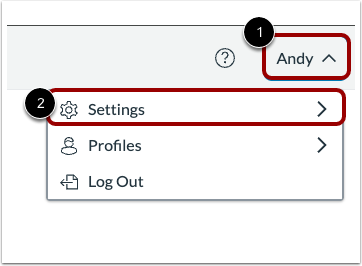
Click the User drop-down menu [1]. Then, select the Settings option [2].
Open Email Notifications
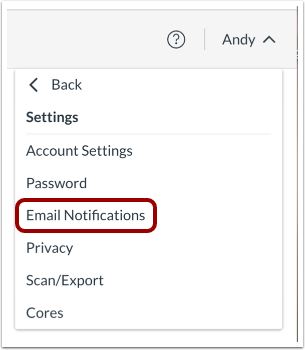
Click the Email Notifications link.
Select Notifications Settings
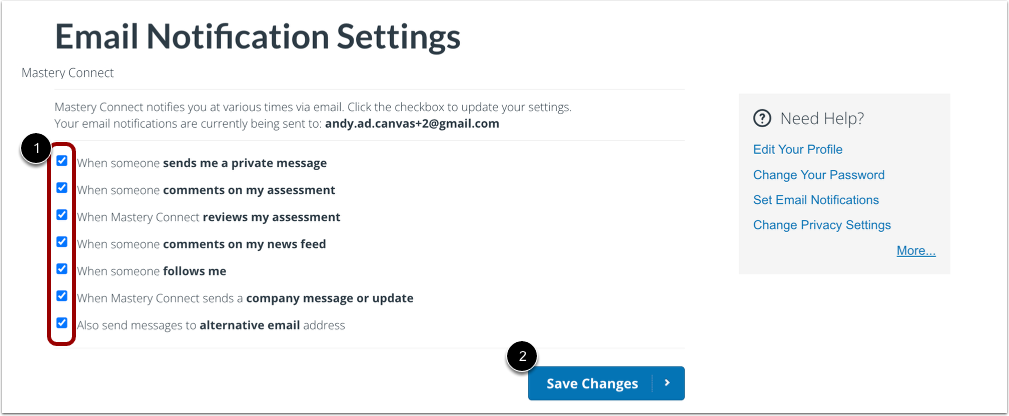
By default, all email notifications are enabled. To disable a notification, click the box to deselect the notification option [1].
To save changes, click the Save Changes button [2].