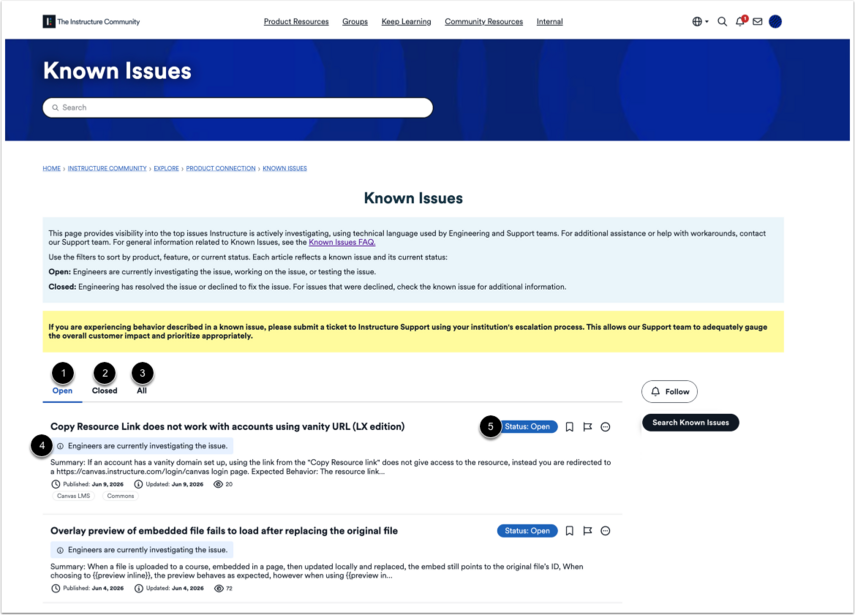
The Know Issues page displays which issues Instructure is actively investigating. For general information related to Known Issues, see the Known Issues FAQ.
Open Product Resources
On the Instructure homepage, hover over Product Resources.
Open Known Issues
Click the Known Issues link.
View Known Issues
You can view known issues based on their status:
- Open [1]: Known issues that are currently under investigation.
- Closed [2]: Known issues that have been addressed.
To view all known issues, click the All link [3].
A brief summary of the progress of each known issue's investigation can be found under the known issue's title [4]. Each known issue has a status label [5] identifying if it is open or closed.
Search Known Issues
To browse existing known issues, click the Search Known Issues button.
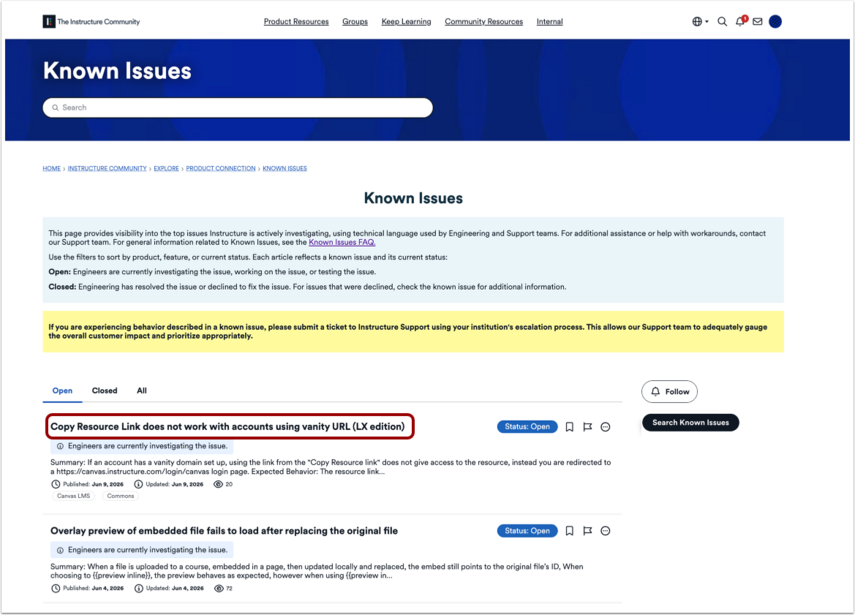
Open a Known Issue
To view a known issue, click the known issue's name.
View a Known Issue
You can view a summary [1] of the Known issue, its expected behavior [2], and the steps that need to be reproduced [3].
You can also view which product the known issue is associate with [4], its ticket number [5], and status [6].
Note: Some known issues include a workaround.