Open Private Messages
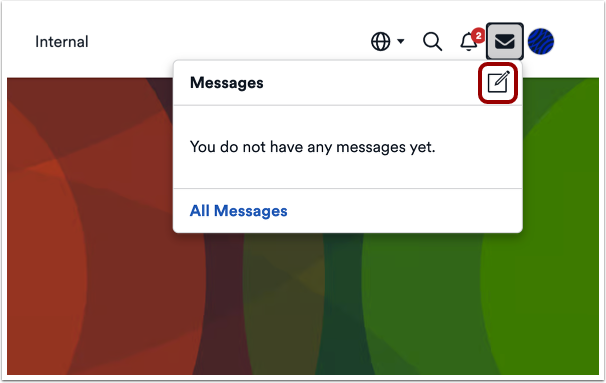
To send a message, click the Private Messages icon.
Create New Message
Click the Create Message icon.
Compose Message
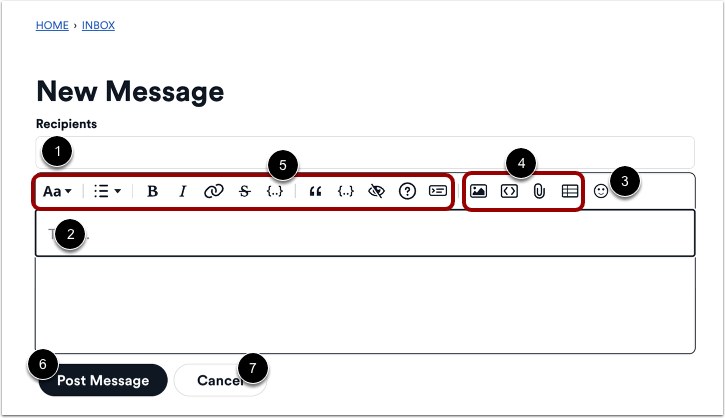
To send a message, enter a username in the Recipients field [1].
Enter the message in the Message Body field [2].
You can use the toolbar options to:
- Add emojis [3]
- Insert images, links, files, or tables [4]
- Format text and access additional formatting options [5]
Send Message
To send the message, click the Post Message button [1].
To cancel the message and close the Create New Message window, click the Cancel button [2].