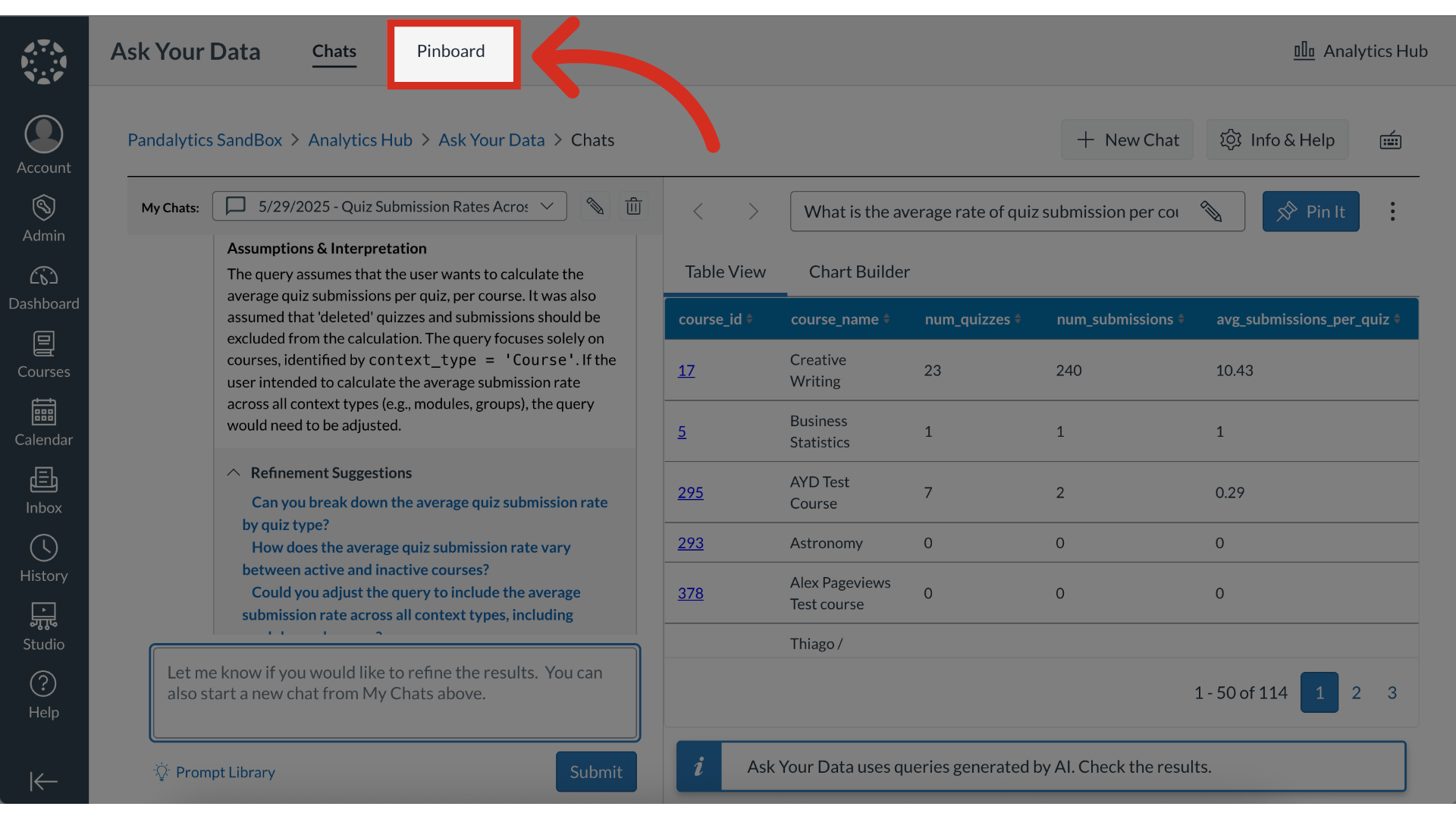
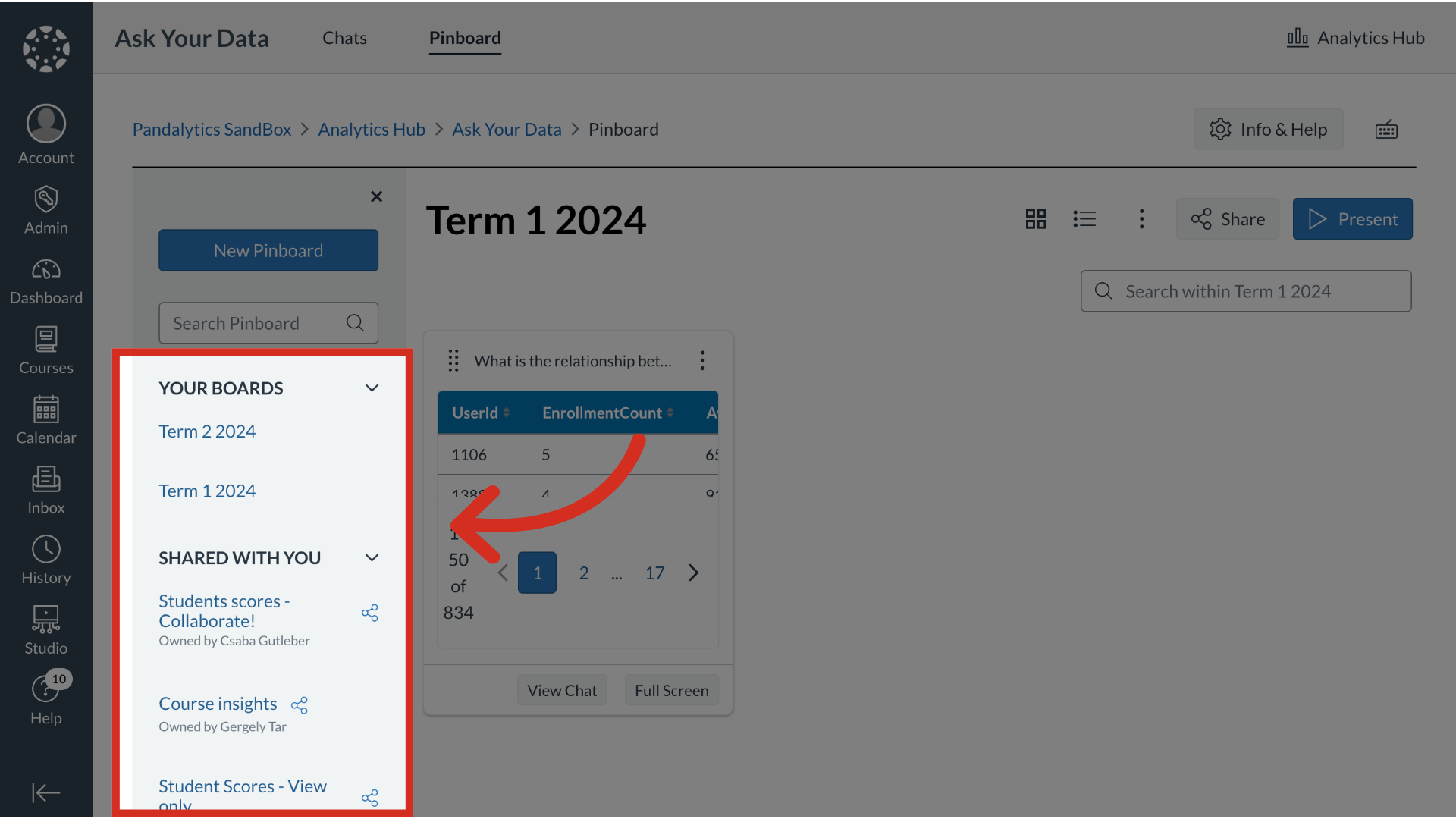
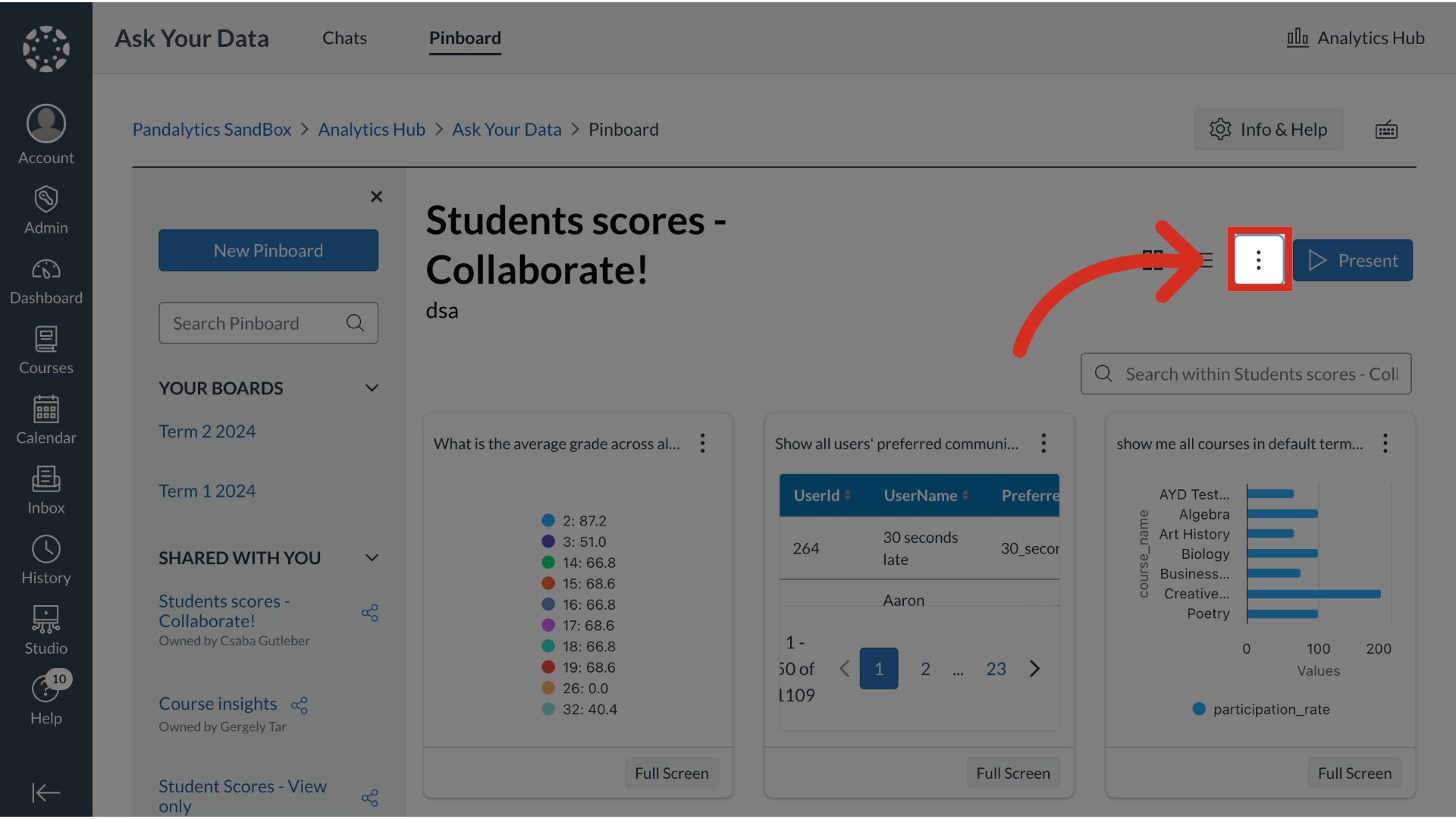
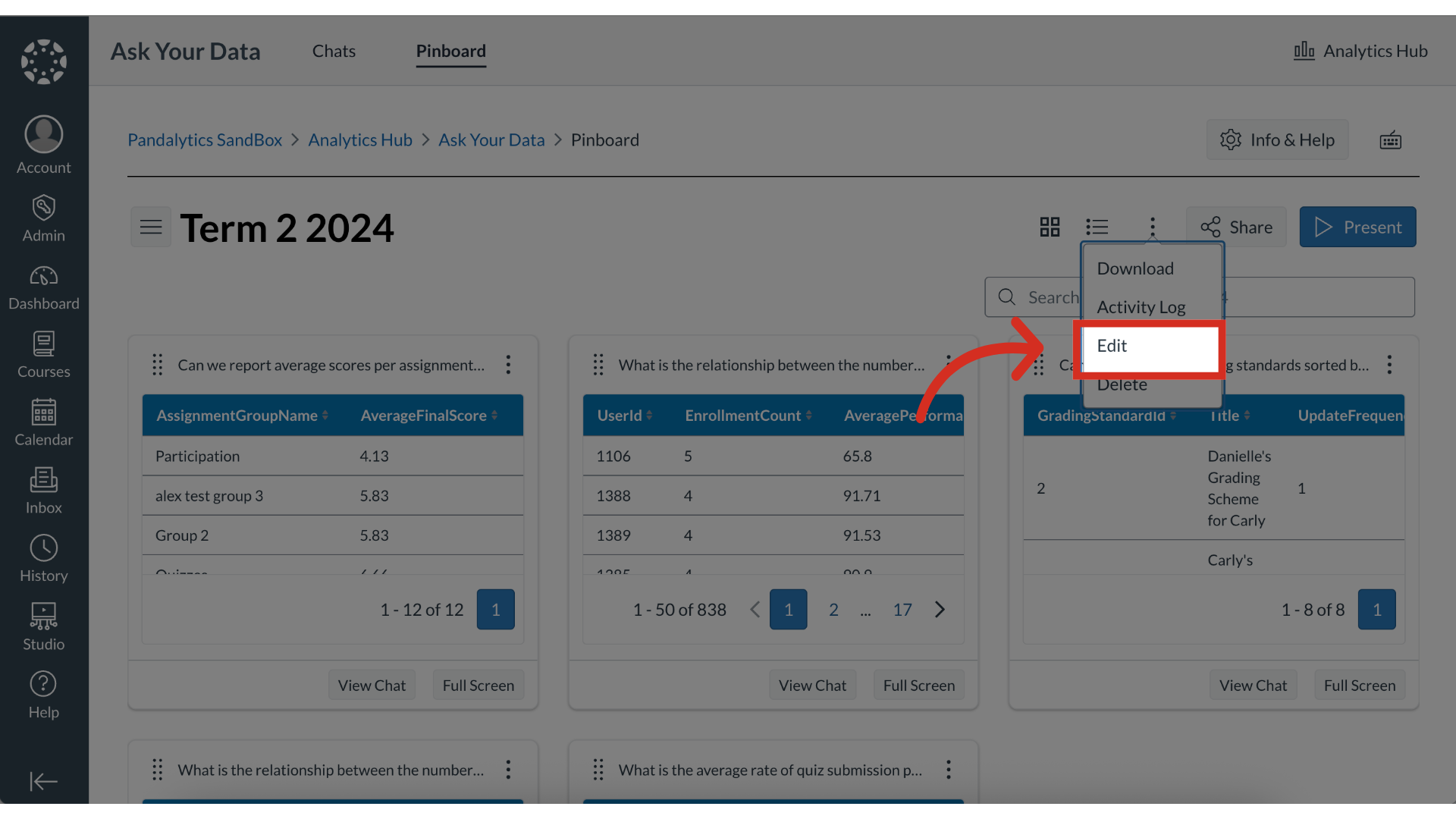
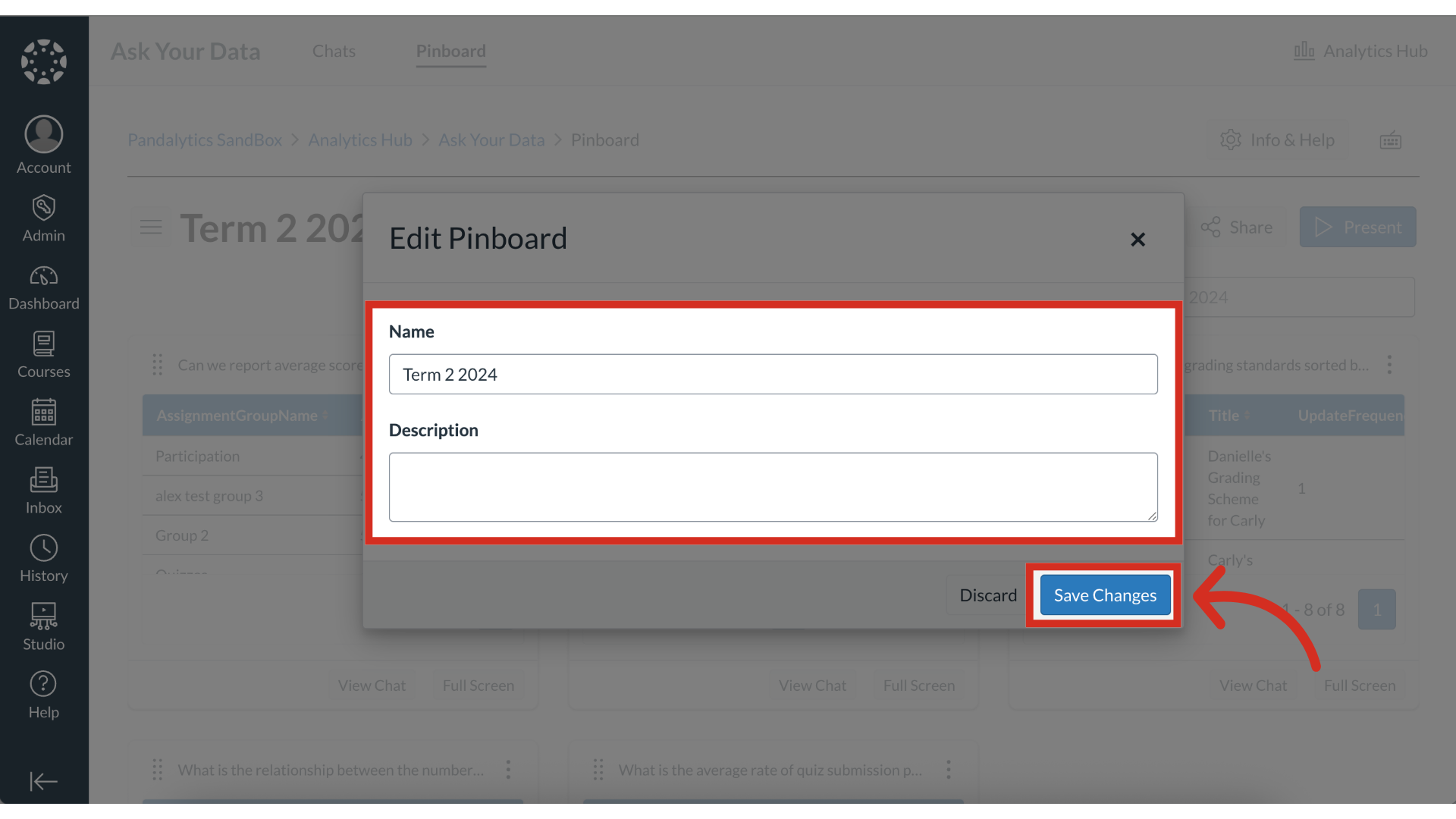
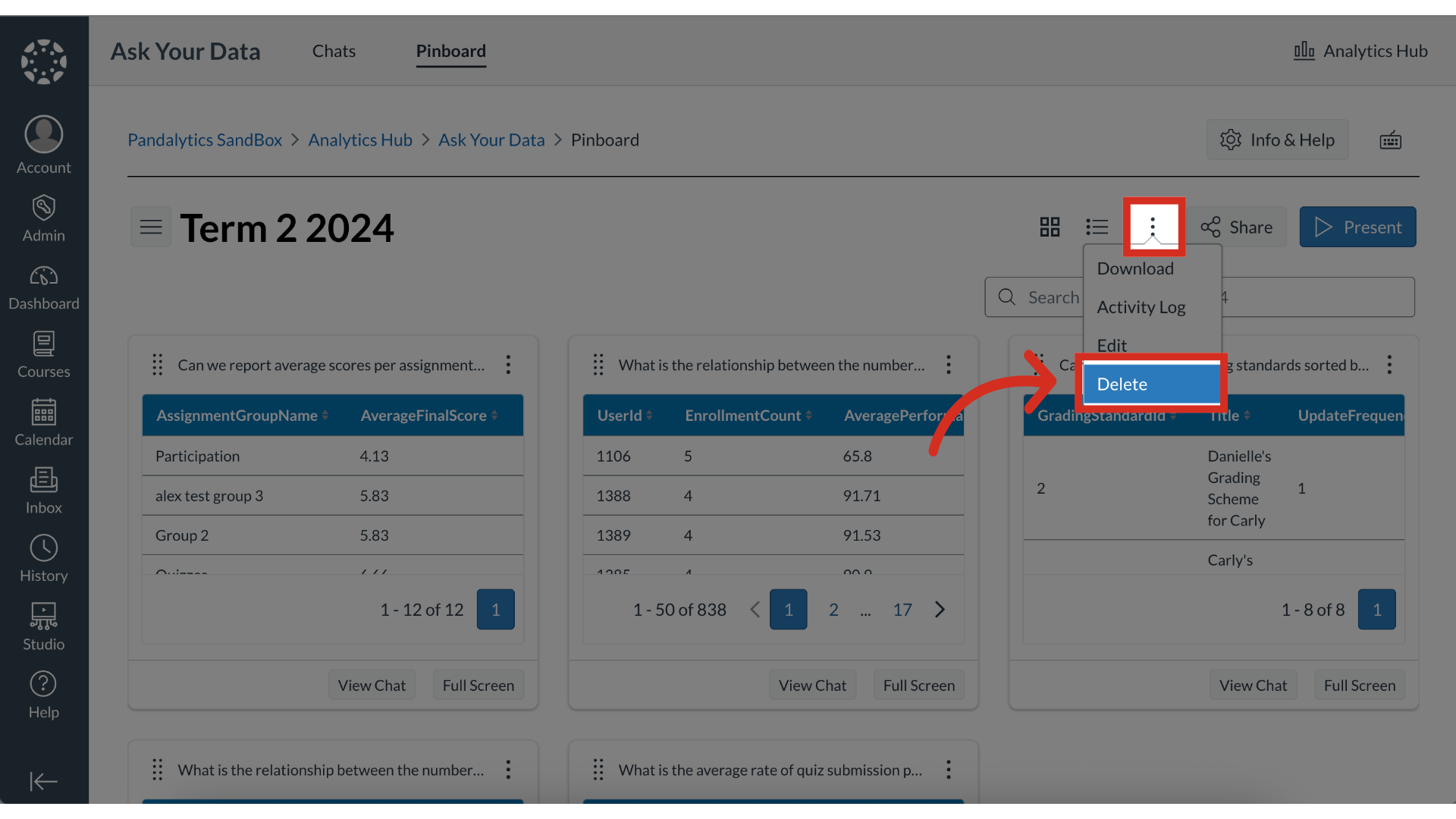
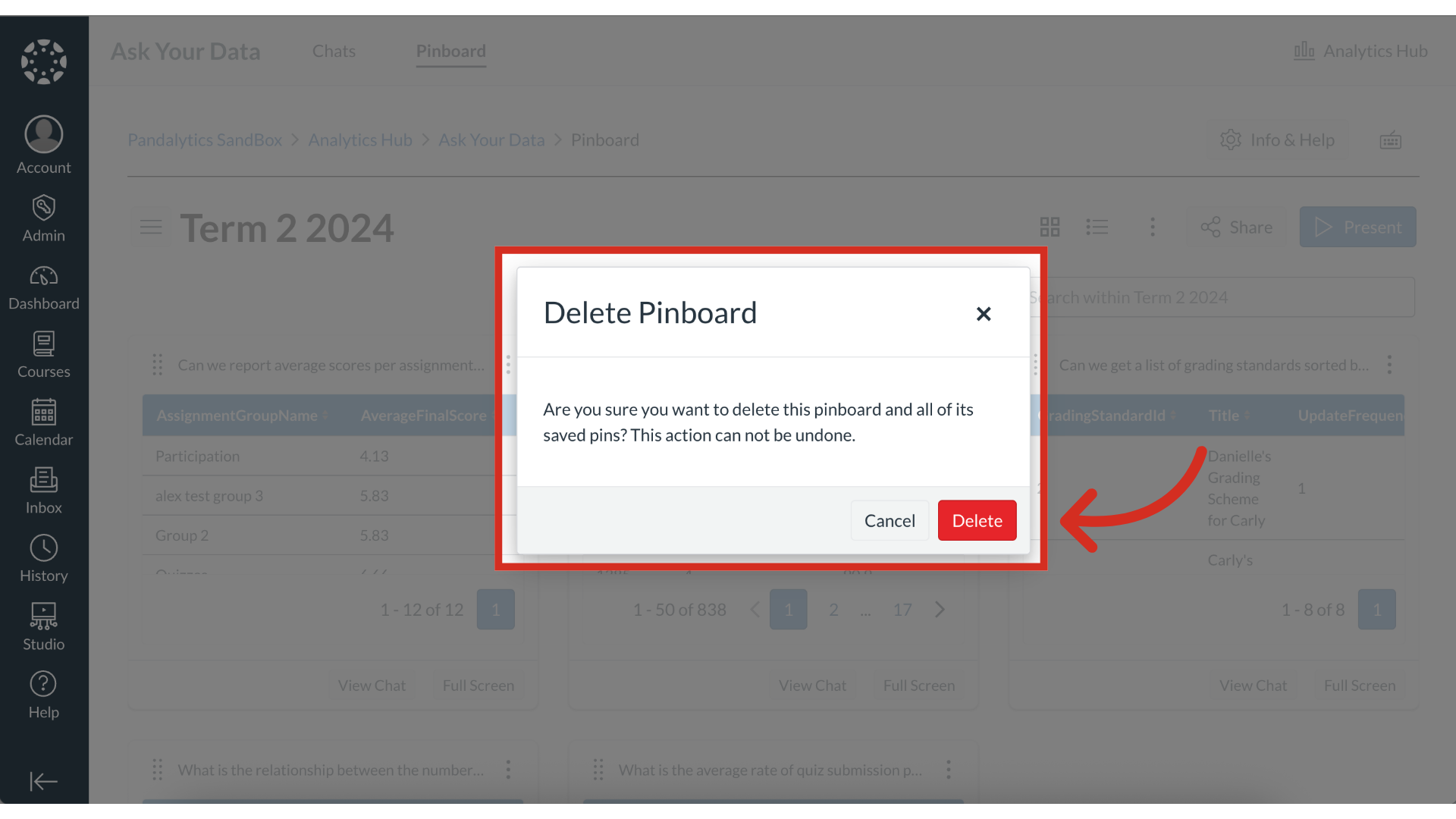
From your Pinboard Library, you can manage the pinboards that you have created. This guide shows you how to edit a pinboard's name and description or permanently delete a pinboard you no longer need.How do I edit or delete a pinboard?1. Open PinboardTo view your pinboards, click the Pinboard tab.2. View Pinboard In the Pinboard Library, click the title of the pinboard to view.3. Open Pinboard OptionsTo open the Pinboard options, click the Options icon.4. Open Edit Pinboard To edit the pinboard, click the Edit link5. Edit Pinboard To edit the pinboard name, enter the name in the Name field.To edit the pinboard description, enter the description in the Description field.Then click the Save Changes button.6. Delete Pinboard To delete a pinboard, click the Options icon. Then click the Delete link.7. Confirm Deletion From the Delete Pinboard modal, click the Delete button. The guide covered how to edit or delete a pinboard.