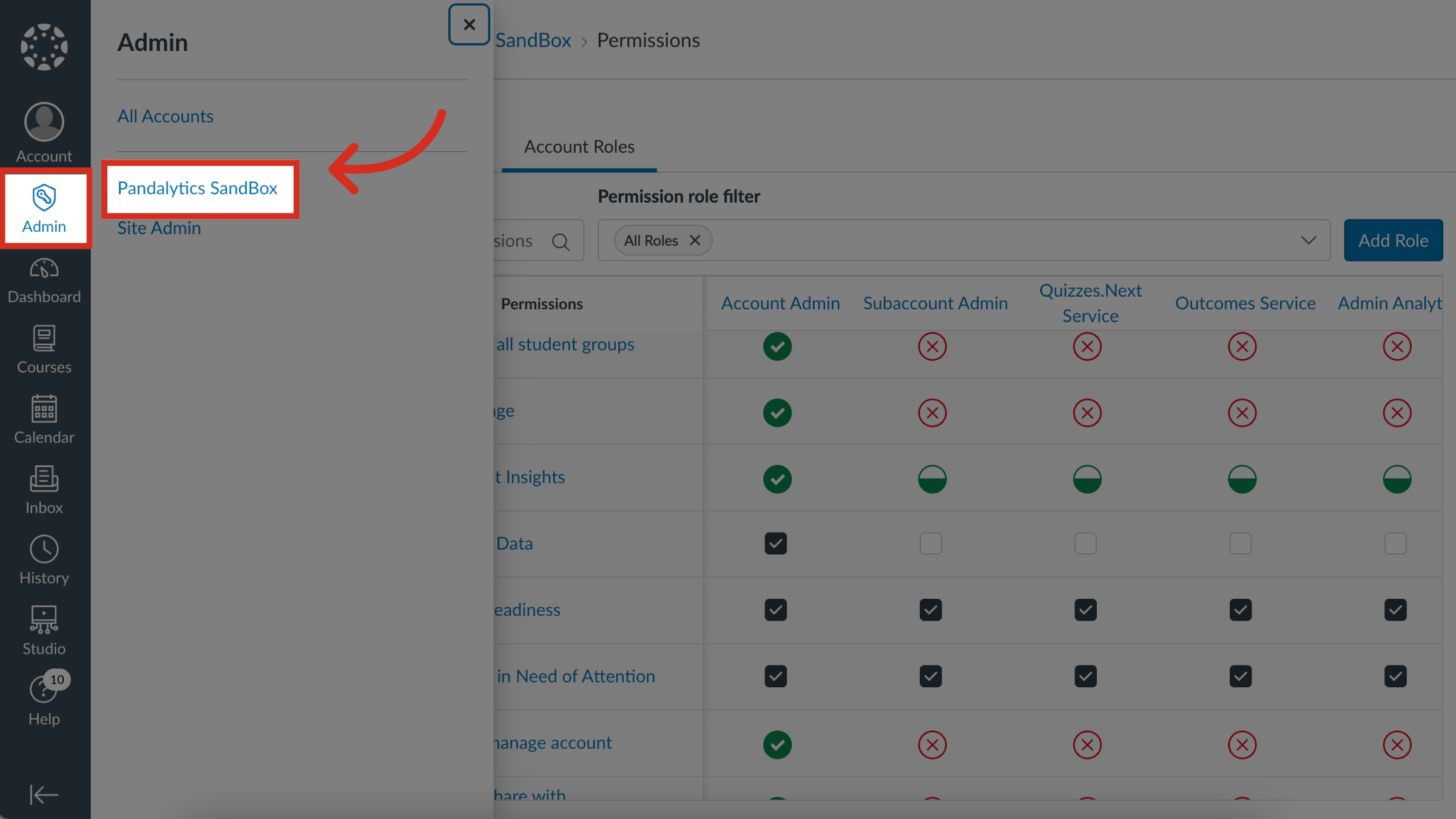
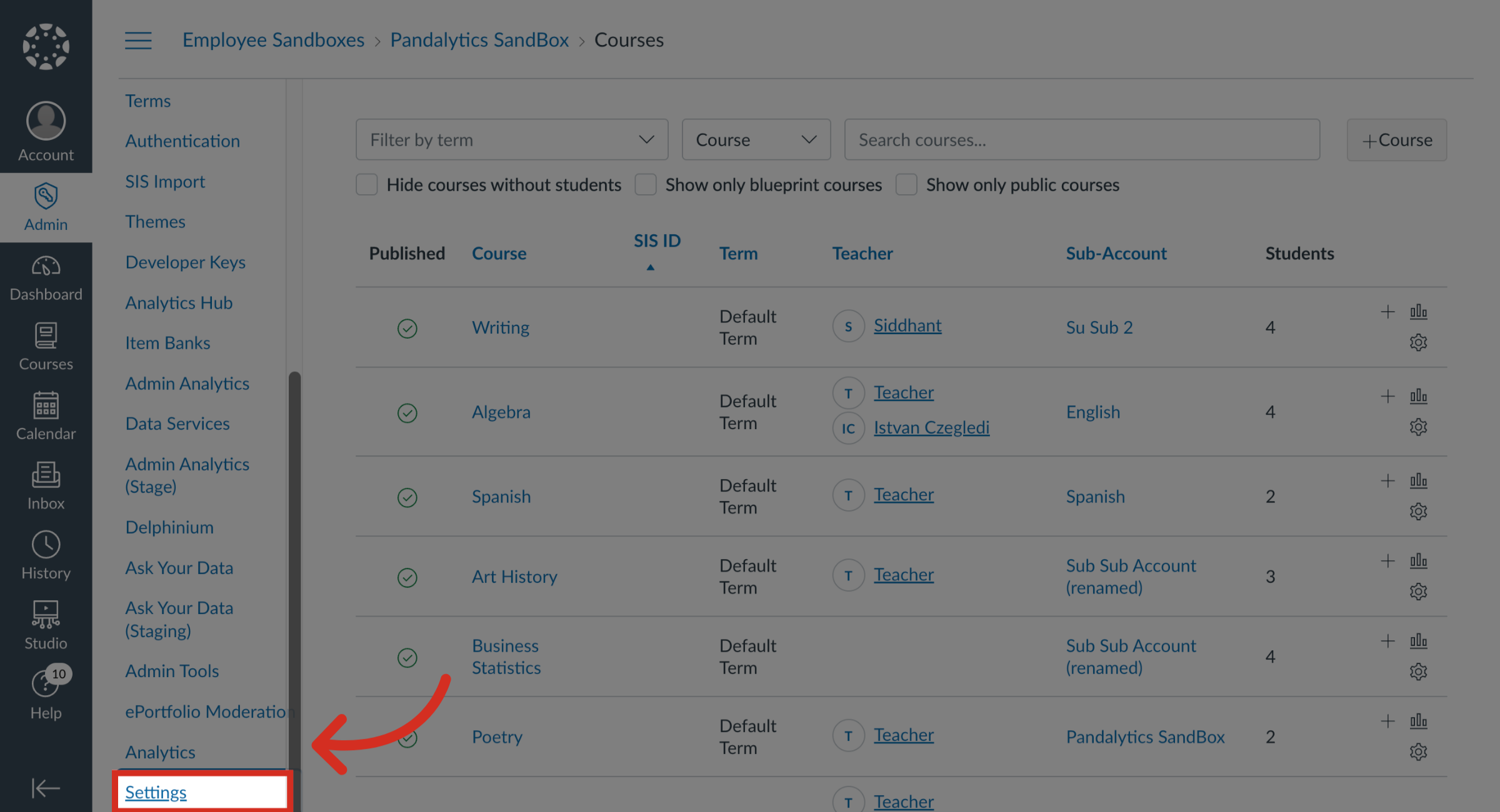
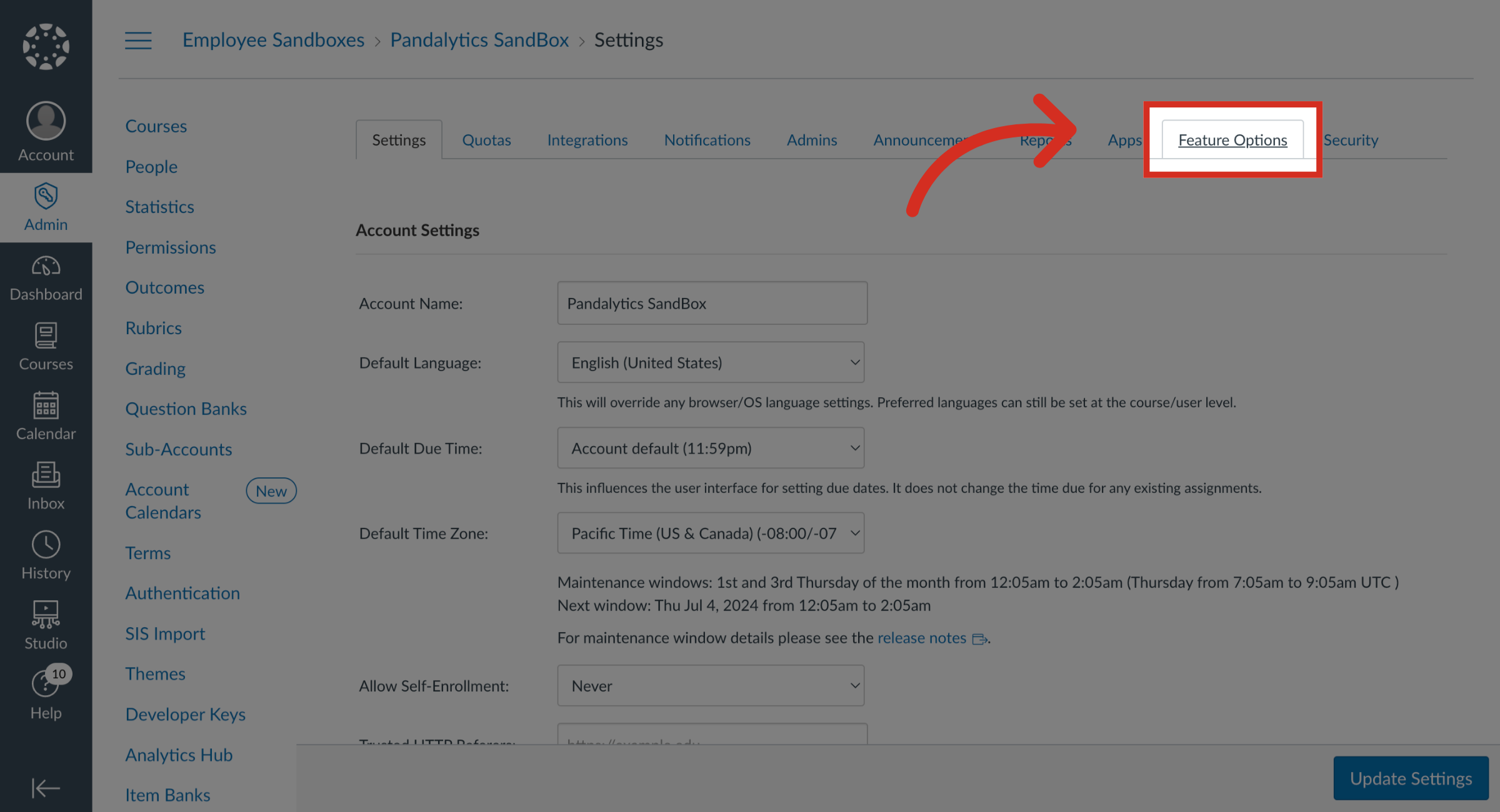
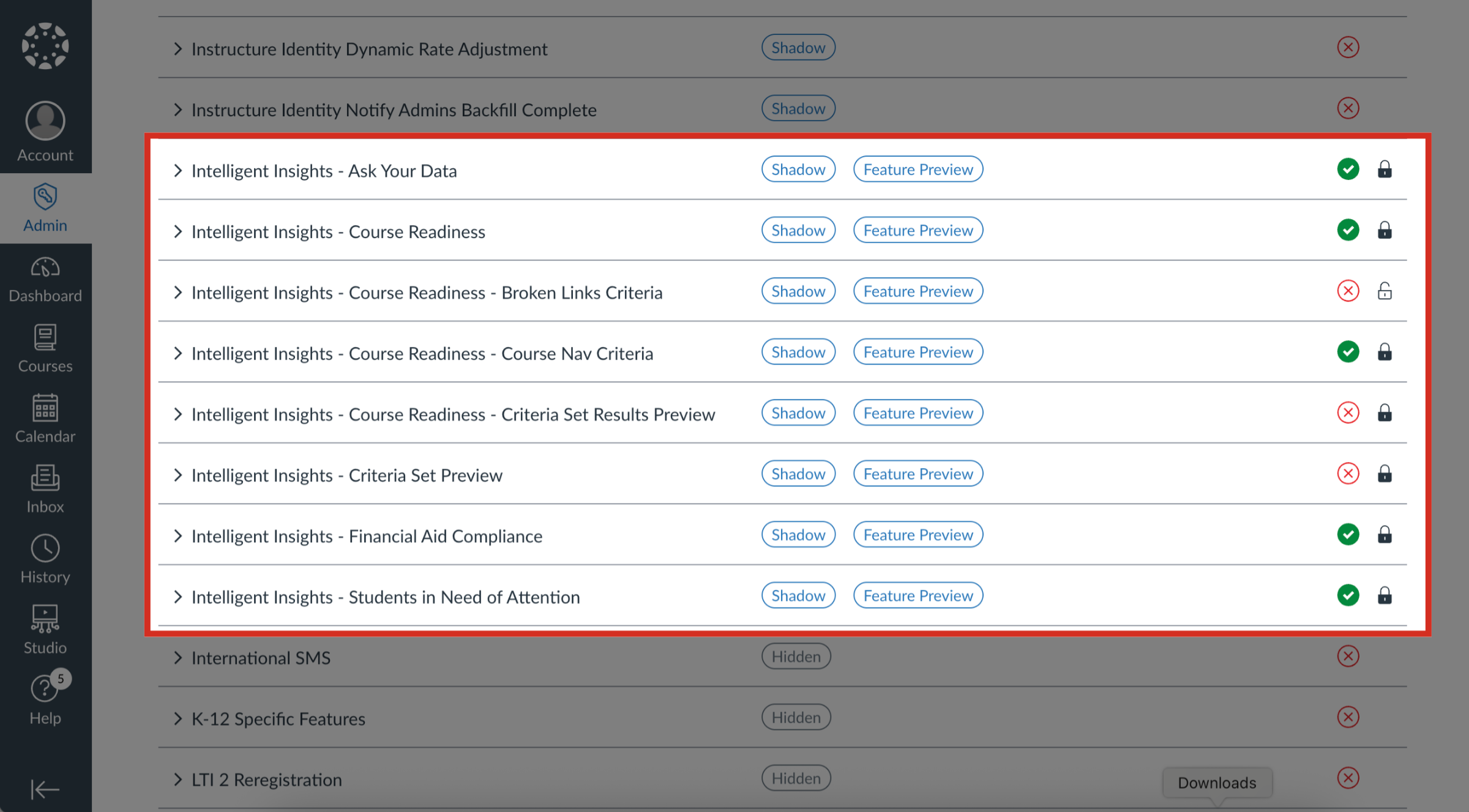
Administrators can manage feature options for Intelligent Insights within the account settings. How do I manage feature options for Intelligent Insights?1. Open AccountIn Global Navigation, click the Admin link. Then click the name of the account.2. Open Settings In Account Navigation, click the Settings link.3. Open Feature Options Tab Click the Feature Options tab.4. View Feature Options Each Intelligent Insights feature includes a feature description. Click the arrow icon next to the feature to expand the feature box and display the description.5. View Feature Tags Feature tags help identify the state of each feature. Intelligent Insights displays the Shadow tag and Feature Preview tag.6. Shadow Tag The Shadow tag means this feature option is only visible to users with Site Admin access. It is similar to Hidden tag, but end users will not see it even if enabled by a Site Admin users.7. Feature Preview Tag The Feature Preview tag means opting in includes ongoing updates outside the regular release schedule.8. View Feature States Each feature displays a feature state. As a Site Admin, you can choose to enable or disable features by default.