View Predicted Standards
Follow the steps to align by object.
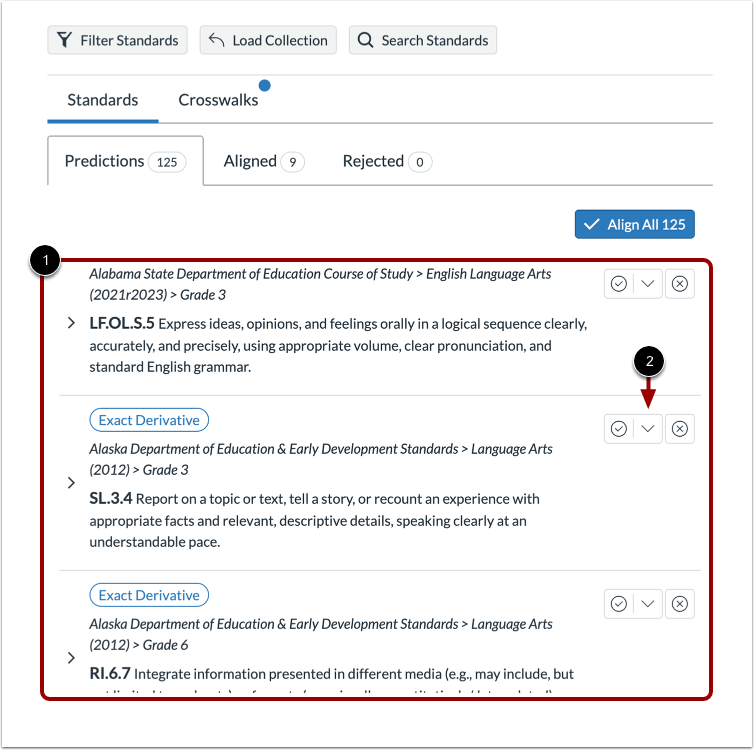
In the Predictions tab of the Alignment page, predicted standards display [1].
When alignment tags are enabled, the Accept icon drop-down displays [2].
Select Tag
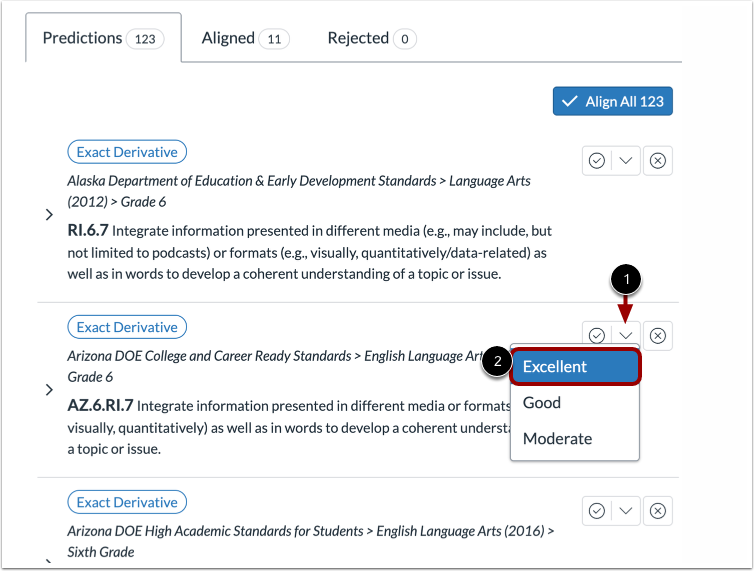
Click the Accept icon drop-down [1]. Then, click a tag name [2].
When you tag a predicted standard, the alignment is accepted, and moved to the Aligned tab. Rejected alignments can not be tagged.
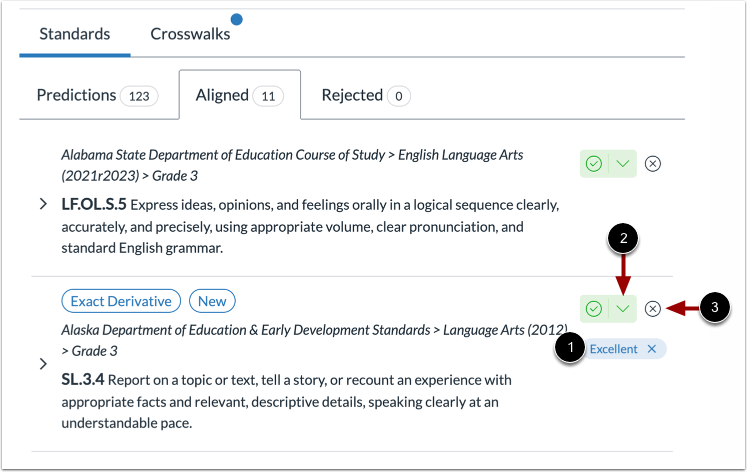
Note: Only one tag can be assigned to a standard in the Predictions tab, but additional tags can be added from the Aligned tab.
View Aligned Standard
The standard displays the tag [1]. To add additional tags, click the Accept icon drop-down [2]. To delete a tag, click the Delete icon on the tag label [3].