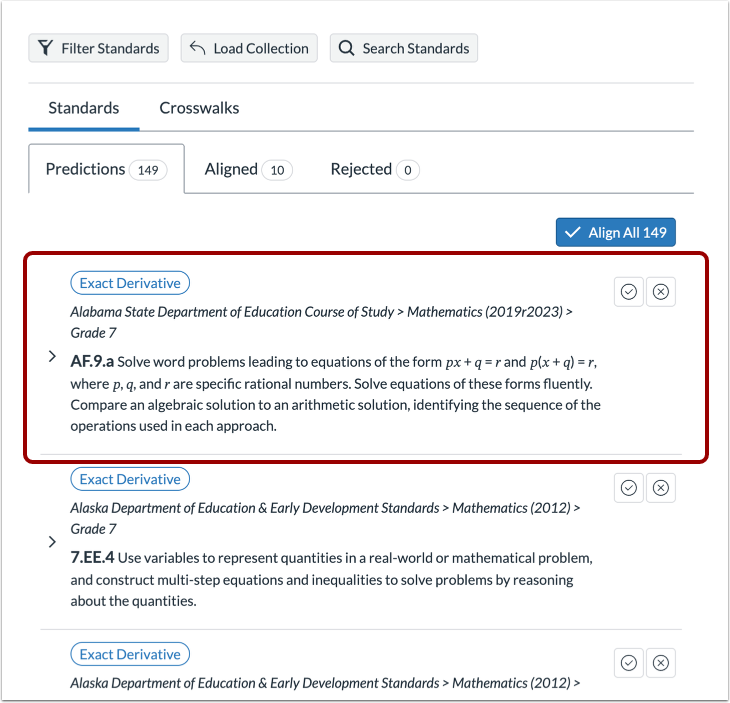
When aligning by object, you can create a collection of standards based on filters, then load them as needed.
Align by Object
In the Navigation Menu, click the Align by Object link.
Filter Standards
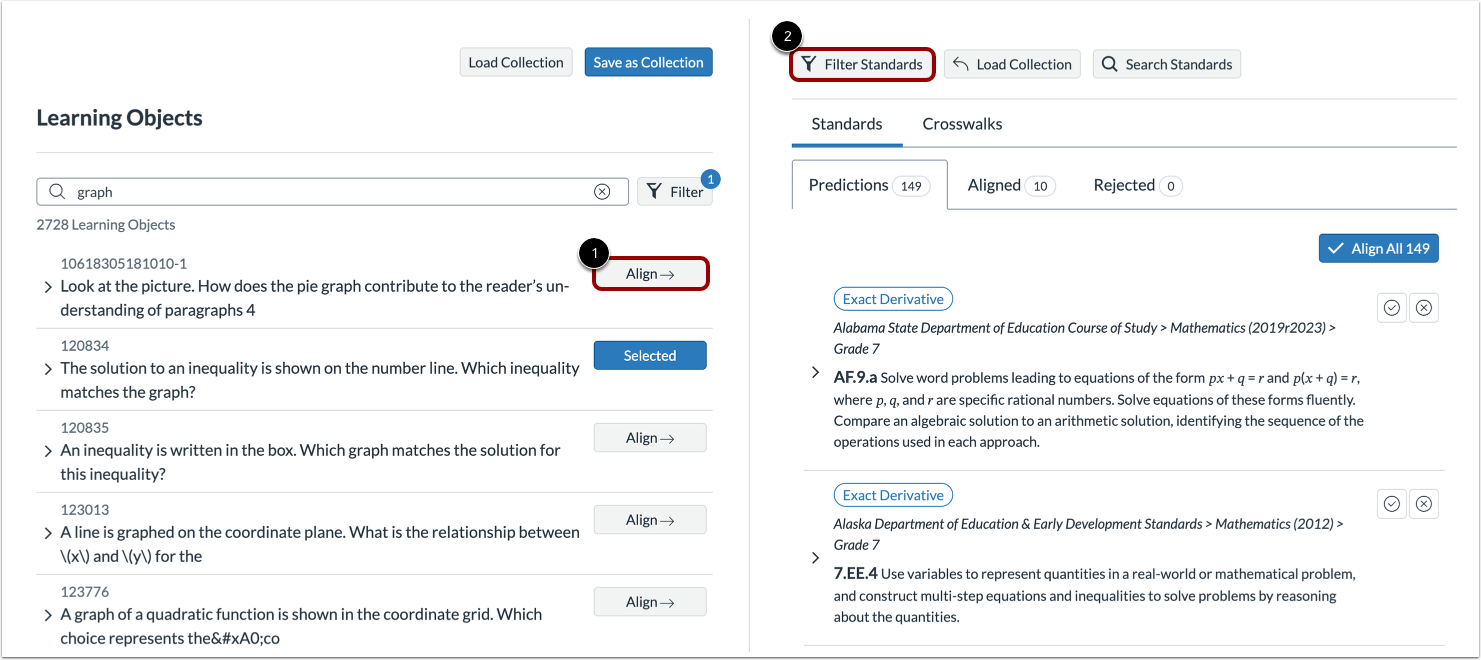
Locate the object to align and click the Align button [1].
Click the Filter Standards button [2].
Save Filters as Collection
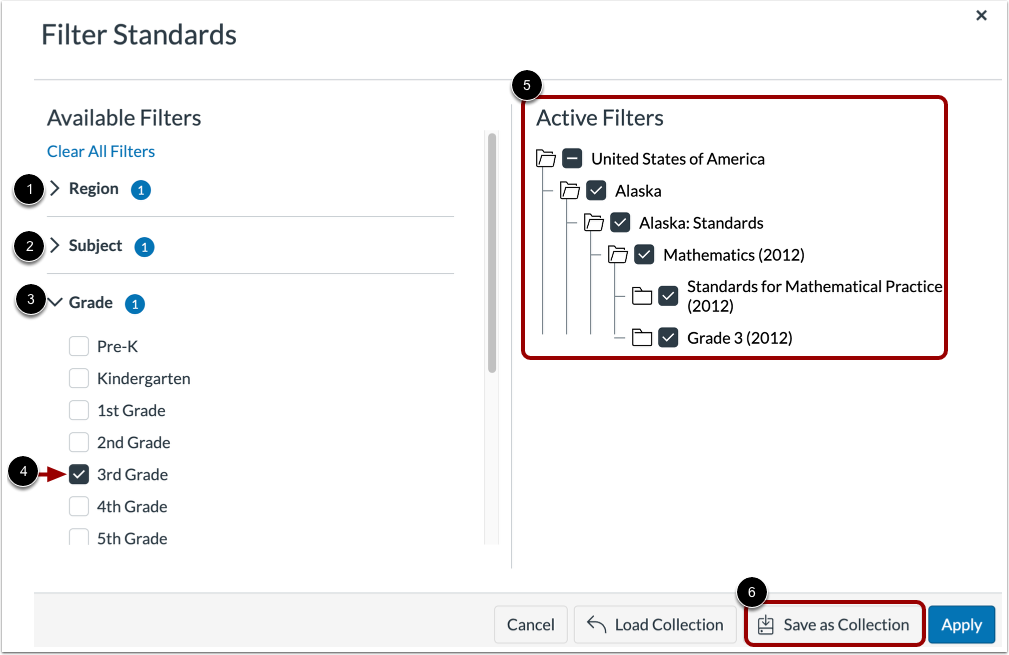
In the Filter Standards window, you can filter by standards region or authority, subject, or grade level. Click the Region [1], Subject [2], or Grade [3] drop-down menus. The, click one or more option checkboxes [4].
View the selected filters [5].
To create a collection of the standards that satisfy the active filters, click the Save as Collection button [6].
Save Collection Name
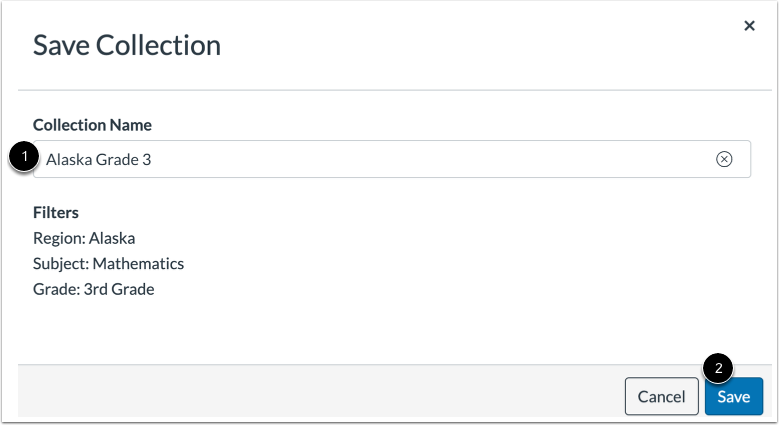
Enter a name for the collection in the Collection Name field [1]. Then, click the Save button [2].
Apply Loaded Collection
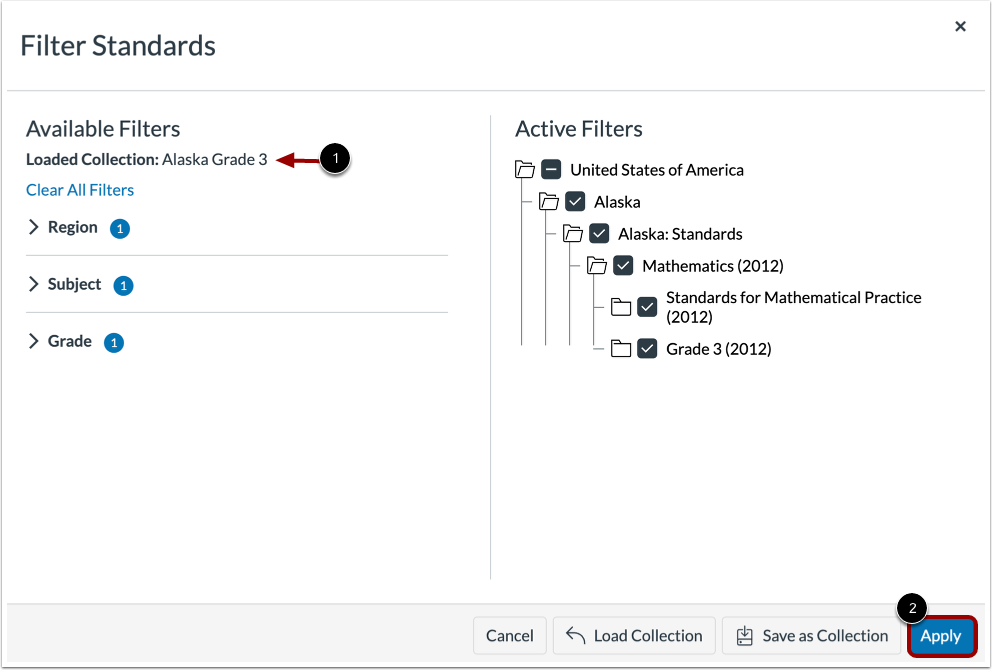
The collection is saved and loaded [1].
To apply the collection to the current list of standards, click the Apply button [2].
View Filtered Standards
On the Standards tab, the standards lists update based on the collection.