You can replace Studio video thumbnails.
Notes:
- You can add custom thumbnails to any of your own uploaded Studio content.
- Dimensions for thumbnail images should be approximately 1000 pixels wide x 512 pixels high. For best results, please retain the aspect ratio for the image to scale properly.
View Media Library
In Studio, the My Library page opens by default.
Replace Thumbnail
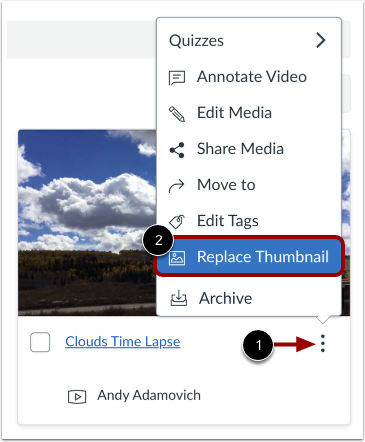
Locate the video. Then, click the Options icon [1] and click the Replace Thumbnail link [2].
Open File
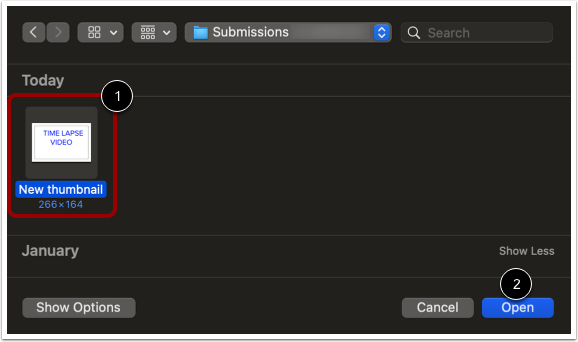
Locate the file on your computer [1]. Then, click the Choose or Open button [2].
View Thumbnail
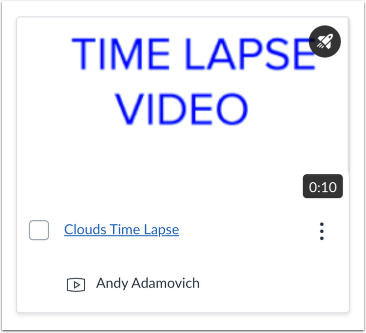
View the new thumbnail.