Open Groups and Hubs
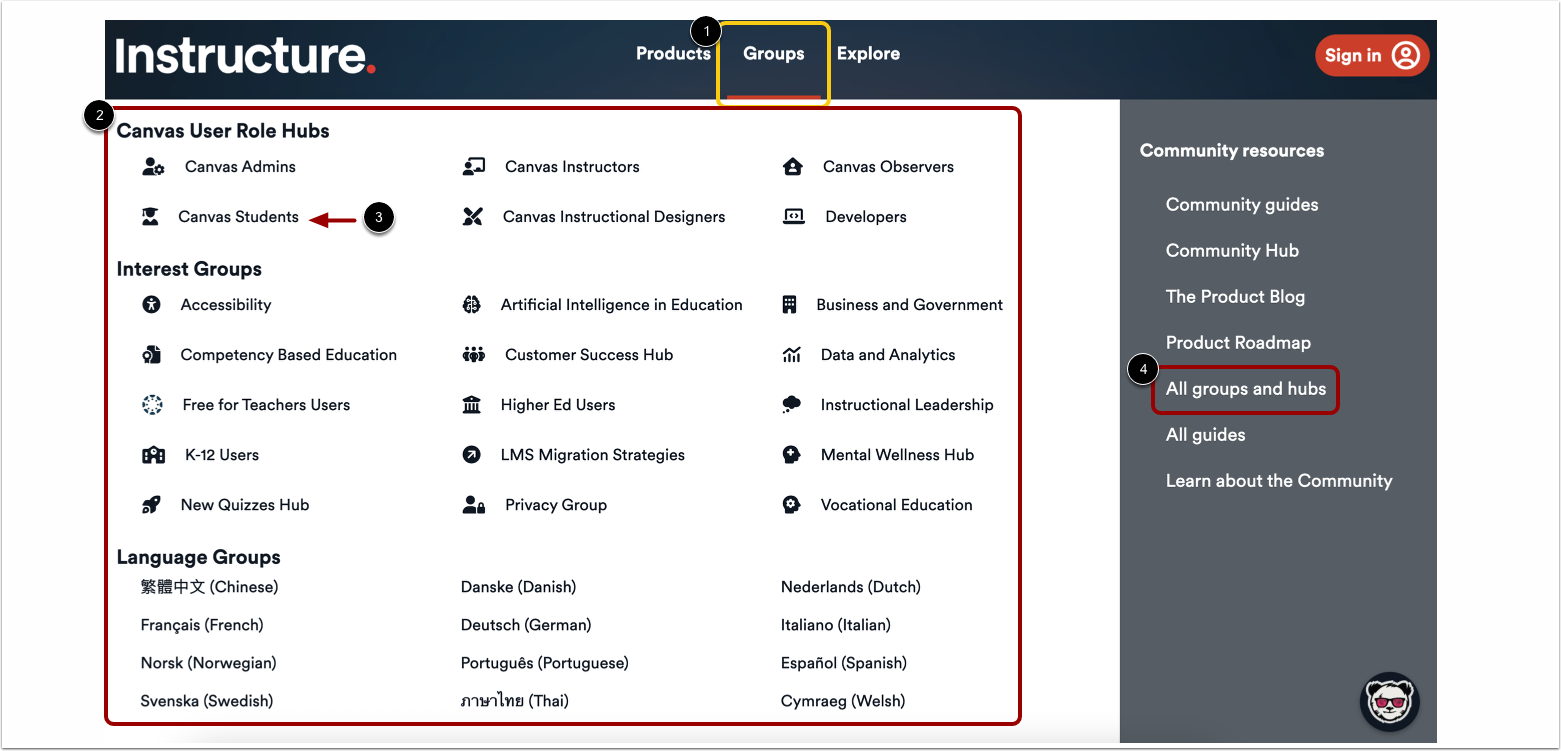
In the Navigation menu, click the Groups tab [1].
The Groups menu displays a list of Groups and Hubs and Language Groups [2]. To select a group or hub, click a name link [3].
To view all list of all Groups and Hubs sorted by topic, in the Community Resources drop-down, click the All Groups and Hubs link [4].
Note: Clicking the Products tab or the Explore tab also displays the Community Resources drop-down menu.
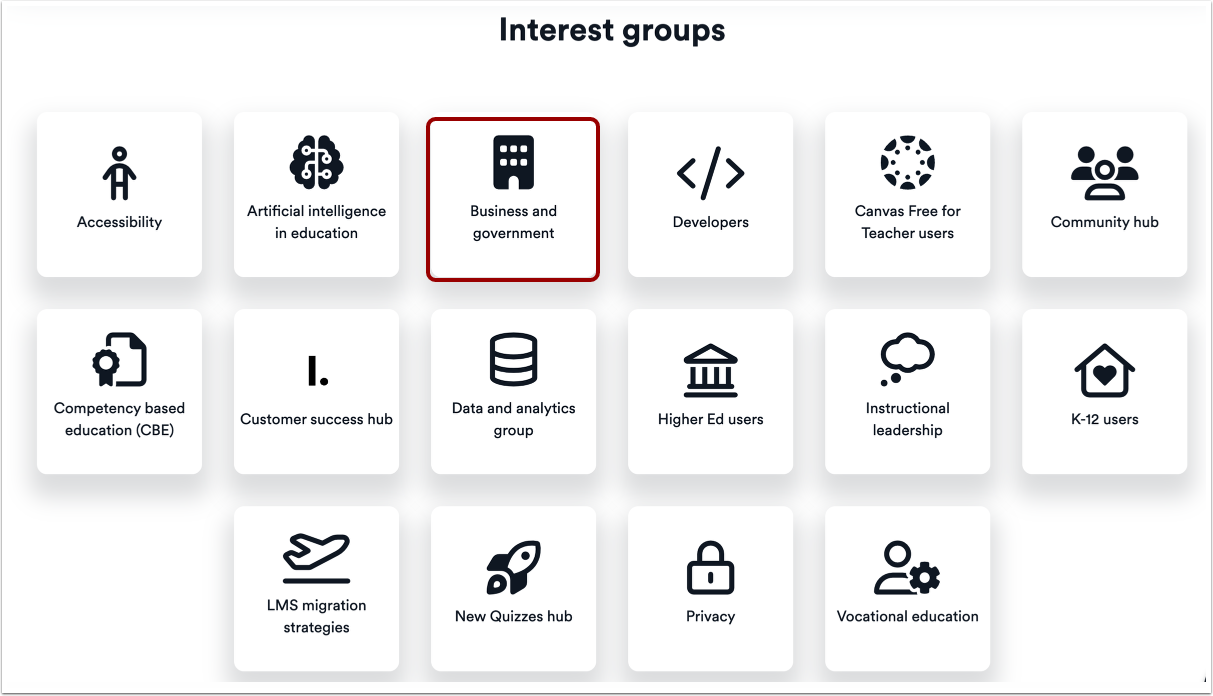
Locate a Group
The Groups page displays all groups and hubs sorted by interest, user feature, language, and Canvas LMS role. Scroll through the list to locate a group. Then, to view more information about the group, click the group tile.
Join Group
To join the group, click the Join Group Hub button.
View Group Page
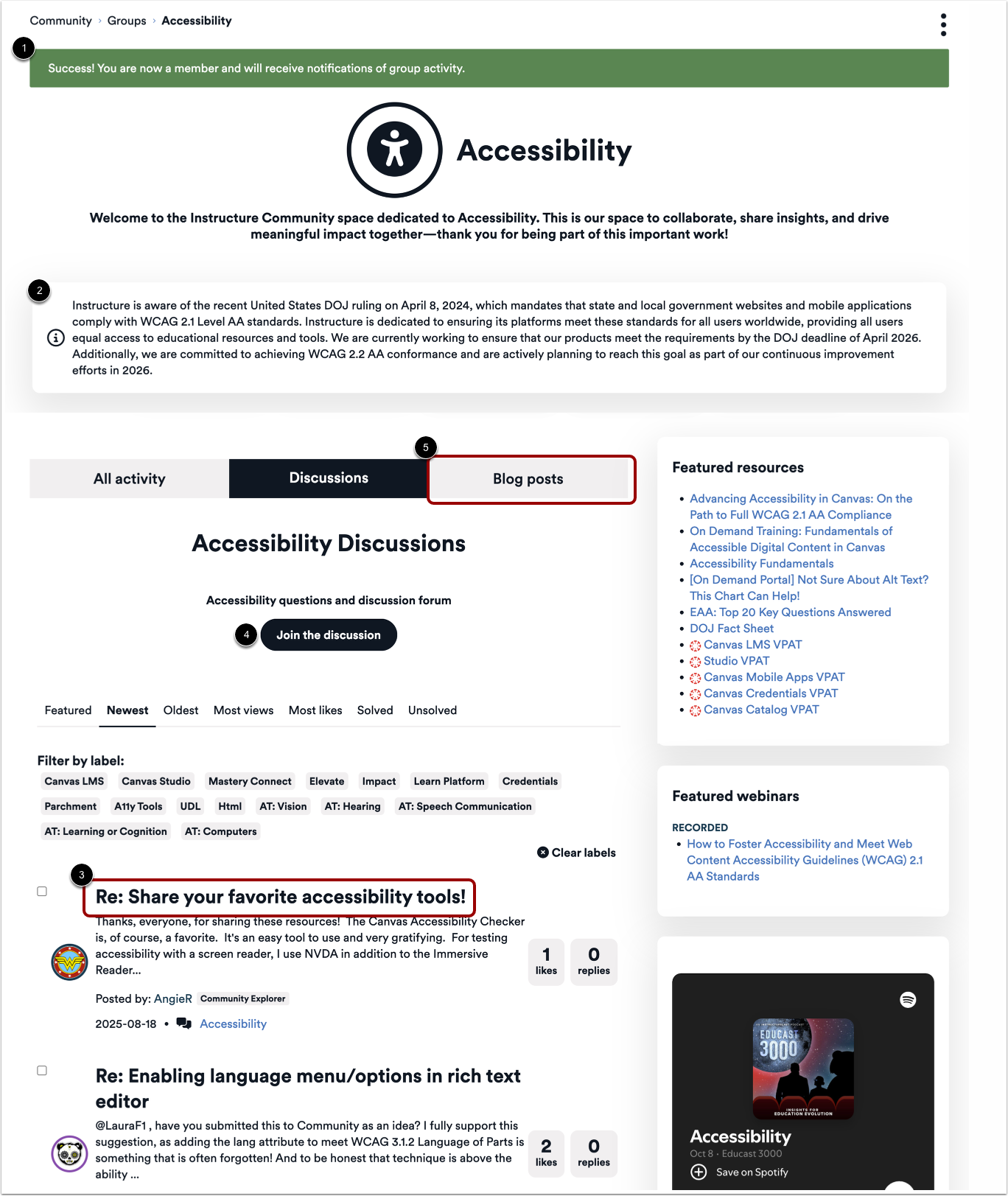
On the group page, the Success! banner displays [1].
To join a conversation, click a discussion title [3].
To start a discussion, click the Start a Discussion button [4].
To view and create blog posts, click the Blog tab [5].