As a reviewer, you can access your pending reviews from the Pathways page. In each pathway you are assigned a reviewer, you can view pending and completed reviews.
Open Pathways
In the Toolbar, click the Pathways link.
Open Pathway
Click the name of the pathway.
Open Your Reviews
In the pathway, click the My Reviews tab [1] and then click the Score button [2].
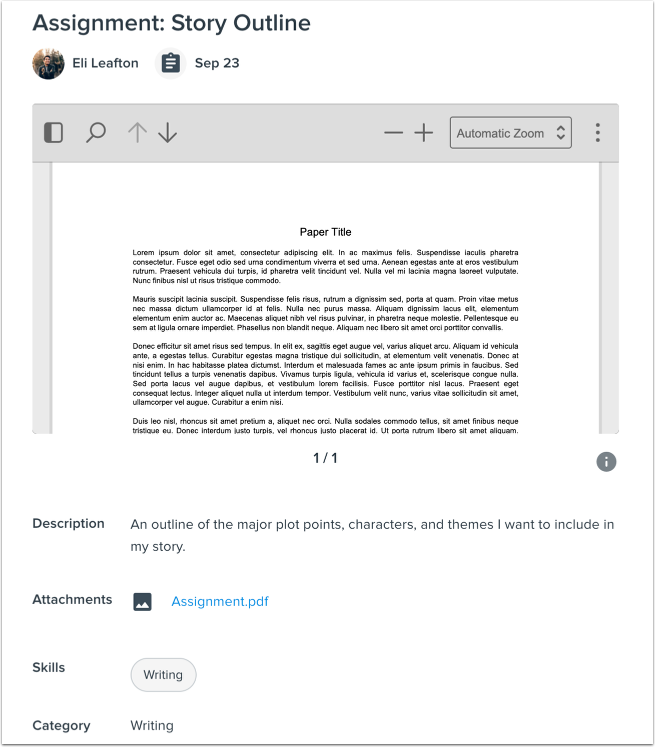
View Requirement Submission
View the student's submission.
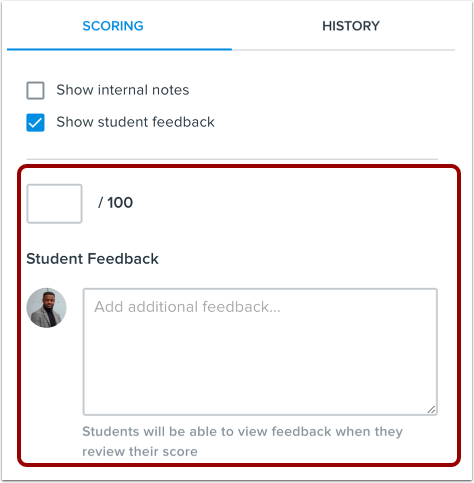
Score Requirement
Enter a score and feedback for the requirement.
Submit Score
To submit your review, click the Submit Score button [1].
To request the student revise their work and resubmit, click the Request revisions link [2].
Notes:
- As a reviewer, you cannot request revisions after the requirement has been graded.
- If you have already requested a revision, you can still grade the requirement.
- Once a requirement has been graded, students cannot resubmit their work.
Confirm Score
Pathways will ask you to confirm your score. Click the Submit Score button to submit your review.
View Completed Reviews
After you have submitted your review, you can view it on the Completed tab [1]. To view or edit your review, click the View link [2].