Canvas Student Pathways will be retired on June 30, 2026. For more information, see the Introducing Canvas Portfolio blog post.
As an admin, you can add Portfolium to your Canvas account. Adding Portfolium to your account will allow other users to connect their Portfolium profiles and allow teachers to link assignments.
Notes:
- This lesson shows how to add the Grade Exchange LTI for US hosted instances. If you want hosting outside the US, please contact your CSM.
- To complete the steps in this lesson, you will need your Portfolium account's key and secret.
Open Account
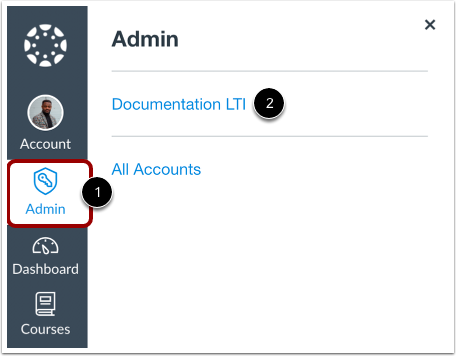
Click the Admin link [1], then click the name of the account [2].
Open Settings
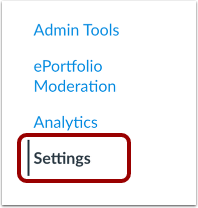
In Account Navigation, click the Settings link.
Open Apps
Click the Apps tab.
Search for Portfolium
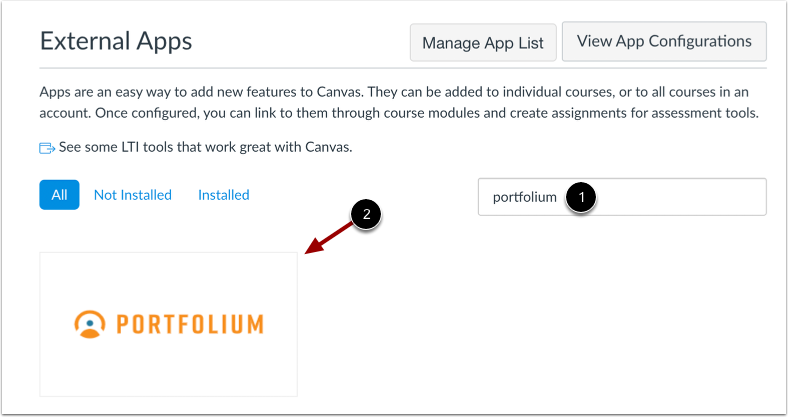
On the Apps page, search for Portfolium using the search field [1] and then click the name of the app [2].
Add App
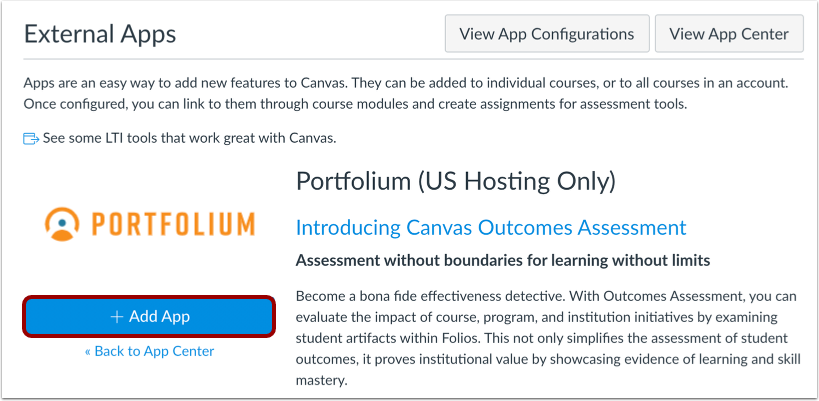
Click the Add App button.
Add App Details
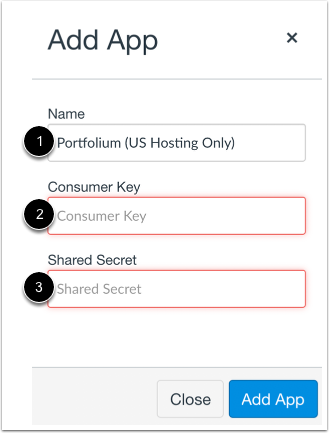
Canvas will automatically enter the name of the app [1]. Enter the consumer key in the Consumer Key field [2], and the shared secret in the Shared Secret field [3].
Notes:
- If you are a Portfolium admin, you can access your Portfolium account's key and secret in the LTI section in Educator Tools.
- If you do not have a consumer key and shared secret, check with your Customer Success Manager.
View App
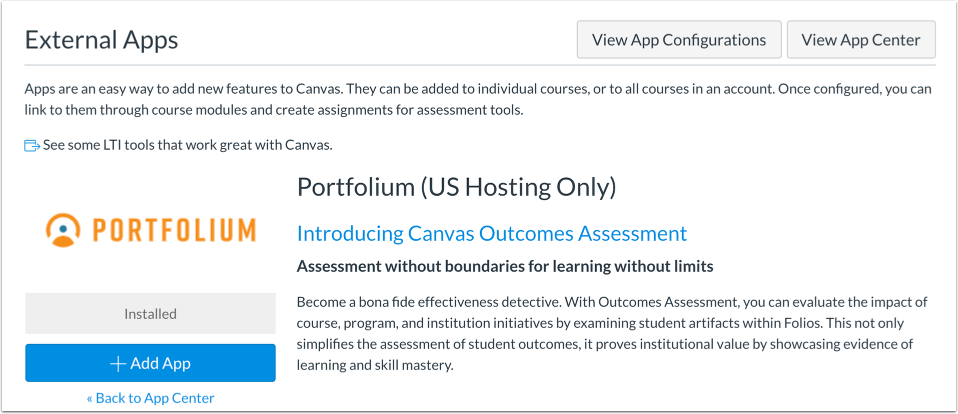
View the added app.