Canvas Student Pathways will be retired on June 30, 2026. For more information, see the Introducing Canvas Portfolio blog post.
You can easily invite other users to join Canvas Pathways and Outcomes Assessment. If you are an administrator on the platform you can designate a user role when you send an invitation.
In the Toolbar, click the Me icon [1] and then click the Quick Invite link [2].
Send Invitation
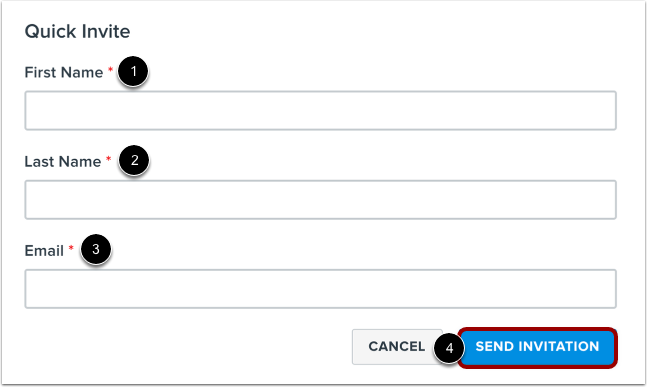
In the Quick Invite window, enter the user's first [1] and last name [2], as well as their email address [3].
To send the user an invitation to join the platform, click the Send Invitation button [4].
Select User Role
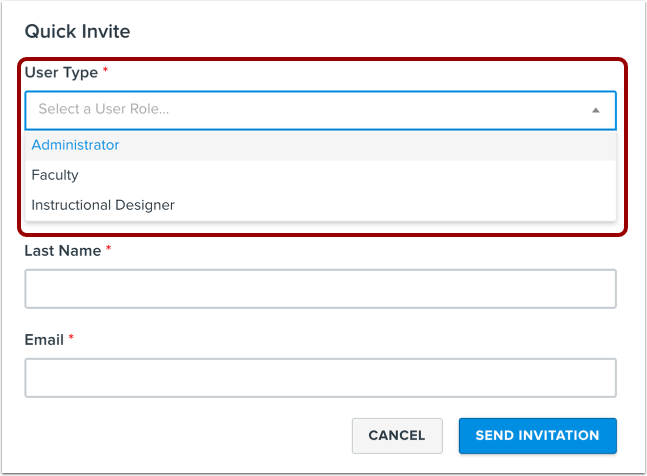
If you are an admin, you can designate a user role when inviting users to the educator tools. Available user roles include administrator, faculty, and instructional designer.