Canvas Student Pathways will be retired on June 30, 2026. For more information, see the Introducing Canvas Portfolio blog post.
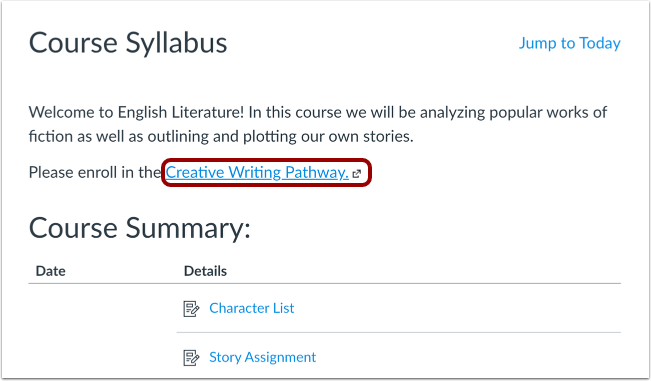
To enroll in a pathway, the pathway coordinator may provide a link that allows you to self-enroll. The coordinator may share the link with you in an email or in an informational page, such as a course syllabus. If you are not sure where to access the enroll link, please check with the pathway coordinator.
You may be enrolled in a pathway automatically. To access the pathway, check your email for a link or check the notifications icon in the Toolbar.
Note: If you do not have a Portfolium account, you will be prompted to create an account before enrolling in the pathway.
Locate Enroll Link
Locate and click the pathway enrollment link.
View Pathway
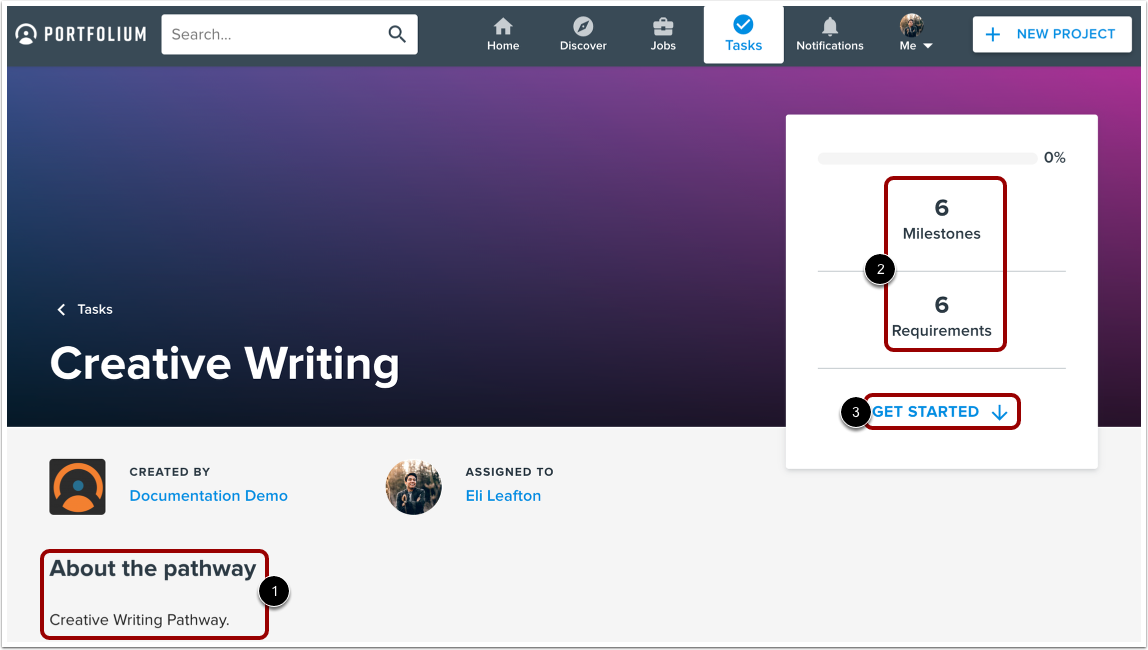
The pathway will open in a new window. You can view information about the pathway including instructions [1], and the number of milestones and requirements [2].
To start working on the pathway, click the Get Started link [3].
Note: If you do not have a Portfolium account, you will be prompted to create an account before enrolling in the pathway.