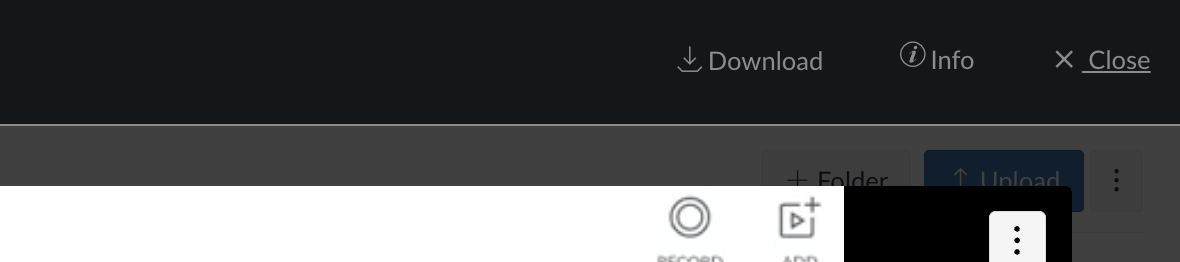
Unlike submitted “paper” files for assignments, media recordings with the new media player in Canvas doesn’t have a very noticeable link to download student submissions, whether they be audio or video recordings.
I happened to spot a way that teachers could get access to the actual file of the student submission…but it might involve using “please?”
This quick video shows where those files are located.
Thanks,
-Chris

@cpowell2 @AkosFarago @dhumphreys @dbrace @HollyBrennanUSF Good news. This functionality will be re-enabled in the new SpeedGrader, which is scheduled to be released to Feature Preview on June 21. Media and Studio submissions will once again be downloadable as part of this update.
The new SpeedGrader will be available to all users, but it will need to be enabled using the feature flag “Performance and Usability Updates for SpeedGrader.” Mark your calendars and make sure you don't forget to turn it on!
You can find more details about the updates for SpeedGrader here
Hi @cpowell2,
Thank you for putting this together.
I believe a few main reasons for this are:
I have included @AkosFarago because they might be able to provide more information and/or a workaround that does not require students to access their "Files", download the video, and share it (which could potentially either cause duplicates in user "Files" or other storage challenges in Canvas or other ways of sharing content).
-Doug
Thank you for reporting this issue. Could you confirm if there was a more noticeable link for downloading the submission before the media player updates in the Speedgrader or this is a new need? There were quite many places where we updated the player in Canvas and since the change it is not possible for us to revert for testing purposes I am yet to confirm it myself.
For other places in Canvas, we kept the dark bar on the top for downloading the content (for those with the necessary permissions e.g. the owner of the content), but I am not positive that we had this in the Speedgrader for media submissions in the past.
Hi @cpowell2, @dbrace and @AkosFarago , thank you for this information! Just to confirm, there is still no way to download a student's video submission in canvas from the teacher's account?
Thanks for the response, @dbrace! I have an assignment with the single purpose of downloading student audio/video recordings, so I have changed the submission type from "media recording" to "file upload". While I really liked the convenience for students to be able to record a video directly through canvas, I won't encourage the students to use the built-in media recording feature anymore..
@HollyBrennanUSF , @cpowell2 ,
Would you mind sharing more on the purpose of downloading media submissions? And why specifically from within the Speedgrader? This way, if we eventually implement (or reintroduce) this functionality, we'll have a clear understanding of the problem and be able to deliver a great experience.
@dbrace I appreciate your comment on the bulk download and its convenience, that is a great call out why file upload might be a better alternative in certain cases, while we have also noted your comment @HollyBrennanUSF that this makes the built-in media recorder less relevant in this specific one.
@dbrace Great question! Restoring the previous functionality does require enabling the Performance and Usability Updates for SpeedGrader feature flag. This enhancement is not still in development; it's available in Feature Preview, which means it’s released to production but must be manually enabled
Thanks, @dbrace. I totally hear you on that. You're right that the terminology can be confusing, especially since "Feature Preview" can feel like something still in flux.
To clarify: the new SpeedGrader has the same core UX as the old one, and what we’re calling a Feature Preview is actually a production-ready version. The Early Access Program was the phase where active development and iteration were still happening. Feature Preview just gives users some extra time and flexibility before we make it the default.
Totally fair that it feels like a lot of work just to get back to something you had before. We're keeping an eye on that feedback as we roll it out.
@cpowell2 @dbrace @dhumphreys @HollyBrennanUSF Hey all! Just wanted to follow up with an update here - the team is still working on getting this feature added back in. They've run into a small delay so it will not be released on 6/21 with 'Performance Upgrades to SpeedGrader'. Hopefully we can get the feature in production shortly - stay tuned for more updates.
@cpowell2 @jcross @AdamPowell @JenniferMcIntyr @BenECU @TimothyMesser-K
Thanks so much for hanging in there! We hit a few unexpected technical bumps, but the fix is almost here. In just 2 weeks, you’ll be able to download student-submitted media right from Performance and Usability Upgrades SpeedGrader. We’re excited to roll this out and appreciate your patience as we make it happen!
@dbrace@ChipStanek Thanks for checking in! This one has been released to production. Go to the new speedgrader, under submission details you should see the download option for Media files. And good call out, looks like this one never made it to the deploy notes.
@dbrace This was released last Wednesday, 10/22. @ChipStanek I've validated that the feature is working in production - please reach out to your school admin to make sure you have permission to download content. What is your current role?
I've checked and confirmed video submitted into a Media Upload assignment can now be downloaded. Admins will need to deploy the 'Performance and Useability Upgrades for SpeedGrader' Feature Option to see it - yay! Big thanks @YasiAfsharnive
@YasiAfsharnive hello, media submissions still don't seem to be downloadable in "Performance and Usability Updates for SpeedGrader" - at least not in our beta instance. Can you please confirm is this correct or should they be downloadable as per your post above? thanks
Yes, they should be downloadable if you have the correct permissions set. Do you mind sharing your SpeedGrader URL so we can take a look? Feel free to share it as a DM!
It seems to be working now - at least for new media recording submissions - is this just for new media recording submissions and not previous? Thanks.
Enhance your access to articles, forums, and events—and to participate by sharing insights, engaging in discussions, and connecting with your network of edtech peers.
Cordial saludo Actualmente estamos presentando una inconsistencia en New Quizzes al momento de realizar la migración y posterior edición de las evaluaciones. Específicamente, al intentar modificar una pregunta y eliminar una de sus opciones de respuesta, el sistema no permite ejecutar dicha acción. Con el fin de descartar…
Our institution is setting up 9 institutional outcomes in Canvas. Several of our outcomes have multiple skill sets within the rubric. For example: Critical Reading – Skill Set A Critical Reading – Skill Set B Critical Reading – Skill Set C Our understanding is that Canvas Outcomes data reports can provide the overall/total…
I am just curiousas to why there is not a field to enter a description for an outcome at the account level? Or at least edit the rating when you attach/link an account level outcome to a rubric. When you create a new criterion for a rubric, you enter a decription for a rating, but for an account level outcome.
We use a pre- post- model to measure learning which requires student-question matching from two time periods. This requires exporting quiz data to CSV to do the analysis properly. (I can get into more detail if needed.) The New Quizzes Student Analysis CSV export has repeated blocks of ItemID then columns related to that…
Hello! A caution to my fellow Admins and support folks that Instructure updated their live-chat link (the one in the "(?) Help" menu, if you license their Support Chat service) fairly recently, but the old broken one is still online and appears as if it still functions. If someone hits the old link, after entering their…