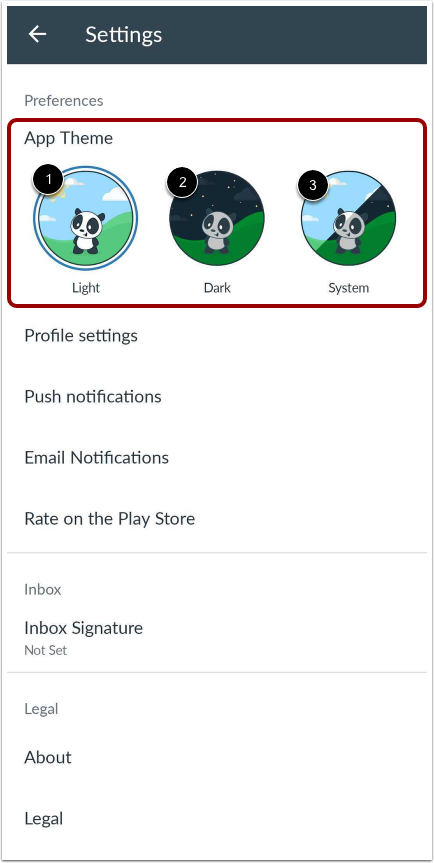
In Settings, you can choose between three app theme options, Light, Dark, or System.
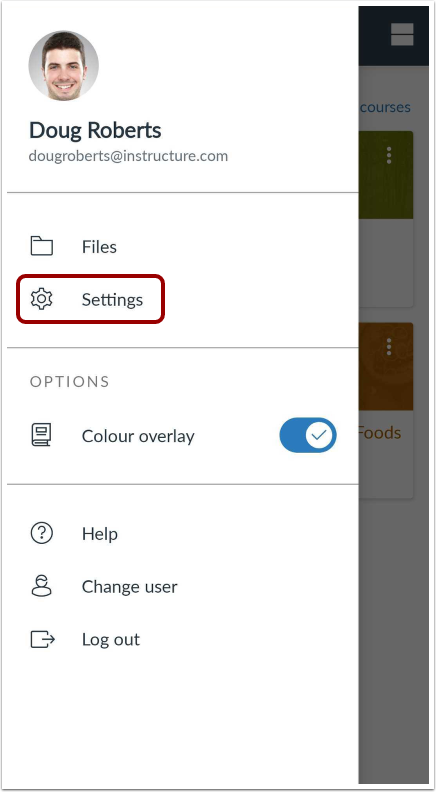
In the Dashboard, tap the UserMenu icon.
Open Settings
Tap the Settings link.
Select Theme
To select preferred theme tap Light for dark text on light background [1], Dark for light text on a dark background [2], and System reflects the current device's theme [3].