You can switch profiles to view another account on the Teacher app at any time.
This lesson shows images for a phone display; however, unless otherwise noted, the steps are the same for tablets.
Open User Menu
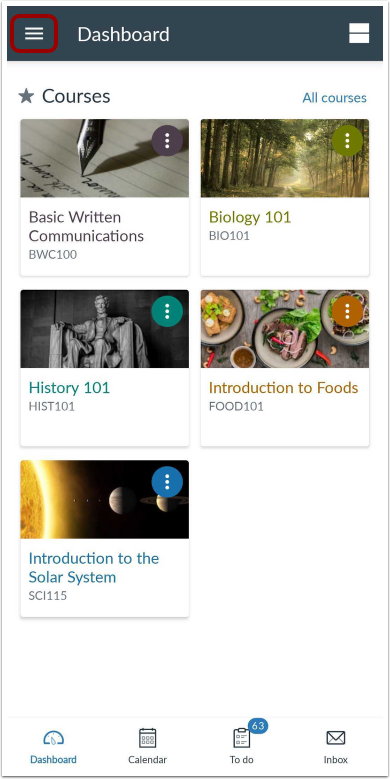
In the Dashboard, tap the Menu icon.
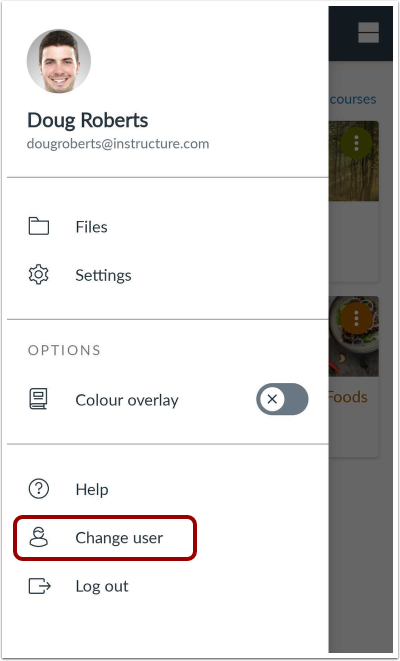
Tap the Change User link.
View Login Page
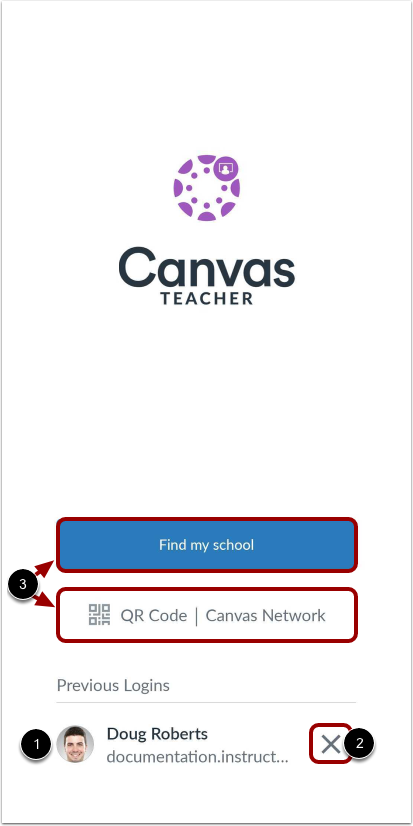
Previous logins appear in the user list. Tap the user profile you want to open [1]. To remove a profile, tap the Remove icon [2].
To add an account, log in to Canvas [3].