You can bookmark any course page in the Canvas app for quick reference at any time. Learn how to view your bookmarks.
The images in this lesson are shown for a phone display, but unless otherwise noted, tablet displays mirror the same steps.
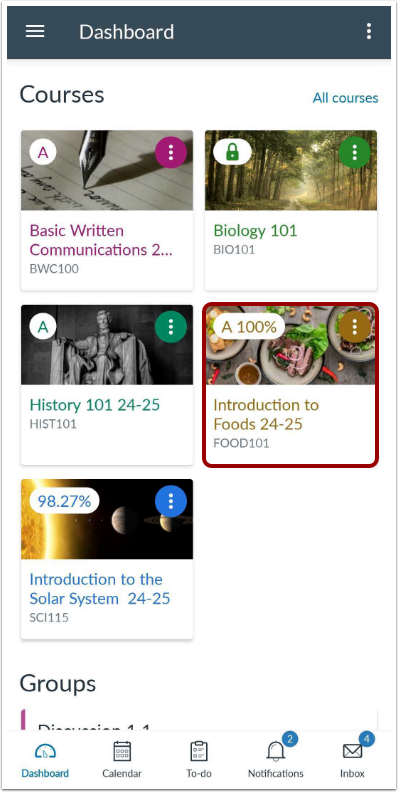
Open Course
In the Dashboard, tap the name of the course you'd like to view.
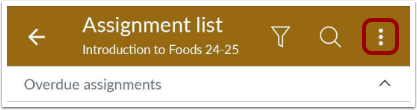
On any course content page, tap the Options icon.
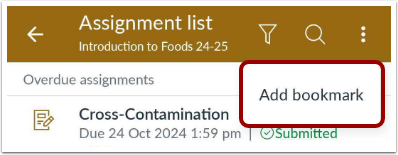
Add Bookmark
Tap the Add Bookmark link.