If you have multiple roles in the Student Growth Portfolio, you can switch between roles in your user menu.
Switch Role
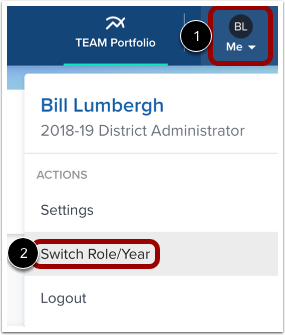
In the toolbar, click the Me icon [1] and then click the Switch Role/Year link [2].
Select Year
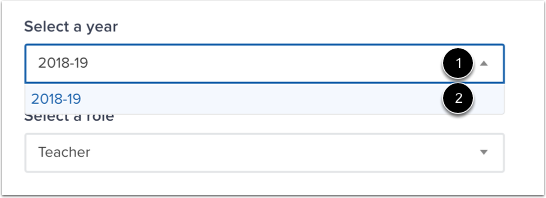
Click the Year drop-down menu [1] and select an option from the menu [2].
Select Role
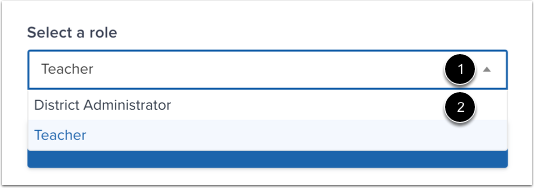
Click the Role drop-down menu [1] and select an option from the menu [2].
Confirm Switch
Click the Switch button.