US English is the default language for Canvas Student ePortfolios, but you can elect to view the ePortfolio interface in Australian English, UK English, or one of six additional languages:
- Spanish (Español)
- German (Deutsch)
- Dutch (Nederlands)
- French (Français)
- Norwegian (Bokmål)
- Portuguese (Português)
Open Settings
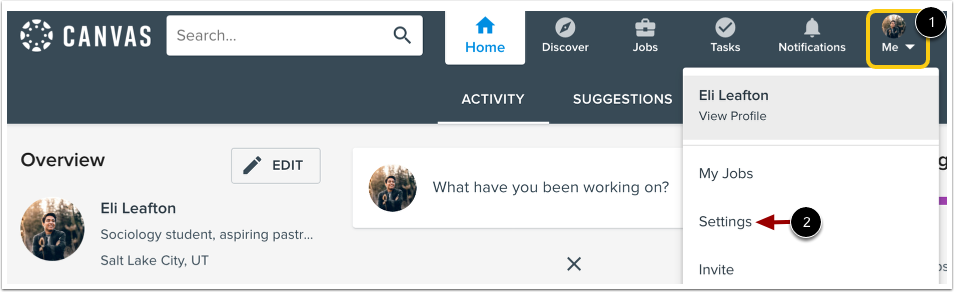
To open user settings, click the Me icon in the toolbar [1], and then, click the Settings link [2].
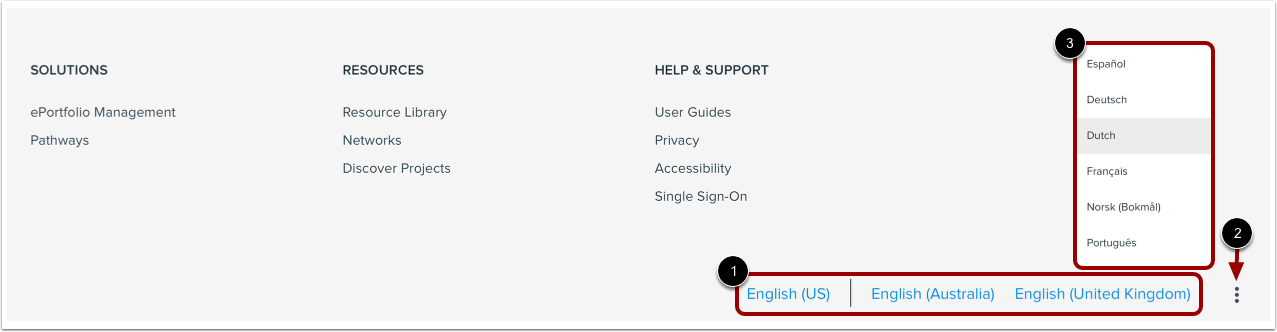
Scroll to the bottom of the settings page. To select an English option, click the appropriate link [1].
To view additional language options, click the More Options icon [2]. Then select a language from the list [3].
View Translation
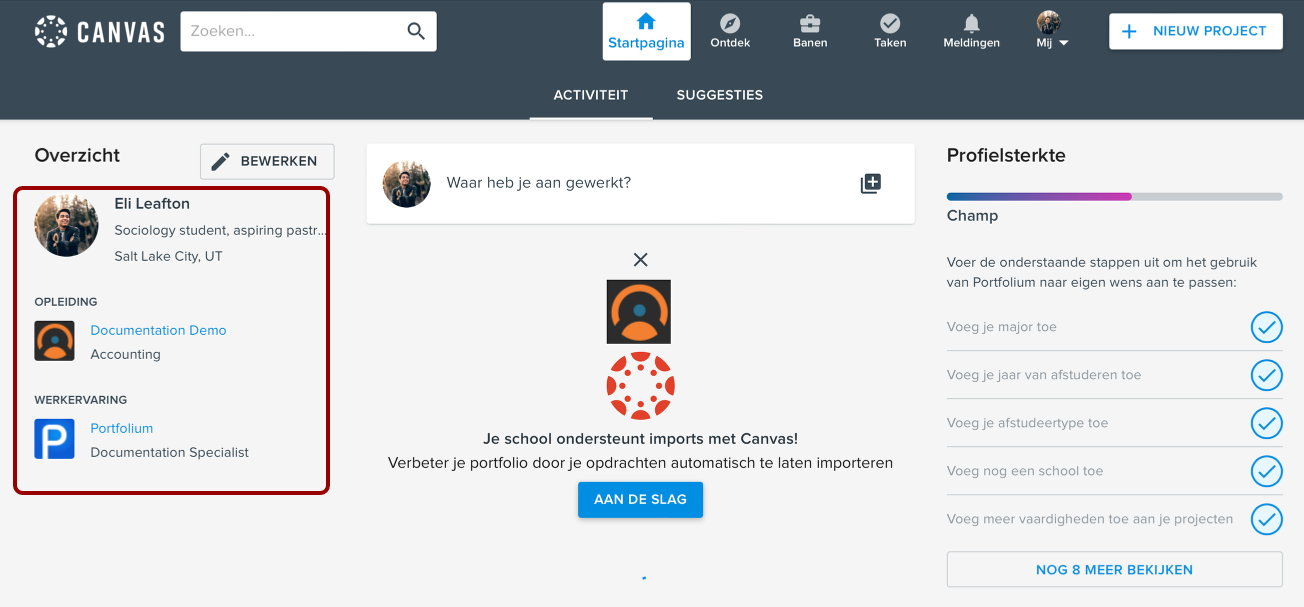
The ePortfolio displays in the new language.
Note: Profile information displays in the language in which you entered it; it does not translate if you change the Canvas Student ePortfolios interface to display a differemt language.