Canvas deploys contain code changes that are intended to fix bugs, improve performance, and prepare for new features. These deploys take place every two weeks and can be tested in the beta environment before the production deploy date indicated in the title of this document. Institutions are responsible for conducting thorough evaluations of their custom CSS/JS with each release and deploy to assess potential impacts.
Fixed bugs are located in Known Issues.
Unless otherwise stated, all features in this deploy are available in the Beta environment on 2025-11-06 and the Production environment on 2025-11-19.
Subscribe to the release notes page to be notified of new release and deploy notes
For Canvas Platform Service changes (API, GraphQL, Canvas Data), please see the appropriate page in the Change Log
Updated Features
Course Settings
Set Learning Mastery as Default Grades Page Tab
Admin Instructor Student
Feature Option Names to Enable | - Student Grades Page Learning Mastery Default
- Student Learning Mastery Gradebook
See the Canvas Feature Option Summary to learn more about Feature Options. |
|---|
Enable Feature Option Location & Default Status | Student Grades Page Learning Mastery Default - Account (Disabled/Locked)
Student Learning Mastery Gradebook |
Subaccount Configuration | Yes |
Course Setting to Enable | Default students to Learning Mastery tab |
Permissions | Inherent to user role |
Affects User Interface | Yes |
Affected Areas | Feature Options, Course Settings, Student Grades |
Related Ideas | None |
Summary
When an admin enables the Student Grades Page Learning Mastery Default feature option, and the Student Learning Mastery Gradebook feature option is enabled. A Default Students to Learning Mastery course setting is available. This setting makes the Learning Mastery tab the default view on the student Grades page, instead of the Assignments tab.
Change Benefit
This feature allows instructors to set the default view to the Learning Mastery tab, supporting mastery-based teaching, making outcomes data more accessible, and ensuring the student experience aligns with course grading practices.
Feature Workflow
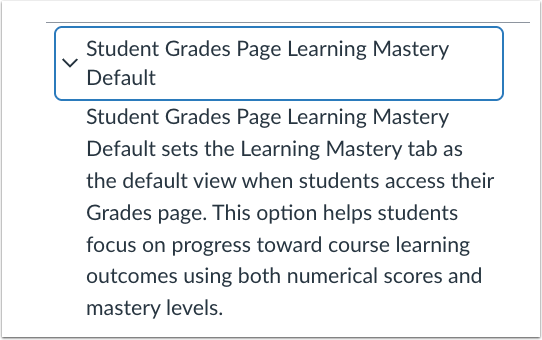
Student Grades Page Learning Mastery Default Feature Option
An admin must enable the Student Grades Page Learning Mastery Default feature option. Additionally, the Student Learning Mastery Gradebook feature option must be enabled.
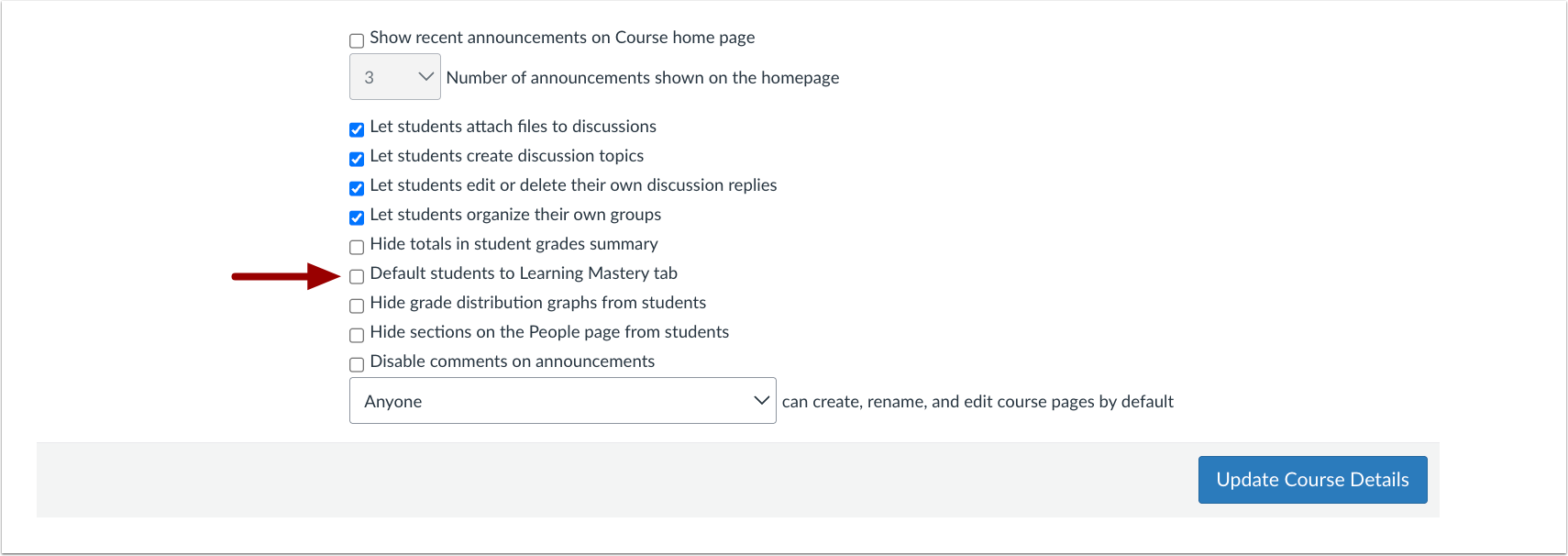
Default Students to Learning Mastery tab Checkbox
In Course Settings, instructors can set the Learning Mastery tab as the default view on the student Grades page.
Developer Keys
LTI Advantage Services Permission Renamed
Admin
Feature Option Name to Enable | N/A |
|---|
Enable Feature Option Location & Default Status | N/A |
Subaccount Configuration | N/A |
Account/Course Setting to Enable | None |
Permissions | Developer Keys-manage |
Affects User Interface | Yes |
Affected Areas | Developer Keys |
Related Ideas | None |
Summary
In Developer Keys, the LTI Advantage Services permission previously labeled Can register to be notified when Document Processor Assignment is submitted to is renamed to Can register to receive asynchronous notifications from Canvas.
Change Benefit
This update provides a clearer permission name, helping users identify when to enable platform notices such as the LTIContextCopyNotice. This permission enables tools to use the Platform Notification Service specification from 1EdTech. See the Platform Notification Service documentation for more information.
Feature Workflow

Can register to receive asynchronous notifications from Canvas Permission
The LTI Advantage Services permission previously labeled Can register to be notified when Document Processor Assignment is submitted to is renamed to Can register to receive asynchronous notifications from Canvas.
Improved Endpoint Search and Scope Requirements
Admin
Feature Option Name to Enable | N/A |
|---|
Enable Feature Option Location & Default Status | N/A |
Subaccount Configuration | N/A |
Account/Course Setting to Enable | None |
Permissions | Developer Keys-manage |
Affects User Interface | No |
Affected Areas | Developer Keys |
Related Ideas | None |
Summary
In the Developer Keys Key Settings, the Search Endpoint field searches endpoints, not just section headers. Additionally, scopes are required by default. Previously, they were optional by default and scopes can still be disabled if needed.
Note: This update does not change settings on existing API keys.
Change Benefit
These updates improve usability and quality of life for users searching the API, and align with best practices to enhance security and consistency.
Feature Workflow
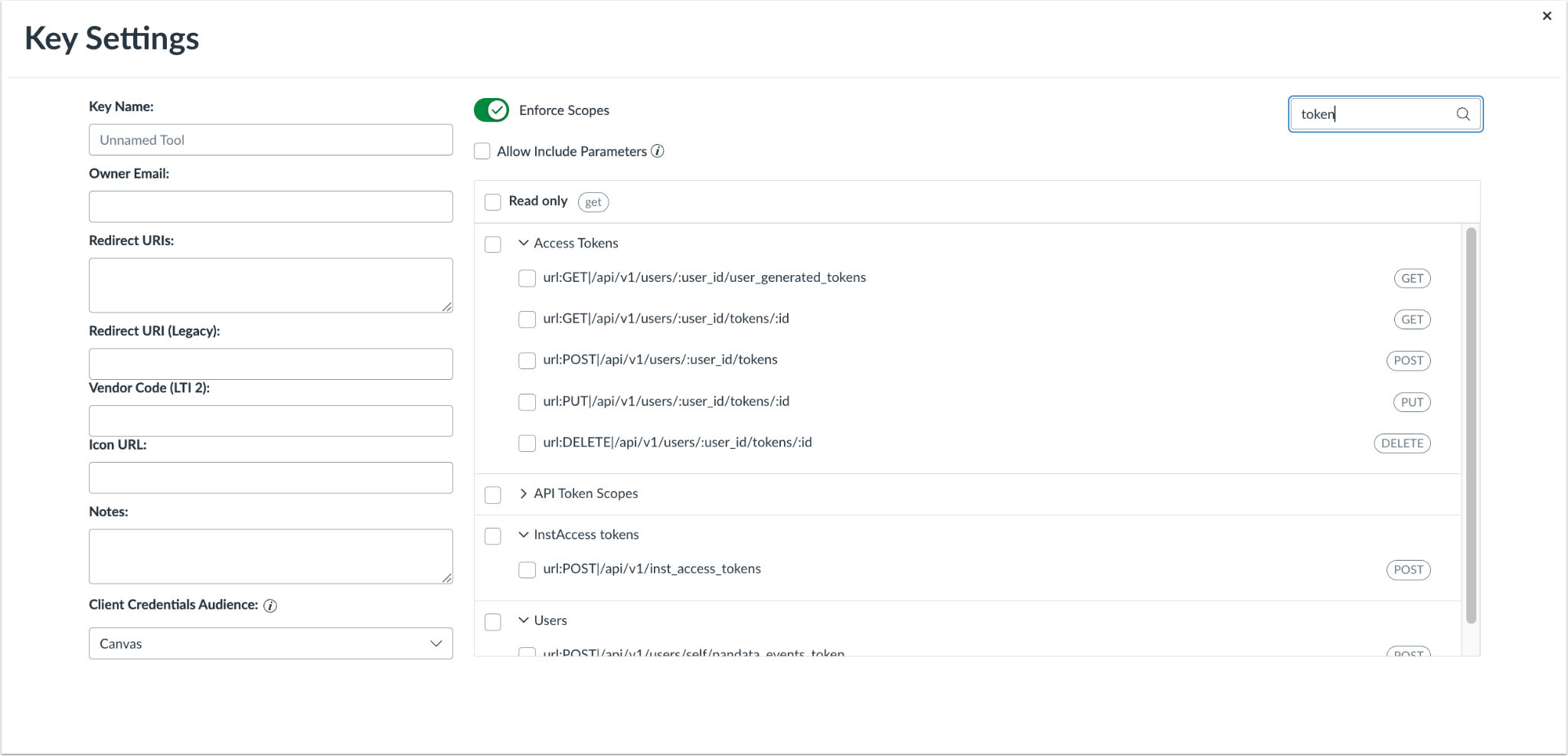
Key Setting Search Field and Results
When using the search bar, the search results display headers and endpoints.
Back to Table of Contents
Other Updates
Course Settings
Cross-listing Updated to InstUI
Instructor
Affects User Interface | No |
|---|
Affected Feature Areas | Cross-Listing |
Related Ideas | None |
Summary
The Uncrosslist form component is updated to use React and InstUI.
Change Benefit
This update improves stability and consistency across the interface.
Back to Table of Contents
