PDF:Blackboard LTI Set Up Guide
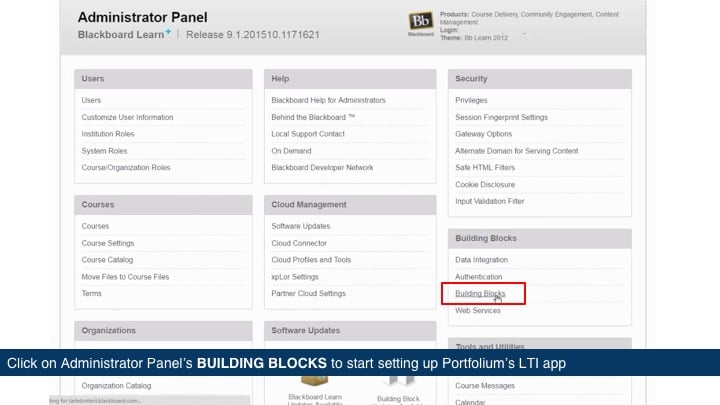
STEP 1: Click on Building Blocks
Within Administrator Panel, click onBuilding Blocks to start setting up Portfolium's LTI app.
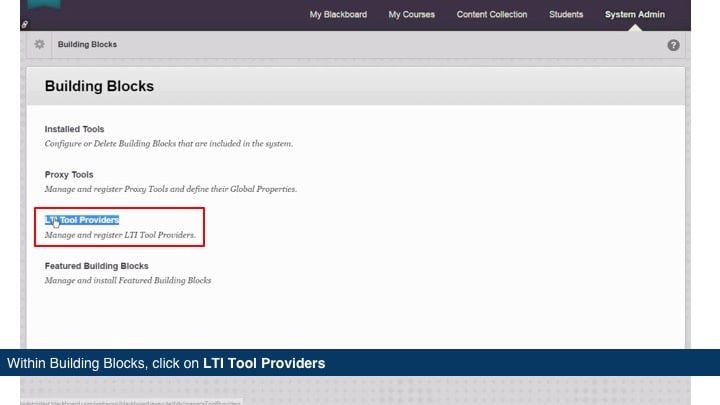
STEP 2: Within Building Blocks, click on LTI Tool Providers
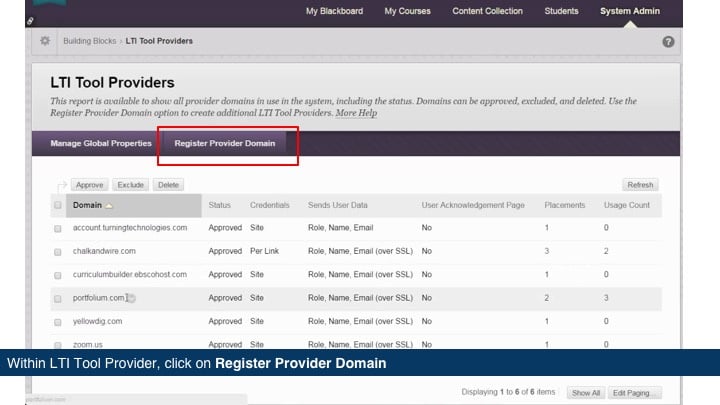
STEP 3: Within LTI Tool Provider, click on Register Provider Domain
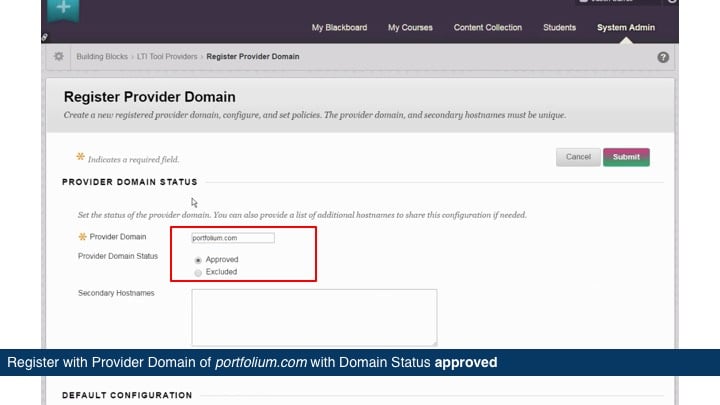
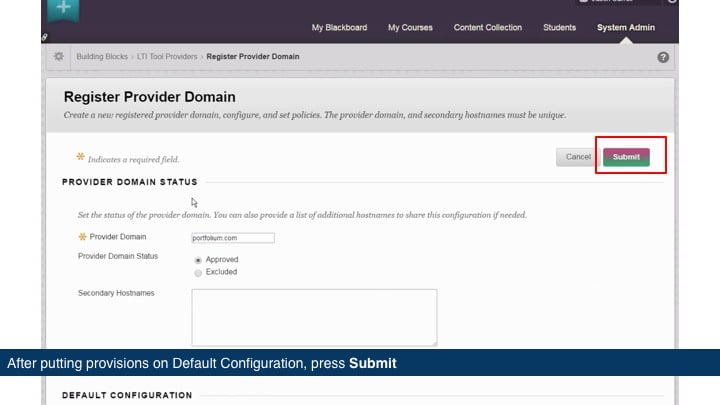
STEP 4: Register with Provider Domain of portfolium.com
Provider domain: portfolium.com
Domain Status:approved
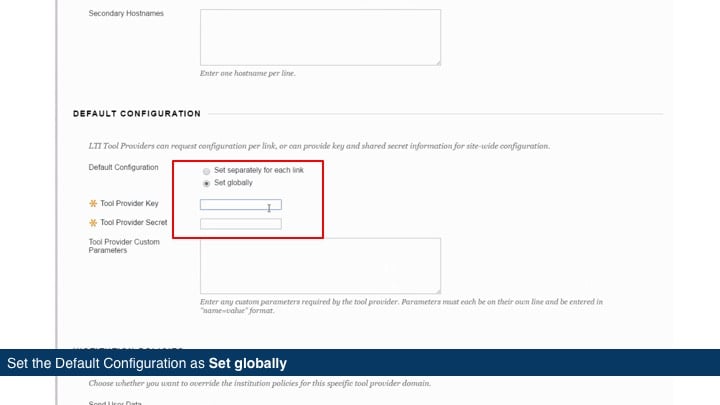
Set Default Configuration asSet globally.
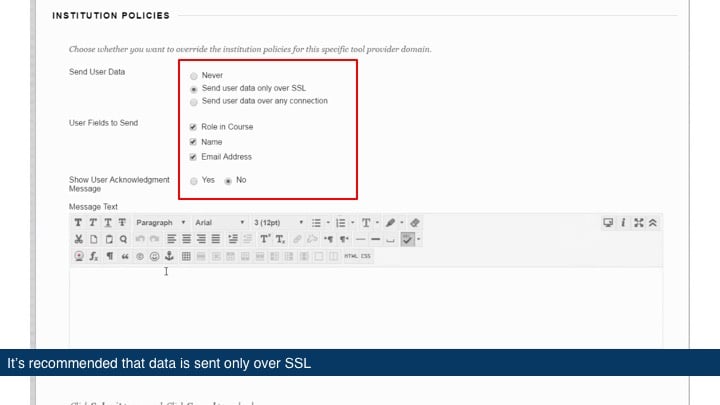
It is recommended that data is sent only over SSL.
After putting provisions on as Default Configuration, pressSubmit
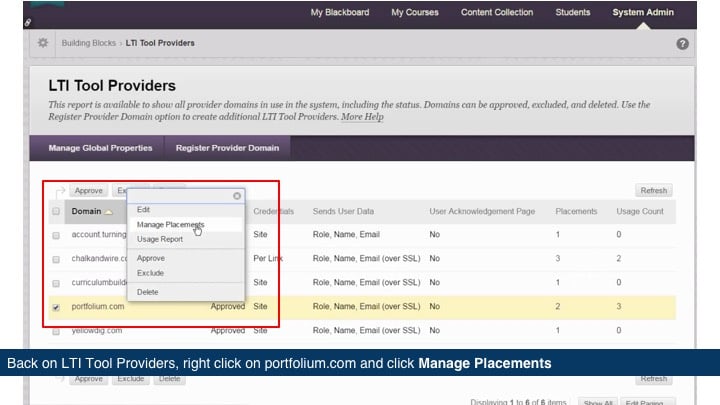
STEP 5: Back on LTI Tool Providers, right click onportfolium.comand click Manage Placements
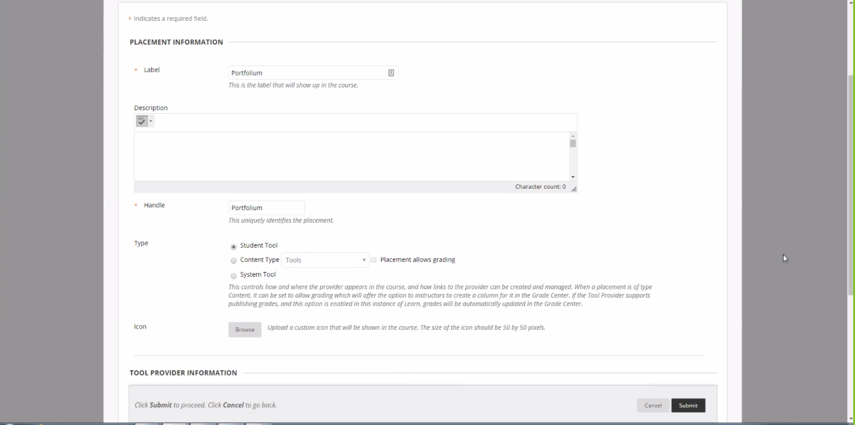
STEP 6: Create Placement as "Student Tool"
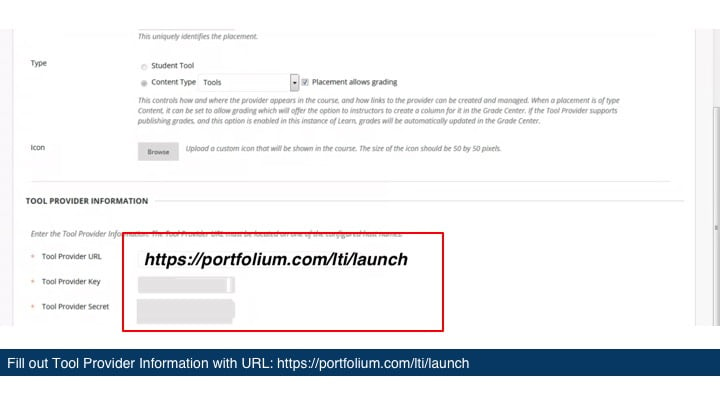
STEP 7: Create appropriate labels and fill out Tool Provider Information
Fill out Tool Provider Information with URL:https://portfolium.com/lti/launch
Portfolium will now be listed under "Course Tools"